testRigor vs Testsigma: No Locators, or Locators That Heal?
Both tools turn plain English into tests, but one ties each step to on-screen text and one to a saved locator. See what breaks each, plus devices and price.

Write click "Log in" in testRigor and Click on Login in Testsigma, and you have two tests that read almost word for word. Underneath, they point at different things. testRigor looks for the words Log in on the screen every time the test runs. Testsigma looks up a saved element called Login and the locator stored with it.
So the two tools break on different days. A reworded button is where testRigor tests break first, and a rebuilt page is where Testsigma tests do. Both now generate tests with AI and both heal them, so feature grids won’t separate them. What your app changes most will.
What you’ll learn
- What a plain-English step is tied to in each tool
- Which UI changes break a testRigor test, and which break a Testsigma test
- How AI generation, devices, pricing, and free access compare in 2026
- Which one fits your team, and where Pie fits
Quick Answer: testRigor or Testsigma?
Pick testRigor if testers will write tests as plain sentences and you’d rather each step name what the user sees than a locator someone has to keep valid. Pick Testsigma if you want a recorder with step templates, real iOS and Android phones in its own lab, and a crew of AI agents in one cloud app. If nobody on your team has the hours to keep a suite current, look past both.
testRigor vs Testsigma at a Glance
| Dimension | testRigor | Testsigma |
|---|---|---|
| How you write a test | Typed plain-English commands, or a Chrome recorder | Plain-English step templates, or a Chrome recorder |
| What a step is tied to | The text or label a user sees, matched on every run | A saved element holding a locator, such as an XPath or ID |
| When the UI changes | Tries known synonyms by default, with opt-in Vision AI healing | Auto-healing updates a locator that stopped matching |
| AI test generation | From a crawl of the app, real user sessions, or a button that drafts cases | Atto agents, from Jira stories, Figma files, or screen recordings |
| Platforms | Web, iOS, Android, API, Windows desktop, Salesforce, SAP, mainframe | Web, iOS, Android, API, Windows desktop, Salesforce, SAP |
| Real devices | Its own emulators and simulators, real phones through partner clouds | 800+ real iOS and Android devices in its own lab |
| Free option | Free forever, but every test and result is public | A free trial, plus an open-source edition last released in 2023 |
| Paid plans | Private and Enterprise, both priced on request | Pro and Enterprise, both priced on request |
| Capterra rating (Oct 2026) | 4.6 from 5 reviews | 4.3 from 19 reviews |
What Is testRigor?
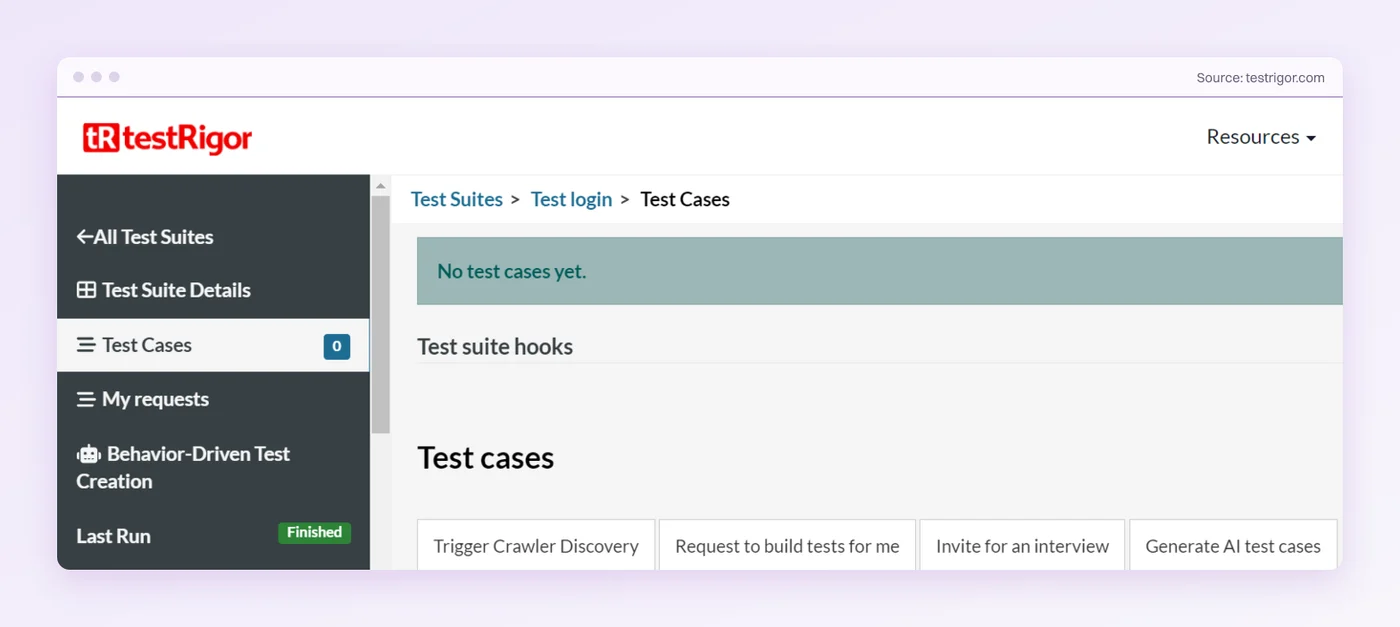
testRigor is a plain-English test automation tool built for testers who don’t write code. Each step is a command in its own grammar, and testRigor finds the element the way a person would, starting with visible text and falling back to attributes like placeholders, test IDs, and ARIA labels. Words like below and to the right of narrow the match when a label appears twice.
click "Add to cart"
enter "[email protected]" into "Email"
click on button "Delete" below "Actions"
check that page contains "Order confirmed"
You can type those steps, record them with its Chrome extension, or let testRigor generate them. Its crawler explores the app and proposes test cases, and a script running in production can turn real user sessions into tests.
What Is Testsigma?
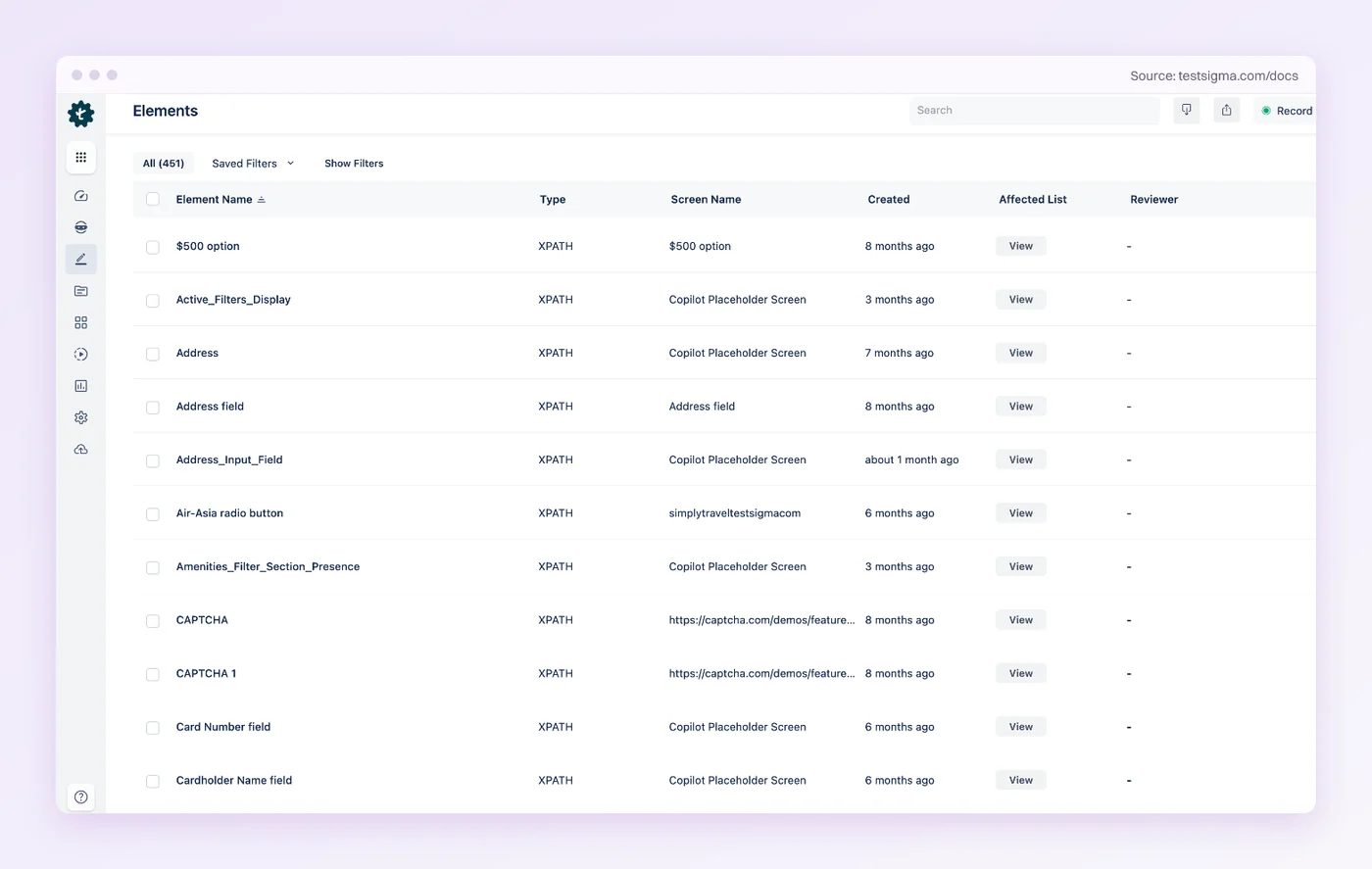
Testsigma is a cloud test automation platform that now calls itself agentic. You build a test by recording clicks with its Chrome extension or by filling in plain-English step templates. Each step that touches the page refers to an element saved in the project’s Elements Repository, and that element carries a locator, such as an XPath or an ID.
Navigate to https://example.com/login
Enter <email> in the <email address> field
Click on Login
The agents arrived in May 2025, when Testsigma relaunched around Atto, a set of AI agents that plan, generate, run, analyze, and heal tests, and Atto 2.0 followed that November. Teams also weighing Katalon face a different split, cloud against install, which our Testsigma versus Katalon breakdown covers.
testRigor vs Testsigma: 5 Key Differences
1. What Each Step Is Tied To
This is the difference that decides your maintenance, so it comes first. A testRigor step carries its own target. click "Log in" means find Log in on the screen, and the match happens fresh on every run. A Testsigma step carries a reference. Click on Login means use the element saved as Login, and the locator inside it does the finding.
Think of it as directions. testRigor tells the test to look for the sign on the door. Testsigma hands it a street address. Repaint the sign and the first set of directions fails. Renumber the street and the second does, until someone looks up the new number. Going by each vendor’s own documentation, here’s what four common UI changes do to each kind of step.
| What changes in the app | testRigor step | Testsigma step |
|---|---|---|
| A class is renamed or the button gets a new wrapper div | Usually unaffected, since the match starts from visible text | Breaks if the saved locator used that markup, unless auto-healing re-finds the element and updates it |
| The label changes from “Log in” to “Sign in” | Breaks unless a known synonym, an alternative you wrote with “or”, or opt-in Vision AI healing catches it | Unaffected if the locator is an ID, and handled like any broken locator if it matched the text |
| The button moves to another part of the page | Unaffected, unless the step located it relative to a label it no longer sits near | Breaks if the XPath encoded its old position, unless healing updates it |
| The feature is removed or does something new | Fails, as it should | Fails, as it should |
A hands-on review on Bitovi’s engineering blog hit the second row on a live site. Partway through a testRigor run on eBay, the site switched to Portuguese and Continue became Continuar.
”This caused the test to fail because the locators are based on the actual text values of the elements.”
Bitovi engineering blog, October 2024
testRigor is candid about that row too. Its self-healing page takes a button renamed from Contacts to Prospects and grants the strict view, that “the test should break since the test represents the specification in code.” Its answer is to try synonyms automatically and let you opt into AI healing, and it labels any step the AI fixed so you can roll it back. Testsigma’s auto-healing works on the first and third rows, re-finding the element during the run and saving its new locator.
Markup churn favors testRigor. Copy churn is where its tests need help.
2. How You Write and Record a Test
Both tools have a Chrome recorder, and both let a manual tester build a test without code, so the difference is the shape of a step. testRigor steps are free-form commands. You can phrase a check the way you’d write it in a test case, as long as it follows the grammar’s rules for quoted text, position words, and saved values.
Testsigma steps are templates. You pick an action such as Click, Enter, Verify, or Select, and the step arrives with slots for the element and the test data.
Free-form suits testers who already write test cases in prose, and templates suit a team that wants everyone’s tests to read the same way. If you haven’t settled codeless against code-based testing yet, do that first, since both of these tools sit on the codeless side.
testRigor suits testers who write. Testsigma suits teams that want every step in one format.
3. AI Test Generation and Agents
Neither tool waits for you to write every test now. testRigor’s crawler explores the app and proposes cases, a script in production turns real user sessions into tests, and a Generate AI test cases button drafts more. Since May 2026 it has also shipped an MCP server, so a coding assistant like Claude can list, run, and check testRigor suites.
Testsigma went wider on agents. Its Atto lineup includes a Generator that drafts tests from Jira stories, Figma files, or screen recordings, plus an Executor, an Analyzer for failures, a Healer, and a Bug Reporter. Both now sit among the tools for AI test automation, and in both, a generated test lands in the same place as a typed one, your project.
Testsigma runs more agents across the test lifecycle. testRigor can learn tests from real user sessions.
4. Platforms and Real Devices
Coverage overlaps more than the two vendors’ comparison pages suggest. Both test web apps, native iOS and Android apps, APIs, Salesforce, SAP, and native Windows desktop apps, the last only on testRigor’s paid plans. Both can read an OTP from an email inbox or a text message. testRigor adds mainframe apps and phone calls placed and verified through Twilio.
The real split is physical phones. Testsigma’s homepage lists 800+ real iOS and Android devices, and its docs place its devices in Testsigma Labs, its own cloud. testRigor runs tests on its own emulators and simulators and reaches real phones through partner device clouds, with LambdaTest as its named exclusive partner. Both also connect to BrowserStack and Sauce Labs.
Testsigma brings its own phones. testRigor reaches more channels, from mainframes to phone calls.
5. Pricing and Free Access
Neither tool lists a paid price, so price the plan you’d actually run and add the hours your team spends keeping the suite green, because neither quote includes them. testRigor’s sign-up page shows three plans as of October 2026.
- Public: Free forever, with every test and result made public.
- Private: A 14-day trial, then pricing on request. Mobile and Windows desktop testing sit on this plan.
- Enterprise: Custom pricing.
The Public plan’s catch is in its name. Tests and results on it are released under an open-source license and searchable online, and testRigor’s terms of use let anyone who finds that content copy it, sell it, or train machine learning models on it. That makes the plan a good way to learn the grammar and a poor home for an unreleased product.
Testsigma lists Pro and Enterprise, both priced on request, and offers a free trial. Its open-source Community Edition is the free route people search for.
The code remains on GitHub under Apache 2.0 and the repository isn’t archived, but its last release, v3.0.1, shipped in August 2023, and its application code hasn’t changed since. A question on its GitHub discussions asking whether the project is still maintained has sat unanswered since October 2025.
testRigor’s free plan is real but public. Testsigma’s free options are a trial and an edition last released in 2023.
What Reviewers Praise and Push Back On
On Capterra, as of October 2026, testRigor rates 4.6 from 5 reviews, all written in 2021 and 2022, and Testsigma rates 4.3 from 19. Both samples are small, so the written comments say more than the stars.
| Tool | What reviewers praise | What reviewers push back on |
|---|---|---|
| testRigor | Non-coders writing and reviewing tests in plain English, and the documentation behind it | No built-in test management, an onboarding that took many support meetings, runs that failed and then passed, and a wish to watch cloud runs live |
| Testsigma | Building tests without code, a short learning curve, and responsive support | Limited reporting (3 of 19), and trouble identifying elements, including inside iframes (2 of 19) |
Testsigma’s complaints repeat on reporting and on finding elements. testRigor’s four complaints never repeat.
Which One Should You Choose?
Choose testRigor If
- Testers will write tests as sentences and you want no locators to manage
- Your UI’s markup changes more often than its wording
- You need phone-call or mainframe steps in the same syntax as your web tests
- You want a free plan to learn on and don’t mind that work being public
Choose Testsigma If
- You want a recorder and step templates that keep a team’s tests uniform
- You need real iOS and Android phones without contracting a separate device cloud
- You want AI agents for planning, generation, triage, and healing in one app
- Your UI’s wording changes more often than its markup
If your shortlist runs wider than these two, our roundup of test automation tools covers the rest of the field.
What Neither Tool Takes Off Your Team
Typed, recorded, or generated, a test in either tool ends up as a list of steps saved in your project. Three jobs come with that list.
- Choosing what stays: A crawler or a Generator agent can propose dozens of tests. Someone on your team reads them, keeps the ones that matter, and deletes the rest.
- Reading red runs: A failure could be a real bug, reworded copy, or a locator that drifted. Healing shortens that list of suspects without emptying it.
- Following the app: A redesigned flow means rewritten steps, and the rewrite happens in your project, by your people.
The question worth putting to both vendors is who does those three jobs a year from now.
Where Pie Fits: Tests Written as Intent
Pie is an autonomous QA platform that gives the title question a third answer. A Pie test step describes what the user is doing. It can mention a label without being bound to it. When the test runs, Pie’s agents find each element by context, position, and function, so a button whose text or ID changed gets found anyway and nobody on your team has to go back into the test.
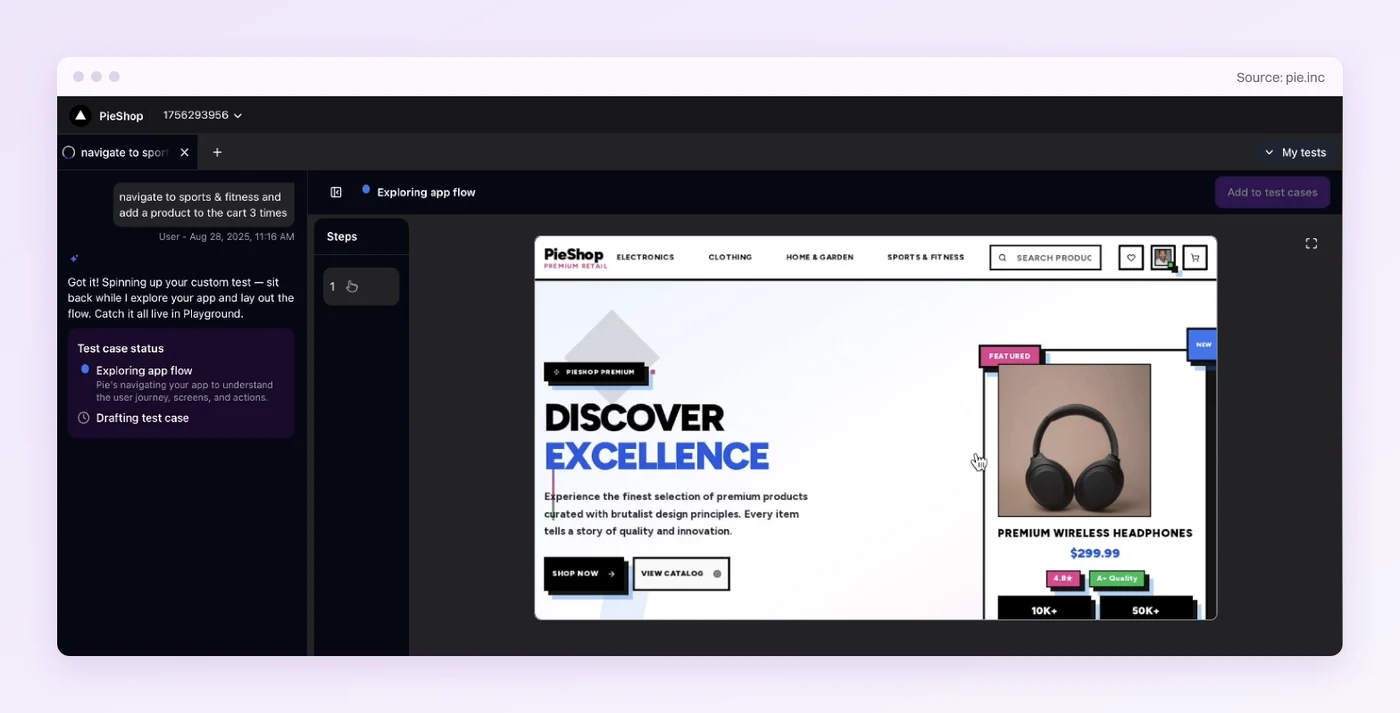
testRigor and Testsigma both generate tests now, so the difference sits in what a generated test holds on to.
- Discovery: Agents explore your web or mobile app, map its features, and generate the first suite before anyone writes a test.
- Plain-English custom tests: Describe a flow in one sentence, like the one above, and Pie drafts the steps by exploring the app.
- One definition, three platforms: The same test logic runs on web, iOS, and Android, and nobody on your team writes or repairs a locator for any of them.
Pie tests web apps and native iOS and Android apps, so if Windows desktop apps are in scope, either tool covers ground Pie doesn’t, and testRigor adds mainframe screens on top. Fi, which makes the Fi smart dog collar, tests its releases with Pie.
Match the Tool to What Your App Changes Most
If your designers rebuild screens more often than anyone rewrites the words on them, testRigor’s text-first steps will break less. If the copy changes every sprint and the markup stays put, Testsigma’s saved locators often will. Either is a sound pick for a team that plans to write and own its tests.
Whichever you pick, each step leans on something that can move out from under it, the words on the screen or the markup beneath them. Your team hears about it when it does.
A Pie test holds on to the one thing that doesn’t move, what the user is trying to do. Rename the button, move it, restyle it, and the test still knows what it’s for.
Stop Chasing Renamed Buttons
Bring the flow that broke last sprint. See it run from one sentence.
Book a DemoFrequently Asked Questions
Neither wins outright. testRigor ties each step to the text a user sees, so it rides out markup changes and needs help when the wording changes.
Testsigma ties steps to saved locators it can heal, and adds its own real-device lab and a wider set of AI agents.
testRigor doesn't list a paid price on its sign-up page. The Private plan starts with a 14-day trial and is priced on request, and so is Enterprise.
The Public plan is free forever, but every test and result on it is public.
testRigor has a free Public plan, but the platform itself is commercial software. What goes public on that plan is your work, since its tests and results are released under an open license and searchable online.
Private testing needs a paid plan.
Testsigma's cloud product is paid, with a free trial and Pro and Enterprise plans priced on request. Its Community Edition is open source under Apache 2.0.
That edition remains on GitHub, but its last release shipped in August 2023.
Not by default. testRigor finds elements from what the user sees, starting with visible text and falling back to attributes such as test IDs and ARIA labels.
Its docs also list XPath and CSS commands for edge cases, marked as deprecated.
For teams without engineers to maintain selectors, testRigor is easier to live with, because each step names what the user sees instead of a CSS path or XPath.
Selenium gives engineers full control in code, costs nothing to license, and has the larger ecosystem.
For end-to-end regression on web and mobile apps, it can. Pie's agents explore the app, generate the tests, and find each element by context, position, and function when the test runs.
Teams that also test Windows desktop apps keep testRigor or Testsigma for those.
13 years building mobile infrastructure at Square, Facebook, and Instacart. Now building the QA platform he wished existed the whole time. LinkedIn →