10 Best AI Test Automation Tools in 2026
Most AI testing tools speed up writing a test, then hand it back for you to maintain. Ten tools ranked by what you still own after the AI runs.

Most AI test automation tools don’t test your app. They help you write a test faster, then hand it back for you to run, own, and repair. The AI wrote the script in thirty seconds. You’ll spend the next six months maintaining it.
Every ranking on this page sorts the field by what you still maintain by hand after the tool runs. Some of these tools automate the typing. A few automate the testing. The gap between those two is the whole decision, and almost nobody selling you a tool names it.
What you’ll learn
- The three generations of AI testing, and why the label on the box says less than what you own afterward
- Ten tools with ratings, pricing, and the maintenance each one leaves on your plate
- Which tool fits your bottleneck, and what AI actually changes about the QA job
What Makes a Tool an AI Test Automation Tool?
An AI test automation tool uses machine learning, computer vision, or a language model to do work a tester used to do by hand. The label covers everything from a plain-English recorder to an agent that explores your app on its own, which is exactly why it is so hard to shop by. A tool that does one of the jobs below is sold with the same word as a tool that does all three.
- Writing the test: Turning plain English, a recording, or a prompt into a script. Every tool on this list does some version of it.
- Repairing the test: Re-matching an element when the UI shifts so a small change does not turn the suite red. Most of the list claims it.
- Deciding what to test: Exploring the app, finding the flows that matter, and generating coverage before anyone writes a case. A few do this, and the difference between proposing a test and owning it decides your maintenance bill.
The reason the distinction matters more than it used to is volume. Sonar’s 2026 survey of more than 1,100 developers put AI-generated or AI-assisted code at 42% of what they commit. SmartBear’s 2026 survey of 273 quality leaders found 70% concerned that application quality is already suffering as AI speeds up development. One director of engineering at a construction-software company told us his team’s code output had doubled in a year, and so had its bug count.
AI coding has come a long way. AI QA hasn’t. It’s easier than ever to write a test, but a generated test is a spun-off flow that needs maintenance all the same, and maintaining it isn’t the same as catching bugs. A tool that only speeds up authoring keeps you on the same treadmill, running faster. Whether a tool relocates that work or removes it is the question underneath AI testing as a category, and it is the axis every section below sorts on.
Three Generations of AI Testing, Sorted by What You Still Maintain
AI test automation tools fall into three generations, and the generation tells you more than the brand. Each one automates a different slice of the job, and each leaves a different amount of work with you. Read the table by the middle column, because the middle column is what lands on your sprint.
| Generation | What the AI does | What you still maintain | Example tools |
|---|---|---|---|
| 1. Assisted authoring | Turns plain English, a recording, or a prompt into a test | Every test it wrote, plus the locators underneath | testRigor, KaneAI, BrowserStack Test Companion, IDE copilots |
| 2. Self-healing | Re-matches a locator when the UI shifts | The suite, the false heals, the redesigns it cannot follow | mabl, Testim, Katalon Studio |
| 3. Autonomous agents | Explores the app, decides what to test, runs it, re-discovers on change | Nothing to script or repair; you review findings | Pie; Functionize Studio on web; QA Wolf through its team |
Generation One: Assisted Authoring Speeds Up the Typing
Tools like testRigor let you write “log in and add an item to the cart” in plain English, KaneAI and BrowserStack’s Test Companion turn a prompt into a script in the framework you already use, and Copilot or Cursor scaffold test code in the editor. Useful. But the output is a test you now own, anchored to locators that break the moment a class name changes. You traded typing time for a maintenance liability.
Developers already know how this goes with AI code in general. The Stack Overflow 2025 survey of more than 49,000 developers found 45% naming debugging AI-generated code as more time-consuming than writing it, and Stack Overflow’s own summary put trust in AI accuracy at 29%, down from 40% in earlier years. Faster to create is not the same as cheaper to keep.
Generation Two: Self-Healing Patches the Symptom
When a button moves or a class is renamed, a self-healing tool re-matches the element and keeps the test green instead of failing outright. It cuts the churn from small UI edits, and nearly every vendor on this list now sells a version of it. But it sits on top of a suite you own, and it stops in three places. Look-alike elements confuse the matcher. A redesign changes the flow itself. A framework migration moves everything at once.
One engineering lead at a consumer fintech asked us what happens when a home screen is redesigned, not because the test IDs changed but because the whole surface is different. That is the line self-healing does not cross.
There is a quieter failure too. Prateek Dehran, a software quality engineering manager at a credit union, wrote in SD Times that an ungoverned self-healing rollout cut his team’s manual maintenance to 99 hours a month while coverage-erosion incidents rose from 7 to 28.
”The self-healing technology that is focused on keeping the pipeline green does not have a way to differentiate between two quite different situations: the cosmetic change of the UI that does not influence the test and real product defect that coincidentally looks like such change.”
A heal that binds to the wrong element keeps the pipeline green and the coverage gone. Where self-healing test automation works and where it stops is its own post. The short version is that it moves the maintenance. It does not remove it.
Generation Three: Autonomous Agents Remove the Authoring and the Repair
Instead of scripting a flow, you point the agent at the app. It explores, decides what is worth testing, runs the checks, and re-discovers the flow when the UI changes, because it works from what it sees on screen instead of from a locator. The test reads like an instruction a person could follow, and the agent follows it the way a person would. Move the Health tab and the test passes. Delete the Health tab and it fails, which is the only time it should.
The levels of autonomous QA put most serious platforms here. The machine carries the regression load, and a person carries the accountability.
The wrinkle is that almost every vendor now claims some of this. mabl’s Active Coverage, Katalon’s TrueTest, Functionize Studio, and QA Wolf’s Mapping AI all sell agentic test generation. The question that sorts them is who owns the test afterward.
If the agent proposes a test and hands it to you to approve, edit, and keep green, you have bought faster authoring with an agent in the loop. If the platform owns the suite and you own the findings, the maintenance bill moves. That distinction, in four words, is whether a tool writes tests or tests.
Generations one and two hand the test back to you. Generation three hands you the findings.
10 Best AI Test Automation Tools in 2026
Ten tools, chosen by how often buyers evaluate them, sorted by what is left for you to maintain after the AI runs. Pie is first because it is built for the maintenance constraint the rest of the list spends engineering hours fighting; the others run through authoring, healing, and managed models in turn.
Ratings come from Capterra, G2, or Gartner Peer Insights, with the review count beside each score, and prices are each vendor’s own public tiers or a plain “quoted” where none exist. For open-source frameworks like Selenium and Playwright, the best test automation tools guide covers the full field.
| Tool | Generation | Platforms | You still maintain | Pricing | Best for |
|---|---|---|---|---|---|
| Pie | 3 | Web, iOS, Android | Nothing to script or repair; you review findings | Quoted | Teams whose bottleneck is maintenance |
| testRigor | 1, with healing | Web, mobile, desktop, API | Every test you approve, in plain English | Quoted | Teams without dedicated test engineers |
| mabl | 2, moving to 3 | Web, mobile, API | The suite and its trust decisions | Quoted | Low-code teams that want an agent drafting |
| Testim | 2 | Web, mobile, Salesforce | The recorded suite, reviewed like code | Quoted; free Community tier | Fast-changing web UIs |
| Functionize | 3, web only | Web | Direction and review; tests live in Studio | Free to $200 per user a month | Enterprise web regression |
| Katalon TrueTest | 2, moving to 3 | Web, mobile, API, desktop | Tests you approve into Studio | Studio $184 a seat a month; TrueTest quoted | Teams already on Katalon |
| QA Wolf | 3, run by people | Web; mobile on the managed tier | Little; you outsource it | Usage-based; managed tier quoted | Teams that would rather outsource web coverage |
| TestMu AI (KaneAI) | 1, with healing | Web, mobile, API | Tests exported to your framework | From $17 a month | Plain-English authoring on a device cloud |
| BrowserStack Test Companion | 1, with healing | Web, mobile | Tests written into your own repo | From $225 a month | Engineers who want AI inside the IDE |
| Applitools | Visual, adjacent | Web, mobile | Baselines, plus your functional suite | From $667 a month | Pixel-level UI validation |
Every list quotes the license. Almost none quotes the maintenance tax, the share of your engineers’ week spent repairing tests instead of adding coverage. One QA manager at a consumer mobile app told us his team could either test the new features or maintain the tests, and not both.
1. Pie: Autonomous, Vision-Based Testing Across Web and Mobile
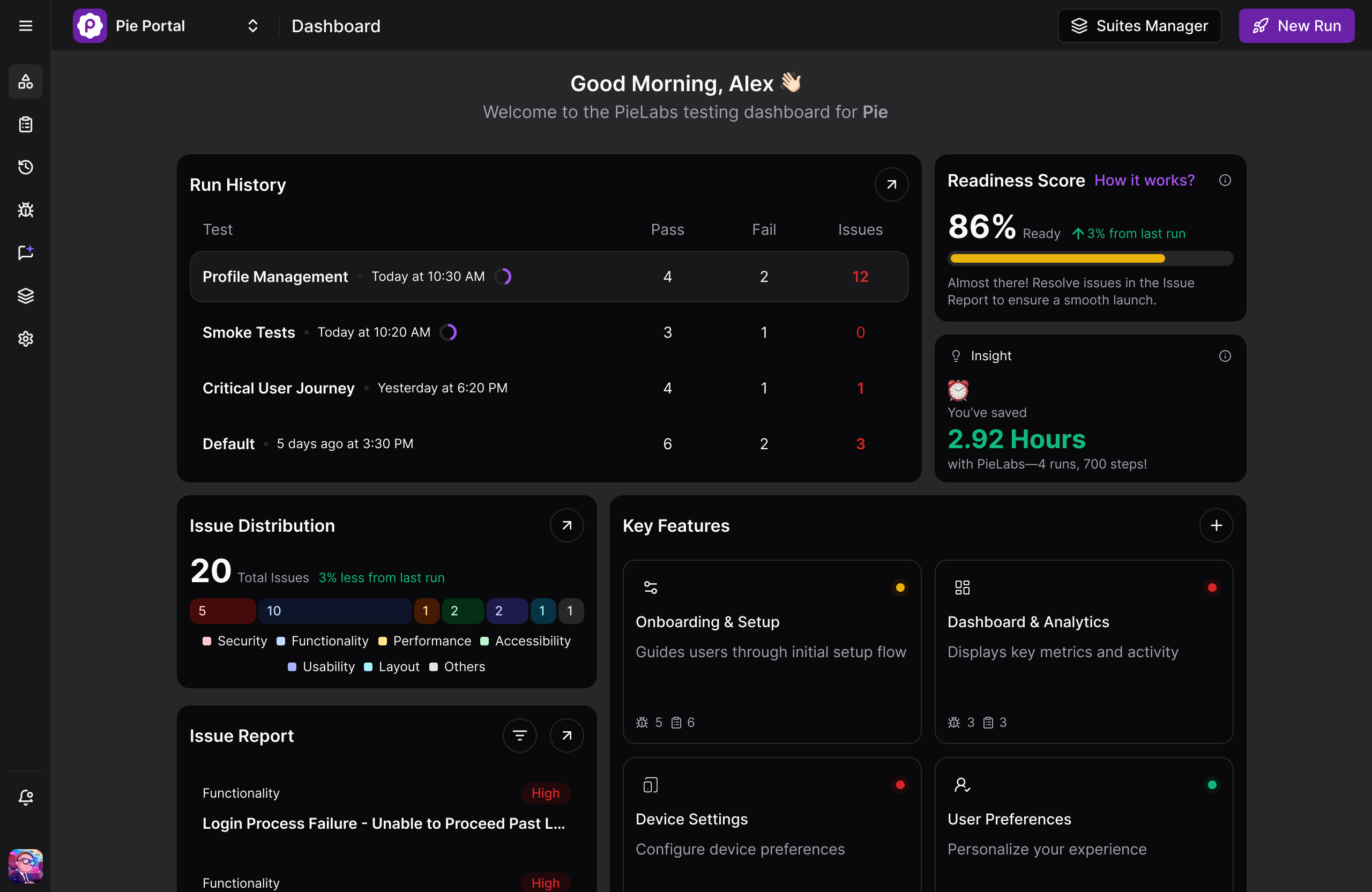
Pie is an autonomous QA platform that works through your app the way a user would and judges it by what is on the screen. Give it a staging URL or a mobile build and a test login, and its agents explore the app, map the user flows, and generate the regression suite before anyone on your team writes a test.
Execution is vision-based, so a class rename or a redesign does not turn the suite red, and there is no selector for you to write or maintain. One definition runs across web, native iOS, and native Android.
The ownership is the difference. Pie treats discovery, generation, runs, and maintenance as the platform’s job, so nobody on your side inherits a draft. Every issue the agents flag gets validated by real people on Pie’s QA team before it reaches you, and when a test catches a regression, Pie Loop drafts the fix as a reviewable pull request instead of stopping at a red build.
Rating: 5/5 from 3 reviews on Gartner Peer Insights.
What makes the difference in practice:
- Autonomous discovery maps real user flows and generates coverage with no test authored by hand
- Vision-based execution finds elements by what the user sees, so redesigns and OS updates do not break the test
- One behavior-based definition covers web, native iOS, and native Android
- Findings are checked by people before they reach you, and Pie Loop turns a caught regression into a drafted pull request
Trade-off: Autonomous discovery decides what gets covered first. A specific flow you need tested by Thursday goes in as a plain-English custom test instead of waiting for the agents to reach it.
Fi, the smart GPS pet collar company, ships its mobile releases on this model.
Pricing: Custom, shaped to your team’s requirements and testing volume. Ask for a quote.
Best for: Teams whose bottleneck is test maintenance rather than test authoring, especially with native mobile in the mix.
Not for: Teams that want to hand-author and version every web test as code in their own repo.
See Autonomous Testing on Your App
Point Pie at your staging build. Watch it find real bugs in one walkthrough.
Book a Walkthrough2. testRigor: Plain-English Authoring for Teams Without Test Engineers
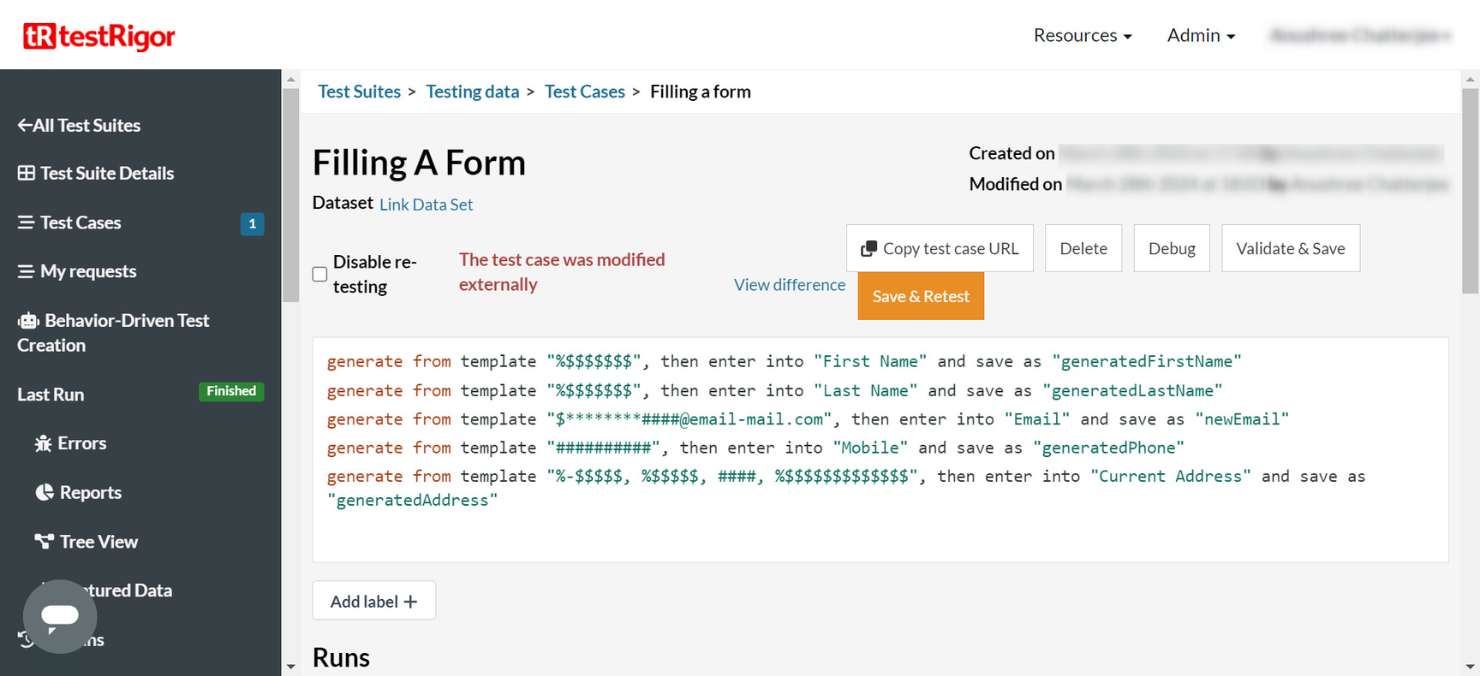
testRigor lets anyone write a test in free-flowing English and runs it across web, native mobile, desktop, and API without a line of code. It earns its spot as the most complete generation-one tool on the list, and it has added AI-based self-healing that groups every case broken by the same change so you fix them once. What you own is still every test. Your team approves or edits each generated script and maintains it, which testRigor’s own FAQ states plainly.
Rating: 4.6/5 from 5 reviews on Capterra.
Recurring strengths:
- Plain English that a product manager or a manual QA can write and read
- The broadest surface reach on this list, including native Windows desktop and mainframe
Recurring complaints:
- Runs that pass and then fail on the next execution with no code change
- No built-in test-management layer, so coverage tracking moves to a spreadsheet
Pricing: Quoted. No public price list.
Best for: Teams without dedicated test engineers who want manual QA writing the automation.
Not for: Teams whose problem is owning the suite; you own every test either way.
3. mabl: Low-Code Plus Auto-Healing, Now Pitching Agentic Coverage
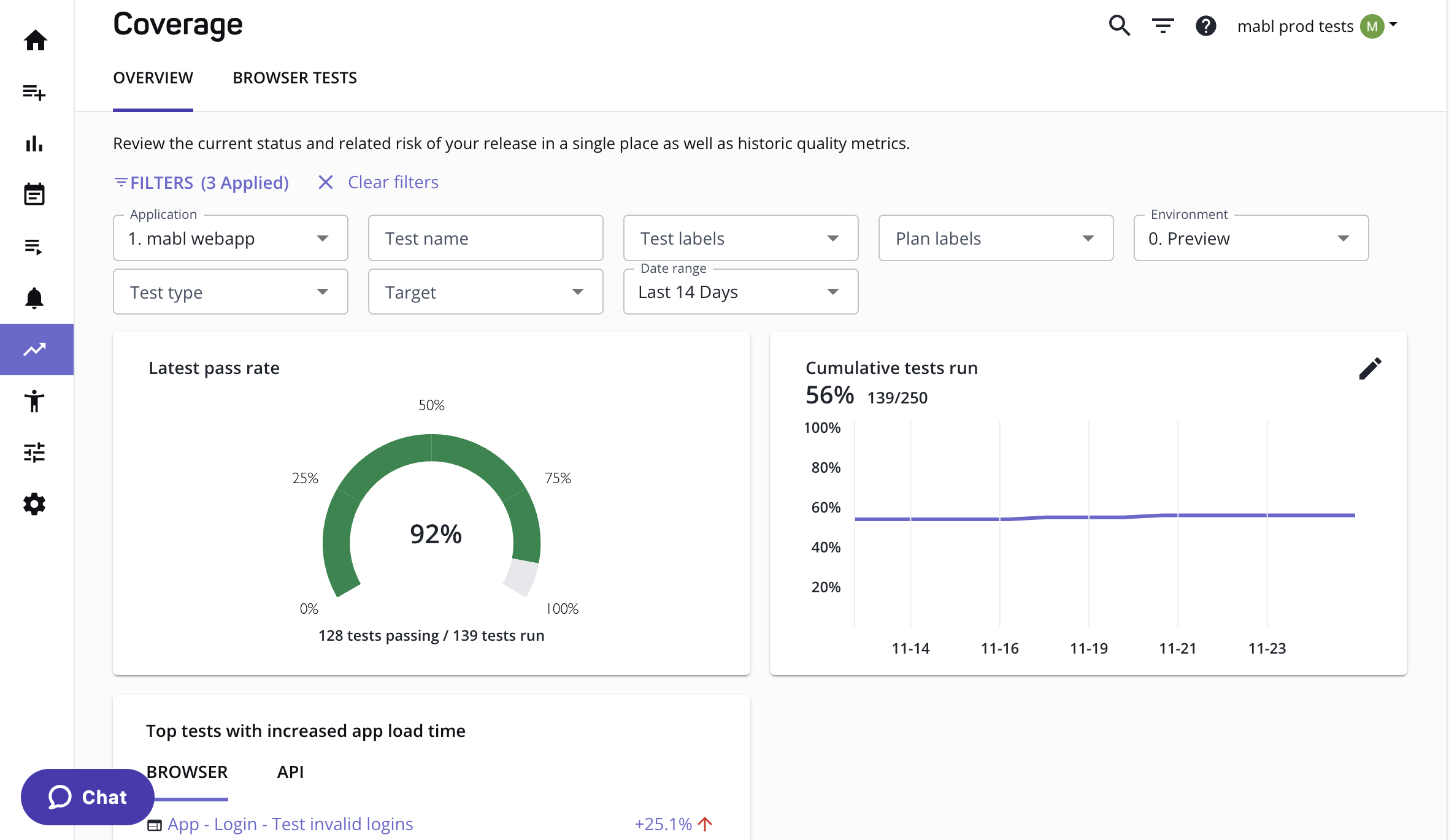
mabl pairs a low-code trainer with AI auto-healing across web, mobile, and API, and it has repositioned around Active Coverage, coverage that builds itself, runs itself, and fixes itself. Read the fine print on ownership.
The agent logs every decision it makes during creation, and when it recovers a failing test at runtime the test stays marked failed until your team decides to trust the recovery. The suite is still yours. What changed is how much of the first draft the agent writes before you take it over. Healing works within the element model, re-matching what moved, which is the distinction from a vision-based agent that never bound to the element in the first place.
Rating: 4.0/5 from 67 reviews on Capterra.
Recurring strengths:
- A low-code trainer that captures a journey in the browser and turns it into a test
- Unified web, mobile, and API coverage with auto-healing across all three
Recurring complaints:
- Pricing that reviewers call steep next to open-source options
- A resource-heavy trainer and runs that lag Selenium-based suites
Pricing: Quoted. Plans start at 500 cloud-run credits a month.
Best for: Agile teams standardizing on low-code who want an agent drafting the first version.
Not for: Teams that want to stop making a trust decision on every recovered test.
4. Testim: Smart Locators and Tests Reviewed Like Code
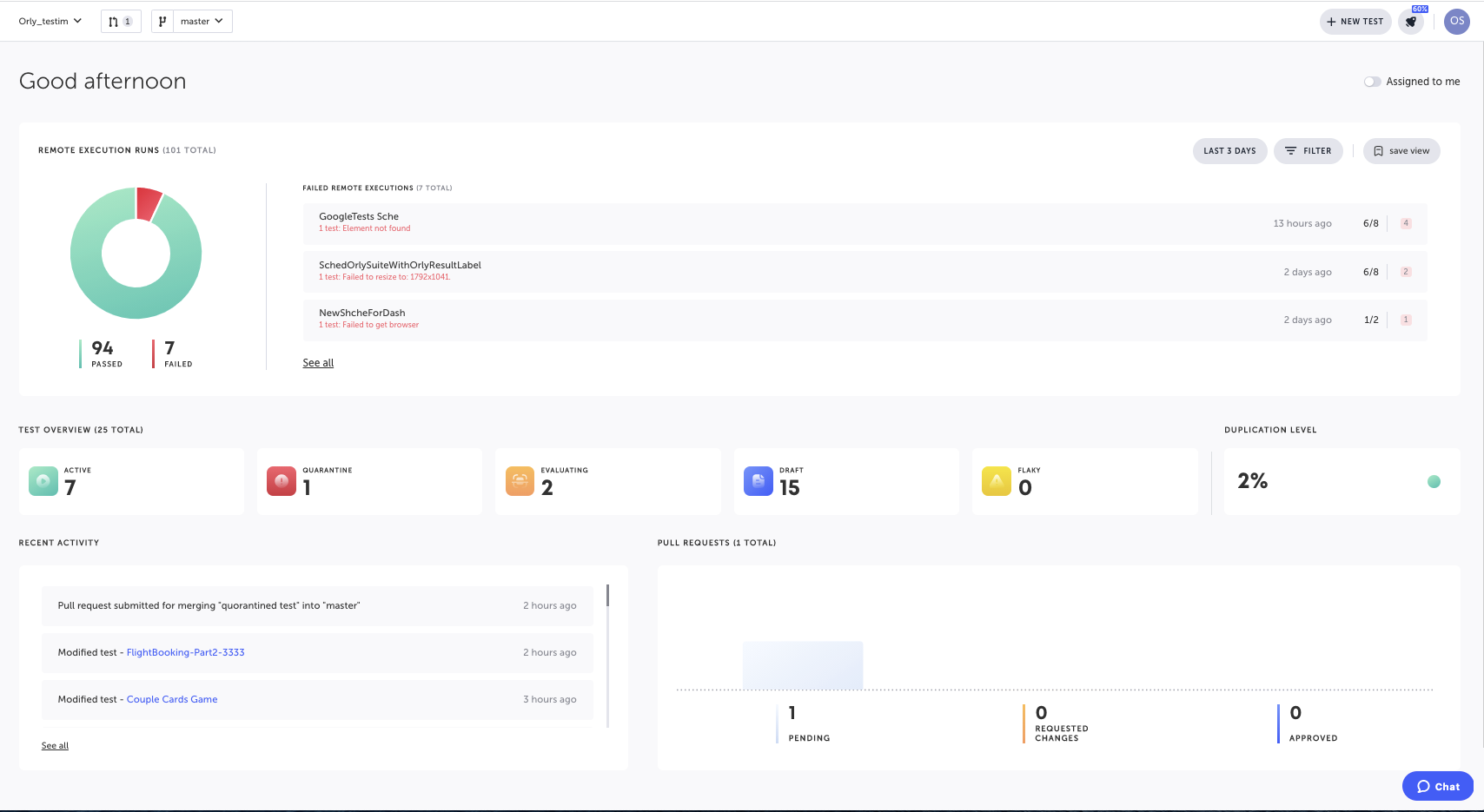
Tricentis Testim records a flow through your web, mobile, or Salesforce app, builds the test with agent workers from a natural-language description, and keeps it stable with smart locators that re-identify elements and self-heal as the app changes. Its distinct move is treating tests like code, with branches, pull requests, and required reviews before a change lands, which is the cleanest ownership model in generation two. It is also the clearest statement of who maintains the suite. You do, behind a review gate.
Rating: 4.6/5 from 50 reviews on Capterra.
Recurring strengths:
- Smart locators that survive minor DOM changes better than raw XPath
- Git-style branching and review for every test change
Recurring complaints:
- Thin error messages that force extra digging to find where a run failed
- Dynamic elements that break on small UI changes despite smart locators
Pricing: Quoted. A free Community tier remains after the trial.
Best for: Frequently changing web UIs with an engineering team that already reviews tests like code.
Not for: Teams looking for autonomous coverage; every test starts with a person recording or describing it.
5. Functionize: Adversarial Agents That Build Their Own Web Tests
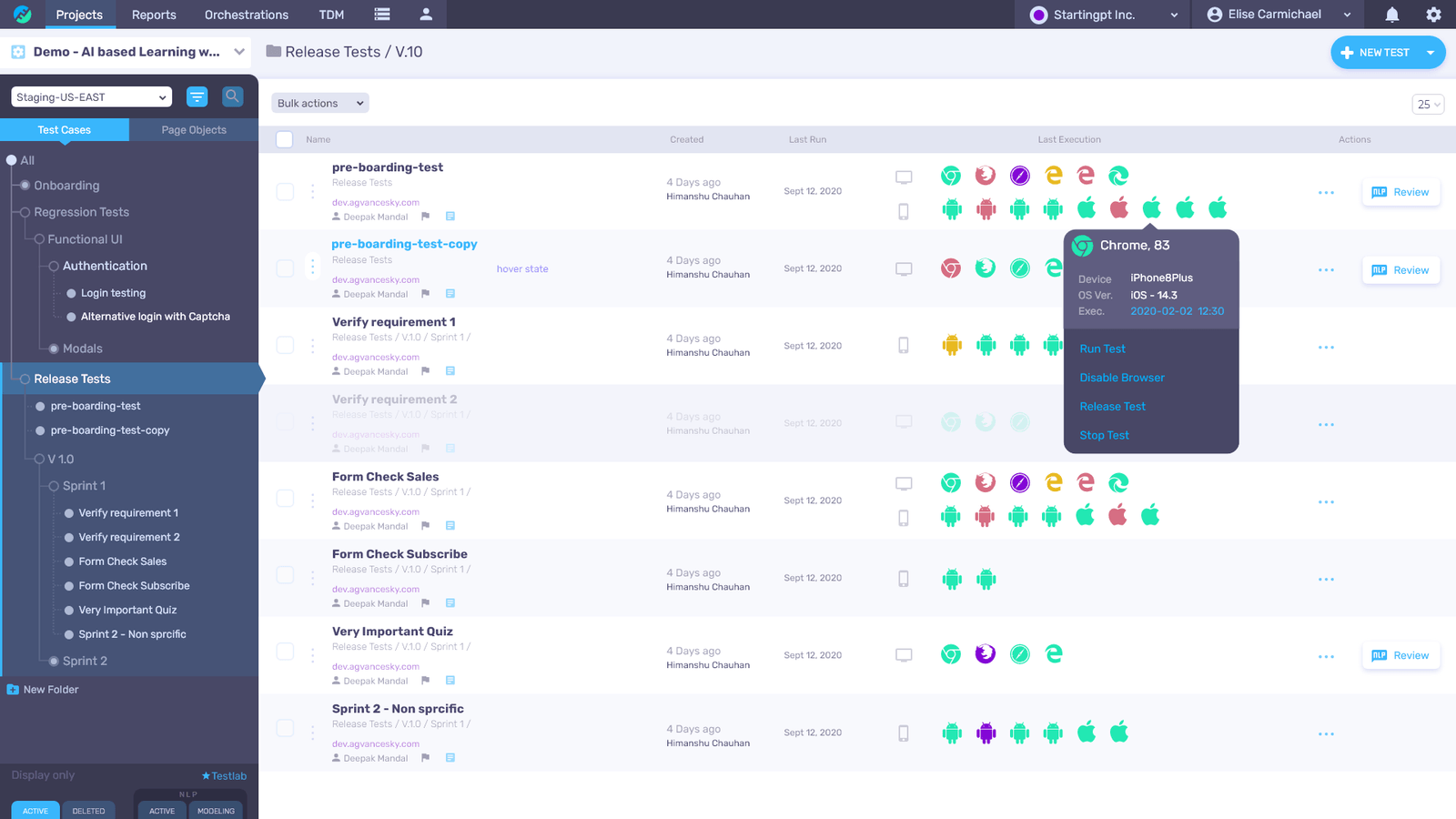
Functionize spent a decade on ML element identification, fingerprinting every element by hundreds of attributes so a test heals when one of them changes. Its newer product, Functionize Studio, is positioned as a quality platform whose adversarial agents prove software works as intended, building tests against the live app, running them in parallel, and repairing them on their own.
Studio’s pitch is generation three, and on ownership it reads closer to Pie than to mabl. You direct the agents and review what they prove instead of approving each test. Two limits keep it below Pie here. Studio describes itself as a web UI testing agent, so native mobile is not in that story, and healing works from element attributes rather than from what is on the screen.
Rating: 4.6/5 from 11 reviews on G2.
Recurring strengths:
- Element fingerprinting across hundreds of attributes, so a single-attribute change does not break a test
- Public, transparent pricing with a free tier
Recurring complaints:
- Studio is a web UI agent; native mobile runs through an older, separate product
- A QA lead at a cloud video-surveillance company trialled the pre-Studio product and found the authoring help did not take the maintenance off his team, the gap Studio is built to close
Pricing: Free at $0 a month with 200 credits; Pro $20 a month; Max $100 a month; Growth $40 per user a month; Scale $200 per user a month; Enterprise quoted.
Best for: Enterprise web regression, including Salesforce, Workday, and SAP flows.
Not for: Native mobile apps.
6. Katalon TrueTest: Tests Learned From Production, Approved in Studio
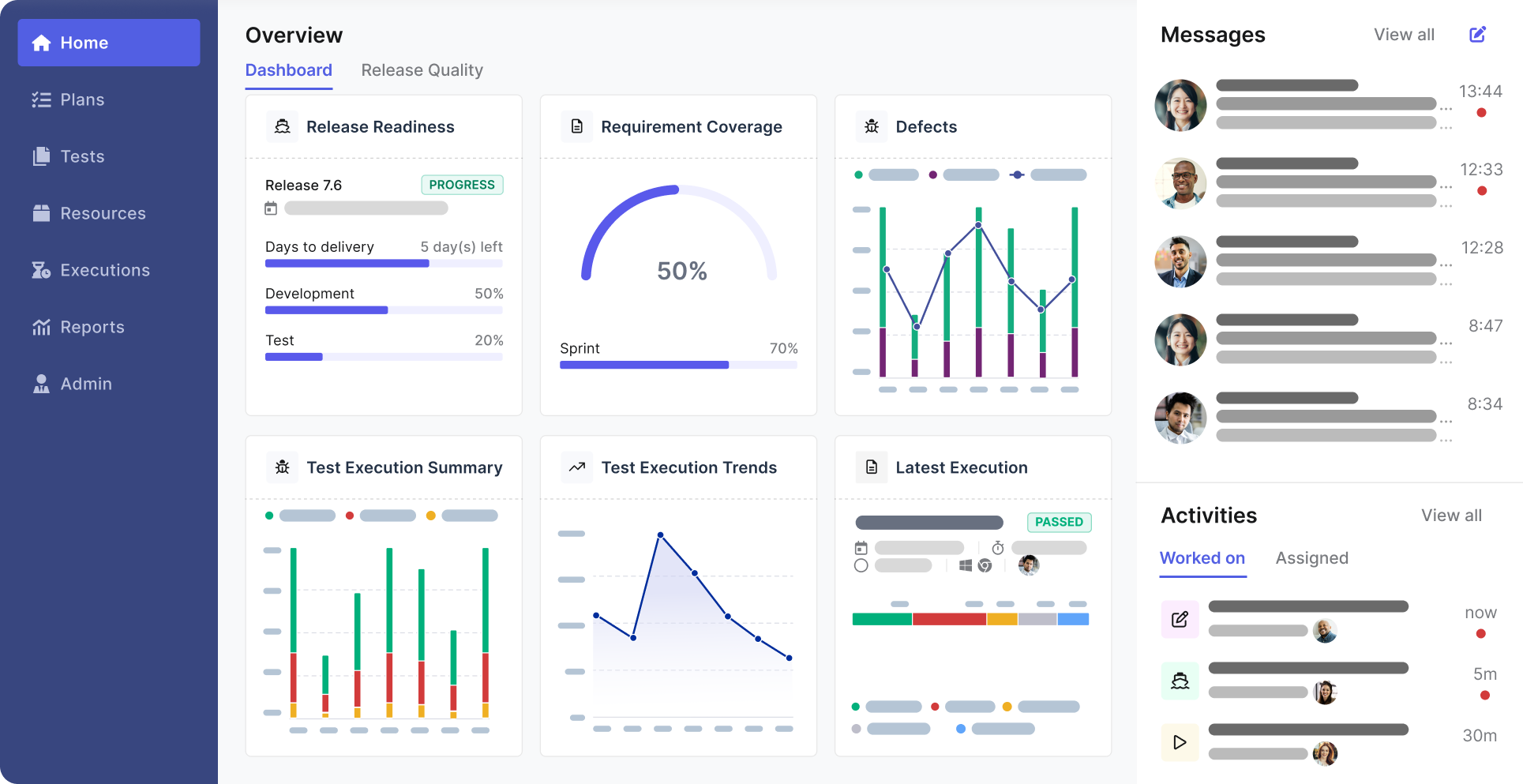
Katalon TrueTest watches real users in production, finds the journeys that matter, and generates regression tests for the gaps, then hands them to your team to review, edit, and approve in Katalon Studio before they join an active suite. Katalon’s True Platform wraps that in purpose-built agents for requirements analysis, test generation, execution, and bug detection.
Of the ten, its mechanism is the closest to Pie’s, and ownership is where the two part ways. Approved tests live in Studio as your suite, and healing works by locator strategies when the app changes.
Rating: 4.4/5 from 706 reviews on Capterra for Katalon Studio.
Recurring strengths:
- The largest review base of the ten, with web, mobile, API, and desktop in one suite
- Production behavior as the source of test ideas, not a blank page
Recurring complaints:
- Heavy memory use that reviewers tie to crashes on large parallel runs
- Inconsistent mobile element recognition across Android devices
Pricing: Katalon Studio at $184 per seat a month, or $84 per seat a month billed annually for the first three seats; TrueTest is quoted.
Best for: Teams already on Katalon Studio who want production traffic proposing the next tests.
Not for: Teams outside the Katalon ecosystem; TrueTest feeds Studio, and Studio is where the suite lives.
7. QA Wolf: Coverage as a Service, Run by People and AI
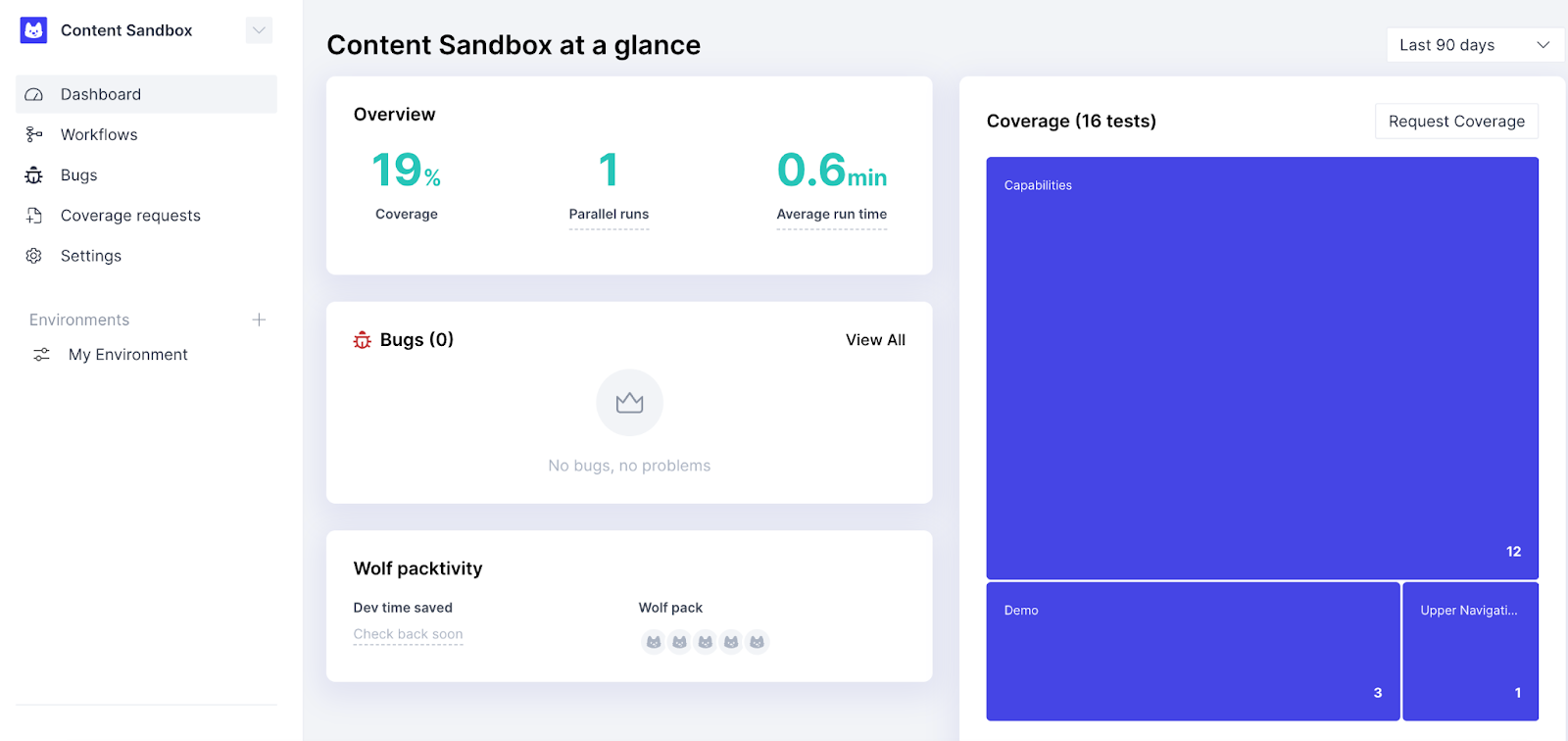
QA Wolf sells the outcome rather than the tool. On its managed Coverage as a Service tier, QA Wolf’s team does the building, running, investigating, and maintaining, on open-source Playwright for web and Appium for iOS and Android, with a 24-hour turnaround on failures. A self-serve Platform tier exists too, and it is web-only, with tests you build and export as Playwright.
Its Mapping AI explores an app and generates a structured test-case list for the team to build from. What you maintain is close to nothing, because you are paying people to. The cost is speed and control.
An engineering leader at a telehealth platform had outsourced his Cypress suite to a managed service. Before AI, he told us, it seemed like a good option; once his own team sped up, waiting on people to write tests became the bottleneck.
Rating: 5.0/5 from 75 reviews on Capterra.
Recurring strengths:
- A team that writes, runs, investigates, and maintains the tests for you
- Native iOS and Android coverage through the managed tier
Recurring complaints:
- Runs that cannot execute in parallel and slow down when a flow crosses from web to mobile
- Dashboards that make it hard to tell a real regression from environment noise without digging
Pricing: Platform tier at 1 cent per AI credit and 15 cents per runner minute with no seat fees; Coverage as a Service is quoted by the number of tests under management.
Best for: Web teams that would rather outsource coverage than operate a tool.
Not for: Teams shipping daily who need fixes faster than a human team can turn them around, or anyone who wants self-serve native mobile.
8. TestMu AI (KaneAI): Plain-English Authoring on a Device Cloud
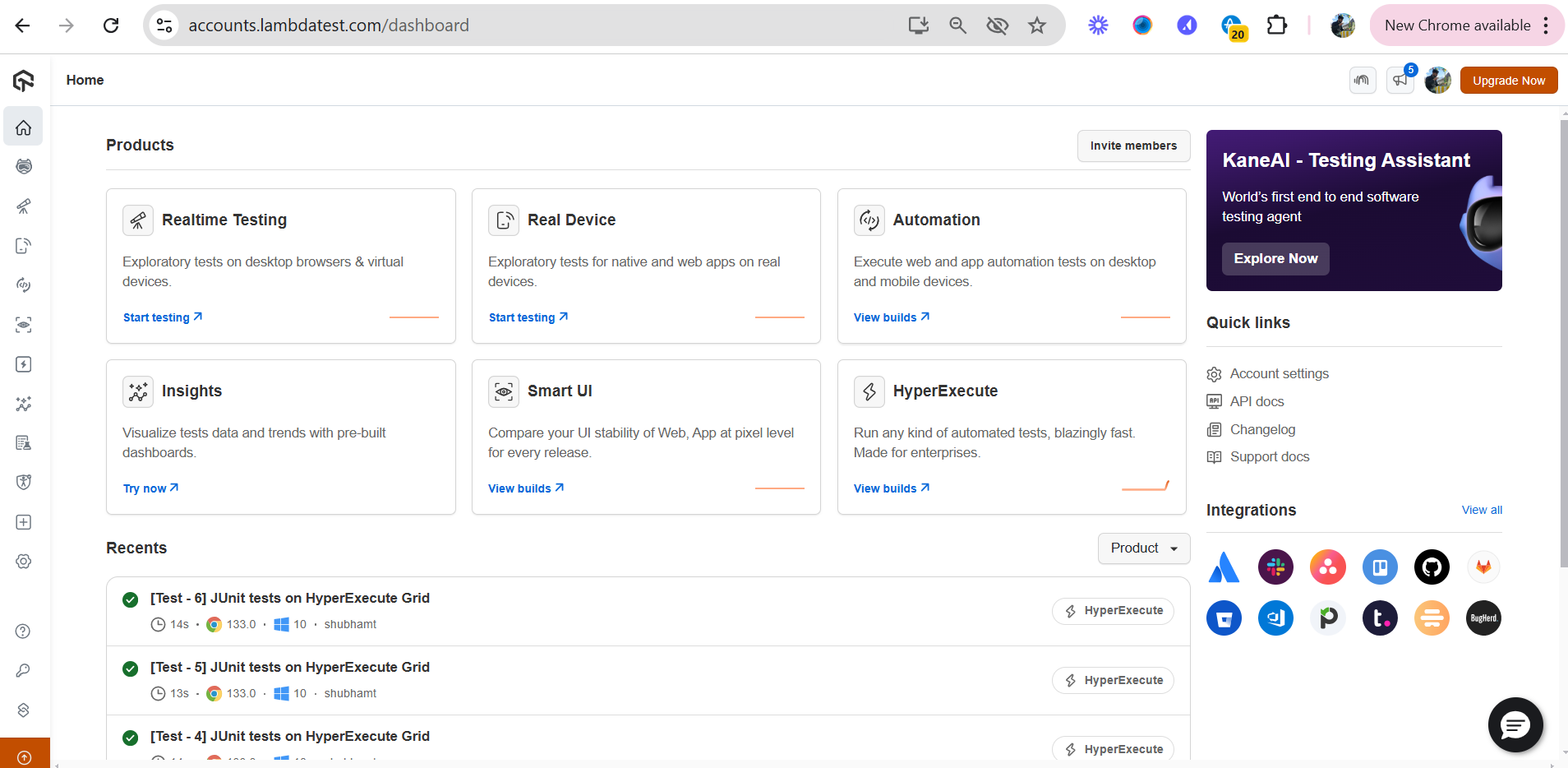
TestMu AI, formerly LambdaTest, ships KaneAI, an agent that plans, authors, and evolves tests from natural language and runs them on the company’s device cloud across web, mobile, and API. What sets it apart is no lock-in on the artifact.
KaneAI exports generated tests to Selenium, Playwright, Cypress, or Appium, and when locators change it updates the affected steps and surfaces the diff for a person to review. KaneAI is generation one with a healing layer, and the tests are yours to keep, which means yours to maintain.
Rating: 4.6/5 from 547 reviews on Capterra, listed under LambdaTest.
Recurring strengths:
- Generated tests export to your existing framework instead of living only inside the vendor
- A large device cloud already in place for the tests it writes
Recurring complaints:
- Real-device availability that thins out at peak hours, especially on newer iPhones
- Session lag during live manual testing
Pricing: KaneAI Starter at $17 a month, Pro at $89 a month, and Max at $179 a month, all billed annually; Enterprise quoted.
Best for: Teams already on the TestMu cloud who want plain-English authoring that exports to code.
Not for: Teams who want the maintenance to leave with the authoring; the exported test is yours.
9. BrowserStack Test Companion: Agentic Authoring Inside the IDE
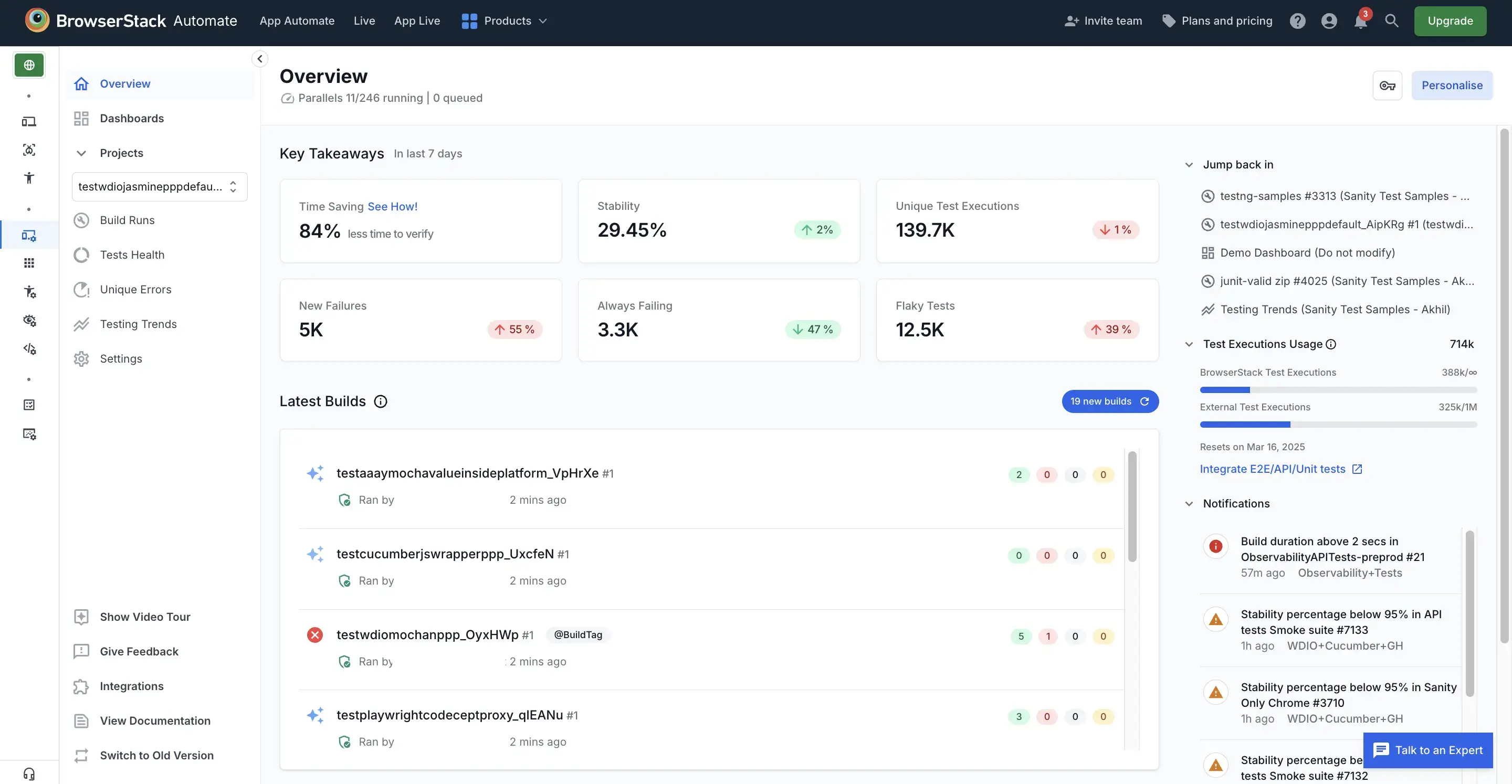
BrowserStack’s Test Companion puts an agent inside VS Code, JetBrains, or Cursor that authors, runs, debugs, and maintains tests in the framework you already use, reading your page objects and conventions and writing Playwright, Selenium, Cypress, or Appium into your own repo. It sits beside BrowserStack’s earlier agent suite, including a self-healing agent that repairs broken UI locators, all running against the company’s device cloud.
Of every tool here it is the most engineer-shaped, and the most explicit about ownership. The agent writes into your repo. The repo is yours.
Rating: 4.6/5 from 776 reviews on Capterra.
Recurring strengths:
- Authors into your existing framework and repo, so nothing lives only in a vendor UI
- A device cloud for web and mobile already attached to the tests it writes
Recurring complaints:
- Pricing that climbs quickly with parallel sessions and seats
- Lag between a local action and the remote device during live sessions
Pricing: Automate plans from $225 a month billed annually include the self-healing agent; Test Companion ships in the Team Ultimate bundle at $375 a month billed annually.
Best for: Engineering teams who want AI in the IDE and their tests in their own repo.
Not for: Teams trying to get out of owning a suite; the repo is the point.
10. Applitools: Visual AI That Now Watches Your Coding Agents
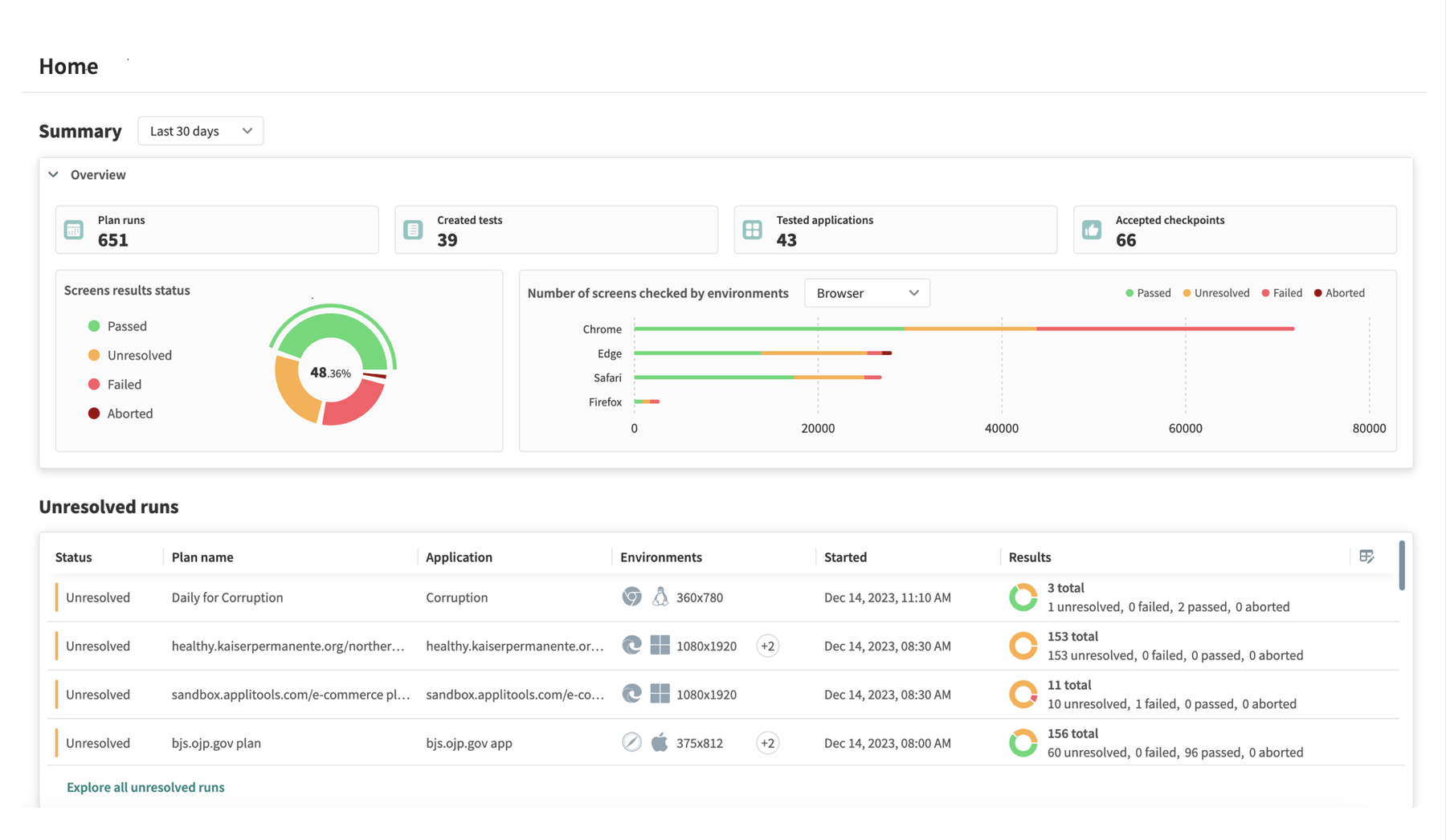
Applitools is a visual AI tool, not a functional testing engine. It answers “did the UI change” rather than “does the flow work,” so most teams run it beside a functional tool, not instead of one, across websites and native mobile apps.
It is on this list because it appears on every buyer’s shortlist, and because it has shipped Visual AI Guardrails, MCP tools that let coding agents like Claude Code and Cursor maintain visual baselines, Figma design baselines, and plain-English test steps for Playwright. Self-healing here uses visual and semantic cues to find an element when a class or ID changes. What you maintain is the baseline set, plus whatever functional suite sits underneath, with the accept-and-reject decisions staying with your team.
Rating: 4.6/5 from 30 reviews on Capterra for Applitools Eyes.
Recurring strengths:
- Visual comparison that ignores rendering noise and catches layout regressions a functional test never asserts
- Design baselines from Figma, so “matches the design” becomes a testable check
Recurring complaints:
- A dashboard reviewers describe as cluttered for new users
- False alarms on highly dynamic pages
Pricing: Starter at $667 a month billed annually; Professional and Enterprise quoted.
Best for: Pixel-level UI validation on top of a functional suite.
Not for: Functional end-to-end coverage on its own.
Which AI Testing Tool Fits Your Bottleneck?
The right AI testing tool is the one whose generation matches your tightest constraint, so choose by the bottleneck you feel, not the demo that looked slickest. One team we spoke with had scanned eight AI and low-code testing tools and set every one aside at the research stage because none of them moved the maintenance burden. Six constraints cover most teams, and each points somewhere different.
- You have no dedicated test engineers: Plain-English authoring wins here. testRigor or KaneAI let a product-minded person write tests, and Pie also takes plain-English custom tests while its agents write the first suite before anyone writes anything.
- You need precise, developer-owned control on a few critical flows: Keep a code-based framework for those, and let BrowserStack’s Test Companion or Testim’s review gate keep them tidy. Do not reach for autonomy where deterministic control is the point.
- Your app is mobile, or web plus mobile: Most AI tools are web-first. QA Wolf covers native mobile only through its managed tier, and Functionize Studio is a web agent. Native mobile has no DOM to inspect, so selector-based tools stay brittle across devices and OS versions. Pie reads the rendered screen instead, which is why one definition covers iOS and Android.
- Your bottleneck is maintenance, not authoring: If your engineers spend more of the sprint repairing tests than catching bugs, faster authoring and locator healing do not touch the root cause. Pie was built for this row. There is no selector to break and nothing to re-record, so the agents re-discover the flow when the UI changes instead of failing on a stale locator.
- You want the tests to live in your own repo: BrowserStack Test Companion and KaneAI’s export both write Playwright or Selenium you keep. You own them, and you maintain them, which is the trade you are choosing.
- You have coverage gaps and nobody has written a test yet: Katalon TrueTest proposes tests from production traffic for you to approve. Pie generates and runs the suite itself from a build, so the first regression run exists before the approval queue does.
Buy for the bottleneck you actually have. If it is maintenance, only one generation touches it.
Will AI Replace QA Engineers?
No. AI is replacing the manual mechanics of testing, and it is not replacing judgment. Writing selectors, clicking through regression scripts by hand, re-recording flows after every UI change. That work is going. Someone still has to decide what matters, read what the agent found, and tell a real bug from a flaky signal, and that work is getting more valuable as shipping speed climbs.
Uplevel’s 2024 study of 800 developers on large engineering teams found no increase in coding speed with Copilot and a 41% increase in bugs within pull requests. GitClear’s 2025 report on 211 million changed lines found code churn, the share of new code reverted or rewritten within two weeks, rising from about 3% in 2020 to 5.7% in 2024.
A 2026 NBER working paper found autonomous coding agents raised commits by 240% while actual releases rose 30%. More code, more churn, more bugs per unit of time. The bottleneck moved downstream into verification, which is where QA lives.
What changes for a QA engineer is the shape of the job:
- Defining what working means: The product judgment no agent has, and the one input an autonomous platform needs from your side.
- Reviewing autonomous coverage: Reading what the agent explored, and deciding what it missed.
- Triaging what matters: An autonomous run behaves like an army of diligent testers who flag everything that might be wrong. A person decides which flags matter.
We draw the line the same way inside Pie. Anything the model gets wrong is our responsibility, which is why real people on Pie’s QA team validate every issue the agents flag before it reaches you. What we need from your side is the person who knows what the product is supposed to do. If your quality problem is really an AI-generated-code problem, that split is what closes it.
Buy the Tool That Takes the Work Off Your Plate
The AI testing market is loud, and most of the noise comes from tools that automate the wrong half of the job. Assisted authoring speeds up typing and self-healing patches locators, and both leave you owning a suite, now with an agent proposing more of it. Only when the platform owns the tests does the maintenance bill shrink.
My first job out of school was writing automation scripts, as an intern at Apple. I disliked it enough that I built a recorder to replay my clicks instead, which is roughly where this market started. The recorder now has a language model in it, and the tests it produces still land on somebody’s desk.
We built Pie so that desk isn’t yours. The agents explore, generate, run, and re-discover, real people check what they find, and Pie Loop drafts the fix. Buy the tool that takes work off your plate, and read the maintenance column before you read the price.
Stop Maintaining Tests. Start Shipping.
Hand Pie a build and a login. Ship without babysitting a suite.
Book a DemoFrequently Asked Questions
Pie runs autonomous vision-based tests across web, iOS, and Android, testRigor and TestMu AI lead plain-English authoring, mabl and Testim lead self-healing, and QA Wolf sells managed coverage.
There is no single best tool. Sort the field by what remains yours to maintain after it runs.
testRigor and TestMu AI's KaneAI lead plain-English test authoring, and Copilot, Cursor, or BrowserStack's Test Companion scaffold test code in your editor. All of them speed up writing.
If you want coverage without owning a suite, an autonomous platform like Pie generates and runs the tests instead.
No. AI is taking over the mechanics of testing, such as writing selectors, re-recording flows, and clicking through regression scripts. It does not replace judgment.
A person decides what matters, reads what the agent found, and separates a real bug from a flaky signal. The role moves up, not out.
AI test authoring helps a person write a test faster and hands it back to run and maintain.
Autonomous testing removes the authoring step. An agent explores the app, decides what to test, runs it, and re-discovers the flow when the UI changes. Authoring relocates the work. Autonomy removes it.
Most are web-first. QA Wolf covers native mobile only on its managed tier and Functionize Studio is a web agent.
Native mobile has no DOM to inspect, so selector-based tools stay brittle. Vision-based agents like Pie read the screen the way a person does on iOS and Android.
Public tiers run from a free Functionize plan and KaneAI at $17 a month to Katalon Studio at $184 a seat and Applitools at $667 a month. mabl, Testim, Katalon TrueTest, and Pie quote privately.
Price the maintenance hours a tool leaves you with, not only the license.
No. Self-healing re-matches a locator when an element moves, which cuts churn from small UI edits.
It sits on a suite you own, and a heal that binds to the wrong element keeps the test green while coverage quietly erodes. Redesigns and framework migrations land on your desk either way.
Pie takes over brittle, high-maintenance regression coverage and runs alongside anything you keep.
Give it a staging URL or a mobile build plus a test login and it explores the app, generates a suite, and runs it on web, iOS, and Android, with findings checked by Pie's QA team first.
13 years building mobile infrastructure at Square, Facebook, and Instacart. Now building the QA platform he wished existed the whole time. LinkedIn →