Manual Regression Testing: How to Run It Well and Know When It Stops Paying Off
A hand-run regression pass grows with every release until it eats the week. Scope, staff and time one to finish on schedule, then see which rows to automate.

It is Thursday evening, the build is frozen, and the release decision is due Friday at noon. Your tester is halfway down the regression sheet, clicking through the same checkout as last release, and the sheet has grown every sprint since.
Doing it by hand is a fair choice, and sometimes the right one. Here is how to run a pass that finishes before the decision, and how to spot the point where it stops being worth the hours.
What you’ll learn
- What a manual regression pass is and what it can miss
- How to fit one pass inside the hours between code freeze and release decision
- Who should run the pass, when to start it and what to write down
- The break-even arithmetic for deciding which rows to automate
- What your testers keep doing once the repeated rows move
What Is Manual Regression Testing?
Manual regression testing is regression testing done by hand. A person re-runs a written list of checks after a change to confirm that features which worked last release still work. Nothing is scripted. The tester follows each row, judges the result and records it.
One run of that list against one build is a pass. It tests only what someone wrote down. That gives results you can compare from release to release, and it lets a bug nobody listed walk straight through. Exploratory testing covers that gap, and it needs its own hours on the calendar.
The list itself is your regression test suite. Each row in its register carries a priority, and that priority decides where the row lands in the pass below.
A manual pass is a written list, run by a named person, on one frozen build, inside a fixed time box. Take away any one of the four and it becomes ad hoc clicking.
How to Scope a Manual Regression Pass to a Time Budget
A pass that cannot finish gets skipped, so the number to settle first is hours, and rows come second. Count the hours between the build freeze and the release decision, set aside time for fixes and a re-check, and what remains is the budget.
Time every row once on the next pass. Test management tools such as TestRail log elapsed time per test with a built-in timer, and a sheet kept by hand can use a clock. Budgets built on guesses overrun, and an overrun pass is the one that gets cut short on release day. Fill the budget in three tiers, in this order.
| Tier | What goes in | When it runs |
|---|---|---|
| Every pass | Sign-in, checkout and the other flows where a failure stops revenue or access | First, on every release candidate |
| Touched this release | Rows for any area the release notes say changed | On every pass that includes that change |
| Rotating | The rest of the list, cut into slices | One slice per release, so every row runs within a fixed number of releases |
The every-pass tier works like a smoke check with a wider net. Its rows are the top-priority flows in your register, and a failure there is worth stopping the release over.
Say four hours remain once fixes and a re-check are set aside. If those top rows take 90 minutes, 150 minutes remain for the rows the release touched, and the rotation takes whatever those leave. The numbers are illustrative, and yours come from your own timings.
Rotation trades certainty for a pass that finishes. A row in the rotation can break and go unseen for several releases, so give a row a rotating slot only when its failure costs less than an overrun pass.
Who Runs the Pass, When, and What to Record
A pass needs one named owner, a start time tied to the freeze, and a record the next pass can learn from. Without all three, the pass depends on whoever happens to be at their desk.
Who Runs It
The owner decides what counts as done and answers for the result. Who does the clicking is a separate choice, and each option has a price.
- Dedicated tester: Knows the product and spots a wrong-looking screen at a glance. The pass runs at one person’s speed, though. A team that wanted to release more often told us one person ran its whole pre-release regression by hand.
- Rotating pairs: Spread product knowledge and remove the single point of failure. Results vary between people, so write each row for a newcomer to run.
- Developers on a slice: Bring fresh eyes and fast fixes, provided nobody runs a slice for a change they wrote.
- Outside partner: Adds hands in peak weeks. Rows need steps that stand alone, because a partner never overhears the team’s context.
Pairs cost little extra and keep the pass alive when someone is out.
When It Starts
Start at the freeze, on the build that will ship. A pass on a moving build verifies something that never reaches users. Run the every-pass tier first, so a failure shows up in the first hour while developers still have the afternoon to fix it.
A fix means a new build. Rerun the top tier and the failed row, and let rows already green on the earlier build stay green unless the fix touched their area. Choose the slot so the result lands when the people who can fix it are online, because a failure found overnight waits for them anyway.
What to Record
Record each pass in one sheet with the same columns every time, so any two passes can be compared.
| Field | What it answers |
|---|---|
| Build | Which build the result belongs to |
| Row and result | Pass, fail or blocked, with blocked counted apart from pass |
| Minutes | How long the row took, which feeds the break-even math below |
| Runner | Who to ask about the result |
| Bug link | The ticket behind every failure |
Add a row for every bug that escapes. When a bug slips past both the automated checks and the manual pass, write the missing case into the sheet, and it is covered from then on.
Tired of the Thursday Pass?
Hand the repeated rows to Pie. Your testers keep the judgment work.
When Manual Regression Stops Paying Off
Hand-running pays until a row’s hours by hand overtake what the same row costs as a script. Doing it by hand is renting, paid again on every release. A script is buying, with a price up front and repairs whenever its screen changes. Your record already holds the minutes for both totals.
- By hand: Minutes per run times runs per year.
- As a script: Hours to build once, plus the hours of repair each time its screen changes, times the changes in a year.
Automate a row when the hand total is larger in year one, and watch the repair term, because that is the one that grows. Three rows with illustrative inputs show the shape, and weekly means 52 runs.
| Row | By hand, a year | As a script, year one | Call |
|---|---|---|---|
| Sign-up with email verification (45 min, weekly) | 39 hours | 22 hours (10 to build, 3 to repair for each of 4 changes) | Automate |
| Admin settings page (20 min, quarterly) | 1.3 hours | 5 hours (4 to build, 1 to repair for 1 change) | Stay manual |
| Pricing page mid-redesign (30 min, weekly) | 26 hours | 60 hours (8 to build, 2 to repair for each of 26 changes) | Stay manual until the design settles |
Rows that walk through the screens cost the most to script. Martin Fowler’s write-up of the test pyramid calls tests that run end to end through the UI brittle, expensive to write and slow to run, and that cost lands in the repair term above.
Hand-running keeps real advantages. It costs nothing to start and survives a redesign without repair. A person also notices the misaligned button that no script was told to look at. The table above is the general manual vs automated testing rule with the numbers filled in.
Four signs say the whole pass has outgrown hand-running, whatever any single row says.
- Overruns the gap: The pass cannot finish between freeze and decision, so rows get skipped or the release waits.
- Skips become routine: Blocked and skipped rows climb in your record from one release to the next.
- Pass sets the pace: The release date moves to fit the pass.
- Exploration goes first: Unscripted time is what gets cut when the pass runs long, and it was the work only a person could do.
When two or more are true, automate regression testing for the rows that win the comparison, biggest hand total first, and leave the rest by hand.
Manual, Scripted and Autonomous Regression Testing Side by Side
A row can be run three ways. A tester clicks through it, an engineer scripts it, or an autonomous platform explores the app and generates the tests. The table lines the three up on what decides the choice.
| Dimension | Manual | Scripted | Autonomous |
|---|---|---|---|
| Who writes the checks | A tester, as rows in a sheet | An engineer, as code | The platform explores the app and generates the tests, and your team can add plain-English ones |
| Cost to start | Nothing | Hours to build each test | A staging URL and a test login |
| When a screen changes | No repair | The script needs repair | The tests self-heal |
| Who runs it | A person, at their own pace | CI, on each build | On a schedule you set |
| Fits best | Early products, shifting screens and judgment checks | Steady screens that engineers will keep up | Repeated rows on web, iOS and Android |
The three can sit side by side in one suite. Rows that need judgment stay manual, steady screens suit scripts, and the repeated screen-bound rows suit an autonomous platform. Test automation tools compares the scripted options, and autonomous QA explains the third column.
Let a Pie Loop Run the Rows That Cross the Line
Teams often come to Pie for one problem first, and in my conversations that problem is most often manual regression testing. Once a row wins the comparison, Pie can run it while your testers keep the rest. Our agentic testing platform adds to a manual QA team and never replaces one.
- Suite for the rows: Put the rows that crossed the line into a suite. The suite holds the run settings, such as the web URL and the login its tests sign in with.
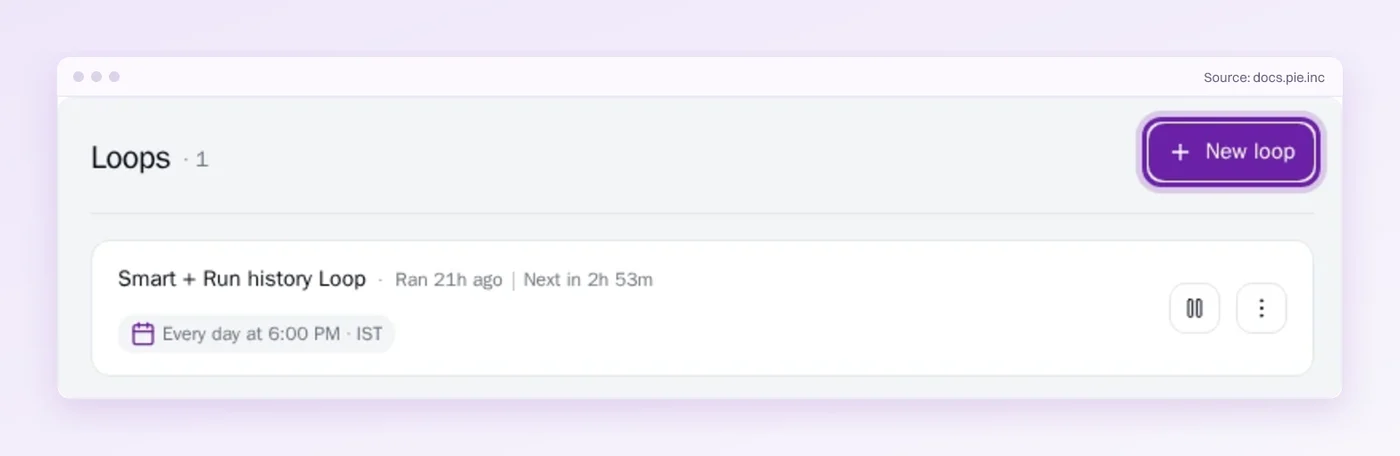
- Loop on the calendar: A Pie Loop runs the suite on a schedule you set, or on each new mobile build if you add that trigger. You choose the time and time zone, so results can be waiting when your team starts the day.
- Failures as issues: Each firing shows as one card in Run History. Pie groups related findings into issues, and your testers decide which to track and which to dismiss.
- Judgment rows stay yours: Rows that lost the comparison stay in your sheet, and the unscripted hours go back to your testers.
Keep the Pass Short Enough to Finish
A manual pass earns its place while it finishes before the decision and leaves your testers hours to explore. Scope it to the clock and write down the minutes, and the point to automate announces itself.
Some rows will never leave your testers, and they should not. Rows that repeat on a steady screen are the ones to hand off, and your own numbers will say which.
At your last release, did the pass finish before the decision, and how many rows got skipped?
Give Testers the Week Back
See how Pie takes the rows your testers repeat every release.
Frequently Asked Questions
Spent a decade in B2B SaaS sales before building Pie. Now obsessed with helping engineering teams ship without the fear of breaking things. LinkedIn →