How to Automate Regression Testing Without Drowning in Maintenance
Regression automation often stalls the first time a UI change turns the suite red. Here are five steps to automate regression testing so the suite keeps up.

It’s the Wednesday after the redesign shipped, and half your regression suite is red. You click through checkout by hand and it works. The failing tests are hunting for buttons by CSS classes the redesign renamed, like .checkout-btn-primary, and before anyone ships again, you have to work out which failures are real.
Suites break like this when every test is pinned to how the page is built. Here is how to automate regression testing so a redesign like this one leaves your checkout tests green.
What you’ll learn
- Which regression checks to automate and which to keep manual
- Five steps to build a suite that keeps up with UI changes
- How to pick a tool by who maintains the suite
- How to sort a red test into one of four causes
What to Automate in Regression Testing, and What to Keep Manual
You can automate most of regression testing, and a thin manual layer should cover the rest. Every code change sends you back through checks that passed yesterday, so regression testing is usually the first suite a team automates and the one that pays back fastest.
Automate the checks you repeat:
- Core paths: Login, checkout, and the create-read-update flows users complete every day.
- Hand-run checklists: Anything your team re-runs by hand before each release.
- Release blockers: Any flow where a failure stops a ship decision.
Keep these manual:
- New features: Exploratory passes on flows nobody has verified yet.
- Moving screens: Areas being redesigned, until the design settles.
- Judgment calls: Whether a flow feels right, which a script cannot score.
So regression testing is both. A large automated core runs on every pull request, and a small manual layer shrinks as screens stabilize.
How to Automate Regression Testing in 5 Steps
Follow the steps in order, since each one makes the next cheaper, and do not skip step 5. It decides whether the first four were worth doing.
1. Choose What to Automate First
Start with paths that are high-risk, high-traffic, and stable. They give the most protection per test and change the least.
Rank candidates on two axes, how costly a failure is and how often the area changes. Take the costly-and-stable quadrant first, such as checkout or password reset, and defer the cheap-and-volatile one, such as a promo banner that changes every week. Use your real test coverage data for the ranking instead of a gut feel.
2. Stabilize the Environment and the Data
Give every test its own data and a clean starting state. Tests that share records collide. A dedicated environment beats a shared staging box that three teams are changing at once.
If the app has two-factor login, create a test account with 2FA turned off. Flakiness blamed on the framework is often shared state or an unstable environment. Fix those first and much of the intermittent red never shows up.
3. Build Tests at the Right Layer
Write each regression test at the lowest layer that still proves what you care about. Check business rules through the API where you can, since API tests run faster and break less than UI tests. Save end-to-end UI tests for the flows a user actually completes.
Where a test has to drive the UI, find elements the way a user does. The Wednesday failures come from the first line below. The second survives a restyle as long as the button keeps its label:
// Breaks when the redesign renames the class
await page.locator('.checkout-btn-primary').click();

// Survives a restyle: finds the button by its role and visible name
await page.getByRole('button', { name: 'Place order' }).click();
Playwright’s locator docs recommend user-facing attributes such as role and accessible name to make tests resilient. The role-based line still fails if the label itself changes, and a renamed button is a change your users see too.
Make every test create and clean up its own state, so it can run in any order on any machine. A shard-ready regression suite needs exactly that before step 4 splits it across machines.
4. Wire It Into CI/CD
Run the core suite on every pull request as a merge gate so a break is caught when it lands, and push slower, broader coverage to a nightly schedule. Shard the pull-request run across parallel CI jobs so feedback arrives while the diff is fresh. A minimal GitHub Actions workflow for Playwright looks like this:
# Run the regression suite on every pull request, sharded across 4 parallel jobs.
name: regression
on: [pull_request]
jobs:
  test:
    runs-on: ubuntu-latest
    strategy:
      fail-fast: false
      matrix:
        shardIndex: [1, 2, 3, 4]
        shardTotal: [4]
    steps:
      - uses: actions/checkout@v6
      - uses: actions/setup-node@v6
        with:
          node-version: lts/*
      - run: npm ci
      - run: npx playwright install --with-deps
      - run: npx playwright test --shard=${{ matrix.shardIndex }}/${{ matrix.shardTotal }}
Playwright’s sharding docs show how to split a suite across machines with the --shard flag and how to merge the per-shard reports into one. In its four-shard example, running the shards in parallel completes the suite four times faster, as long as the tests split evenly across shards.
5. Assign Test Upkeep Before You Write Test One
Decide who repairs a broken test, how a flaky test gets quarantined, and who prunes coverage for features that no longer exist. If upkeep is nobody’s job, the suite rots on a schedule you can predict, as each release leaves a few more tests pointing at screens that moved. The next two sections make this step small. One picks a tool by who owns upkeep, and the other sorts a red build into its cause.
How to Choose a Regression Testing Tool by Maintenance Model
Pick the approach whose maintenance model matches who owns the suite, not the one with the longest feature list. The three common approaches differ most where marketing pages say least, in what happens to your tests when the UI changes.
| Approach | Best for | Maintenance burden | When the UI changes |
|---|---|---|---|
| Scripted frameworks (Playwright, Selenium, hand-written Cypress) | Developer-owned suites that need full control | High, because every locator is a dependency on markup | Usually repaired by hand. Opt-in AI agents such as Playwright’s healer can edit the failing test. Role-based locators resist some change. |
| Codeless and AI-assisted (mabl, Katalon, Testim) | Mixed QA and developer teams | Medium, with self-healing that replaces broken locators | Partial. Katalon asks you to approve a healed locator, and some steps do not heal, such as mabl’s custom CSS or XPath finds. |
| Autonomous and vision-based (Pie) | Teams that want web, iOS, and Android coverage without owning a script library | Low. You author supported tests without maintaining selectors, and edit steps when the product changes on purpose. | Finds elements vision-first, by appearance and position, so a recognizable button can move without a locator repair. Behavior that breaks a test’s expectation can show up as a finding. |
Scripted frameworks give you the most control and the most upkeep. Codeless platforms such as mabl, Katalon, and Testim soften the upkeep with self-healing, but the healing works on locators, so the suite stays inside the selector model.
Playwright’s healer agent, added with npx playwright init-agents plus a --loop flag that names your AI coding tool, can repair a failing scripted test for you. Read what it changed before you merge. Its shipped instructions tell it to update selectors, fix assertions and expected values, and mark a test test.fixme(), which skips it, when it is confident the test is right but cannot make it pass. A patched expectation can turn a real regression green.
Pie runs tests vision-first, almost like a person who finds the Sign In button whether or not its CSS class changed overnight, so you can author supported tests without maintaining selectors. Mobile regression testing needs a plan of its own. Each mobile run multiplies across OS versions and screen sizes.
Coverage Without the Script Library
Point Pie at your app. Let it explore and generate tests.
How to Fix Regression Tests That Break When the UI Changes
Start with two questions for every red test. Does it fail on every rerun of the same build, and does the flow work when you walk it by hand? The answers point to one of four causes, each with its own owner and fix.
| Cause | How to spot it | Fix | Owner |
|---|---|---|---|
| Real regression | Fails on every rerun of the same build, and the flow is visibly wrong by hand | Fix the code and keep the test | Developer |
| Markup change | Element not found or wrong element clicked, while the flow works by hand | Repair the locator, or stop depending on locators | Suite owner |
| Timing flake | Passes on rerun and fails with a timeout, with no code change | Wait on app events instead of fixed sleeps, and quarantine until fixed | Suite owner |
| Data or environment | Fails only in the shared environment or only in certain test orders | Isolate data, reset state, and use a dedicated environment | Suite owner and platform |
Answer the first question by running the failing test repeatedly on the same build. Playwright’s --repeat-each flag does it in one command:
npx playwright test tests/checkout.spec.ts --repeat-each=10A mix of passes and failures puts the test in the timing or data row. If all ten fail, read the error. A locator that never resolves while the flow works by hand is the markup row. An assertion that receives the wrong value is a likely real regression, so hand it to a developer.
Flaky tests cost more than the rerun button suggests. Atlassian reported in December 2025 that about 15% of Jira backend repo failures were attributed to flaky tests, with the reruns they forced wasting over 150,000 hours of developer time each year. A suite everyone reruns by reflex becomes a regression bottleneck.
Quarantine a flaky test out of the merge gate the moment it flakes. In Playwright, tag the test, add --grep-invert @quarantine to the pull-request run from step 4, and run the tag nightly so you can see when a fix holds:
test('applies a saved coupon', { tag: '@quarantine' }, async ({ page }) => {
  // test body unchanged
});
Use how to fix flaky tests to trace the root cause, then delete the tag to put the test back in the gate.
What to Do in Pie When a UI Change Turns Runs Red
Pie’s self-healing tests look for each element by its appearance and position on screen first. Moving a recognizable button can require no locator repair at all.
A change that breaks what a test expects can show up as a finding to triage, which is the point of a regression test. A large redesign can mean editing or regenerating the affected tests. When a UI change turns a run red, work through it in this order:
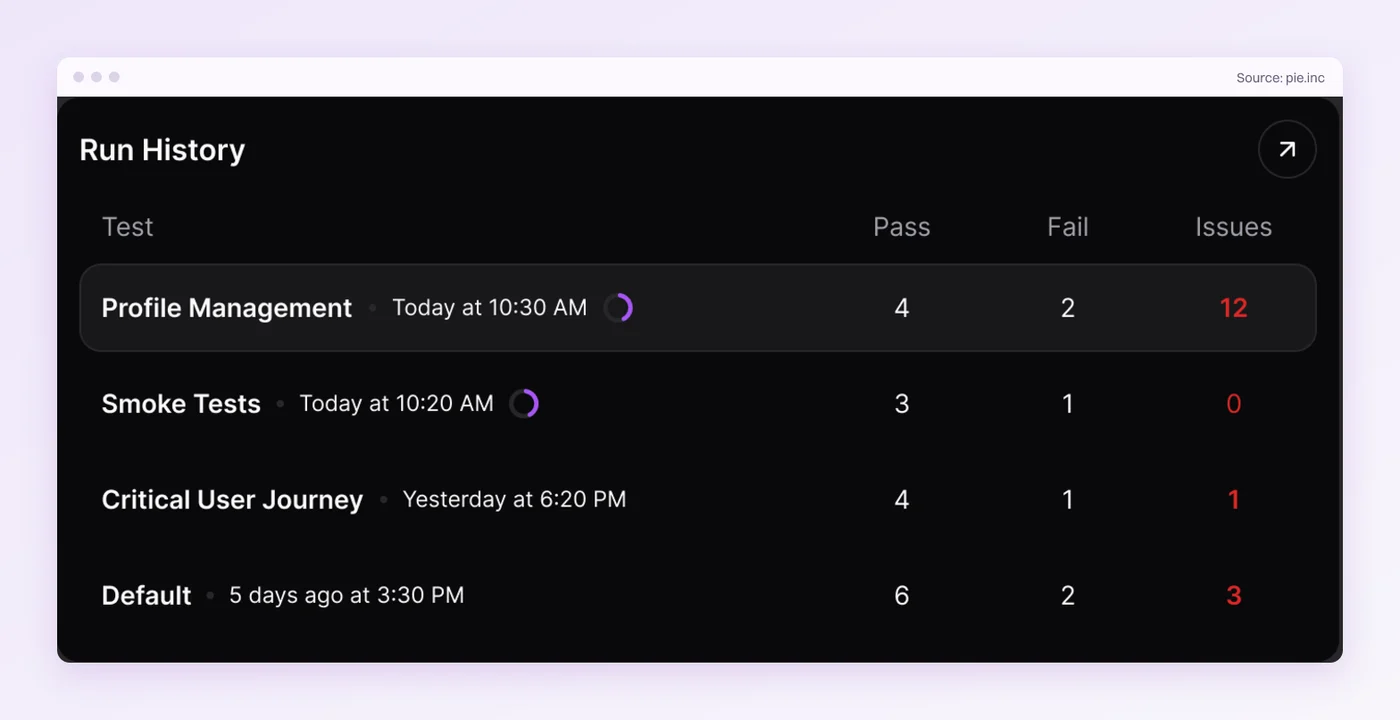
- Read the issue: Pie clusters findings that share a root cause, so one broken button arrives as one issue instead of a pile of red tests.
- Check the intent: If the change was intended, edit the test’s steps or expected result and rerun it. If not, it is a real regression for your developers.
- Route real bugs: With code access and fix settings enabled, Pie Loop can prepare a proposed fix as a pull request for your team to review.
Give a short critical-path suite and the full regression suite separate schedules. You can organize tests into suites and run each one daily, weekly, or on demand.
Test Behavior and Your Suite Outlasts the UI
A regression suite is worth running only while a red test means something. Locator repairs, flaky reruns, and shared data each turn red into noise until nobody reads the results.
Isolated data and event-based waits drain the timing and environment rows. The markup row is the one that refills, because each redesign hands a locator-bound suite a fresh batch of repairs.
Pie shrinks the markup row. Because it runs your regression flows vision-first, a recognizable button can move without a locator repair, while a flow that breaks what you check can fail the run. The suite that survives is the one where red means the product broke.
Skip the Locator Repair
Hand your regression flows to Pie. Keep the sprint for the product.
Frequently Asked Questions
Most of it can be automated. Repeated checks on stable, high-value paths belong in the suite and run unattended on every pull request.
Exploratory passes on new features and screens that are being redesigned stay manual until they settle. Automate what you repeat and keep people on what you discover.
Locator-based tests depend on page structure, so a moved or renamed element breaks the test even when the flow works.
Repair the locator, prefer role-based locators that resist DOM changes, or use a tool that finds elements visually so you no longer maintain locators.
Rerun the test on the same build and walk the flow by hand.
A real regression fails every rerun and the flow is visibly wrong. A broken test fails while the flow works, which points to a changed locator, a timing flake, or shared data.
Remove the two common causes, shared state and timing. Give every test its own data and a clean start, and wait on real application events instead of fixed sleeps.
Quarantine any test that fails intermittently until the root cause is fixed, and only then return it to the merge gate.
Gate every pull request on the core suite and leave slower, broader coverage to a nightly schedule. A break should surface in the pull request that caused it, so keep the feedback fast enough that developers wait for it instead of merging around it.
No tool is best for everyone. Playwright, Selenium, and hand-written Cypress fit developer-owned teams that accept locator upkeep, and codeless platforms such as mabl and Katalon suit mixed teams.
Autonomous tools such as Pie fit teams that want coverage without a script library to maintain. Choose on maintenance model first.
No. For a web app Pie needs a URL and a working test login, and for a mobile app you upload a build.
Connecting a repository is only needed for Pie Loop, which tests pull requests and can prepare fixes for your team to review.
Eight years building search and delivery systems at Amazon. The kind of scale where flaky tests block billion-dollar releases. Now CTO at Pie, building AI agents that adapt when your UI changes. LinkedIn →