What Is Manual Testing? How It Works and What to Write Down in 2026
Manual testing hides two jobs under one name, and teams that blur them write down too much or too little. See both on one feature and what to write down.

Before a release, someone asks whether anyone has tried the new checkout. The suite already passed. They mean a person with a real cart and a code they half remember, using it the way a customer would. That question is manual testing, and it is older than every tool in your pipeline.
The name covers two different jobs, and teams that blur them end up writing down too much or too little. Pull them apart and it gets clear what a tester should write down and what a machine can carry for them.
What you’ll learn
- A plain definition of manual testing and the two jobs inside it
- One feature tested as a written check and as an exploration
- A one-line rule for what is worth writing down
- The five steps of a manual testing pass
- What a tool can take off a tester’s plate, and what stays human
What Is Manual Testing?
Manual testing is a person using software to find out whether it works, with no script running the steps. The tester decides what to try and judges what happens against what the product should do. The ISTQB glossary defines it as a test activity performed manually.
The definition covers a wide range. Clicking through a signup form counts, and so does an acceptance pass run from a spreadsheet of cases. A human does the doing and a human does the judging, which lets manual testing find what a script has no reason to look for, like a layout that fights the thumb or a total that is technically correct and obviously wrong.
Manual testing is a person trying the software and judging the result. It splits into checking against written steps and exploring without them.
Manual Testing Is Two Jobs: Checking and Exploring
James Bach and Michael Bolton draw a line that many manual testing guides skip. In Testing and Checking Refined, they define testing as “evaluating a product by learning about it through experiencing, exploring, and experimenting,” and checking as the mechanistic part of it, verifying statements about the product that come out true or false. A check can be fully automated. The learning stays with a person, and tools can only support it.
On a tester’s day, that gives two jobs. One has you following written steps and comparing what happens with what the steps say should happen. The other hands you a goal and no steps, and you work out what to try as you learn the product.
| Checking by hand | Exploring | |
|---|---|---|
| Starts from | A written case with expected results | A goal, such as “find where the discount total breaks” |
| Written first | Steps and the expected result of each | One sentence naming the mission |
| Result | Pass or fail against what was written | Bugs, questions, and notes on what the tester learned |
| Who can run it | Anyone who can follow the steps | Someone who knows the product and its users |
| Can a tool take it? | Yes, and that is what test automation does | The judgment stays with a person, and tools support it |
Guides often list exploratory testing as one type among many. It is a second job, with its own inputs and its own payoff.
One Feature, Tested Both Ways
Take a made-up store’s discount code field. The same feature gets handled once as a written check and once as an exploration.
The Written Check
| Step | Action | Expected result |
|---|---|---|
| 1 | Signed in with one $40.00 item in the cart, open the cart | Subtotal reads $40.00 |
| 2 | Enter code SAVE10 and select Apply | A “SAVE10 applied” message shows and the total reads $36.00 |
| 3 | Continue to payment | The payment page shows $36.00 |
Anyone on the team can run this on any build and mark pass or fail. It earns its keep by being narrow: it confirms one promise, that a valid code takes ten percent off, and says nothing about anything else. The tester also pays for it on every run, which is why written checks that repeat are the ones teams hand to a script.
The Exploration
One sentence sets the charter: explore the discount field and the cart around it, using odd codes and a changing basket, to find where the total goes wrong. Then the tester tries things:
- A code that has expired, and one with different capitalization
- The same code applied twice
- A code applied, then the quantity changed in the cart
- A code applied, then removed on the payment page
- The back button after applying a code
Odd inputs like these are negative testing, and the tester picks the next one based on what the last one showed. Notes go down as the session runs, and a bug gets a report. A path that proved risky and will need re-running becomes a written check, which is how exploring feeds the first job.
Each item could be written up as a check, but nobody knows yet which ones deserve it. Finding out is what the session is for.
What to Write Down and What to Just Do
Write a check down when someone who was not there the first time will run it again. Explore when you do not yet know what to check.
A written check earns its place by being re-run. A session earns its place by what it teaches. Mix them up and you get one of two familiar failures, a folder of cases nobody trusts to cover the feature or a team with no record of what was ever tested. Both kinds of record belong in the test plan, next to the scope and the risks they cover.
Three things are always worth writing down, whichever job you are doing:
- Bugs: A title that names the symptom, what you expected next to what happened, and the steps to reproduce it on a named build.
- Session notes: A few lines on what was covered, enough for a colleague to see what has and has not been tried.
- Checks born in exploring: Any path you will want to run again.
Hand Off the Repeat Pass
Bring the check your testers repeat every release to a demo.
Where the Usual Types of Manual Testing Fit
Guides list a long run of types. Sorting them by job shortens the list.
| Type | What the tester does | Which job |
|---|---|---|
| Smoke | Walks the main paths to see whether the build is worth testing further | Checking |
| Regression | Re-runs existing checks after a change, which costs the same on every release | Checking |
| Acceptance | Confirms the product does what the business asked | Checking, with judgment |
| Usability | Judges whether a flow feels right to use | Exploring |
| Exploratory | Learns the product while testing it, toward a stated mission | Exploring |
| Ad hoc | Pokes around with no mission and no notes | Neither, in a disciplined sense |
Black-box, white-box, and grey-box describe how much of the code the tester can see. They change what you can try and leave the job itself alone. The two with the most mileage in daily work are regression testing, the repeat that eats a tester’s week, and user acceptance testing, the final call on whether the product matches the request. A smoke test is the quick first pass on a new build, and a regression pass that repeats lives in a regression test suite.
When a Person Is the Right Tester
Four situations call for a human at the keyboard.
- The feature is new and still moving: Expected behavior changes every few days, so a written check would be rewritten before it paid off.
- The answer is a judgment: Does this flow feel right, and does this error message help anyone?
- The check will run once or twice: A few runs rarely repay the effort of automating it.
- The release needs a last look: A person tries the build the way a customer would before it ships.
The cost shows up when a check repeats. A tester pays the full price on every release, and I doubt any QA engineer wants to walk the same exact flows every week. The rule for placing each check sits in manual vs automated testing, and how to automate regression testing covers handing the repeats to a script.
How to Do Manual Testing in Five Steps
Whether the pass is checking or exploring, it runs through the same five steps, from reading what the feature should do to a bug report a developer can act on.
- Learn what it should do: Read the ticket or the design and ask whoever built it what changed. Expected results come from here, so a vague requirement becomes a question before it becomes a test.
- Pick the job and write it down: For checking, write numbered steps with an expected result for each. For exploring, write one sentence naming the mission, because a session without one drifts into ad hoc poking.
- Set up the build and the data: Note the build and environment you are testing. Prepare the accounts and data states you need, since a fresh account and one with a year of orders find different bugs.
- Run it and take notes as you go: Mark each step pass or fail, or jot down what you tried and what looked off. Memory fades quickly, and a note takes seconds.
- Report and retest: File each bug with its expected and observed result, then run the steps again once the fix lands. Before the next release, delete any written check nobody would miss.
What Pie Takes Off a Manual Tester’s Plate
Our agentic testing platform takes the part of a tester’s week that is the same walk through the same screens. I describe Pie to teams as the most diligent junior QA engineer they will ever have, one their testers direct. Your tester decides what right looks like, and Pie walks the flow on every run.
- Draft the check from a sentence: Describe the check in Pie Chat the way you would write a manual case. Pie explores the flow and drafts it with an objective, what Pie will do, and what should be verified. Your tester reviews the draft before it is created.
- Start from a first set: Pie explores your web, iOS, or Android app and generates tests for the flows it reaches. A flow behind a login needs working credentials.
- Take the repeat pass: There are no scripts to write and no locators to break. The walk through checkout on every release belongs to Pie.
- Log what a tester finds by hand: In Pie, Investigate app issue takes what you expected and what happened, plus screenshots. Pie logs the issue and tries to reproduce it in the background. Once you track it, a repro test runs on later runs, and the issue shows Looks resolved when it no longer finds the bug.
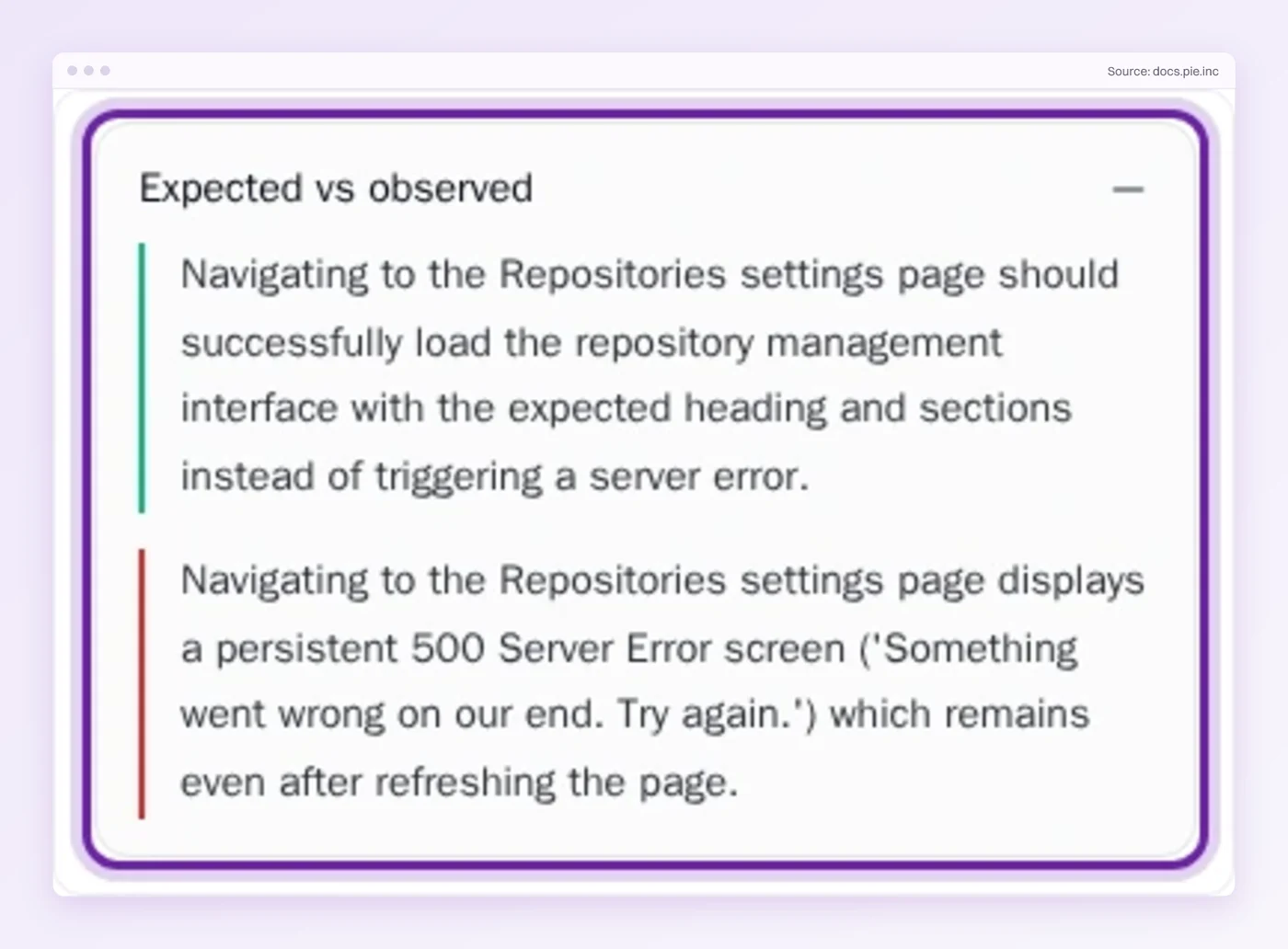
The exploratory sessions stay with your testers, and so does the call on what is good enough to ship. Teams comparing tools for the repeat pass can start with functional testing software.
Keep the Judgment and Write Down the Repeats
Manual testing is a person finding out what the software does and judging whether that is right. Part of it is checking against steps. The rest is exploring, and no script was ever going to do that for you.
Every hour spent on a repeated walk is an hour the exploring does not get.
Which checks did your testers run by hand last release, and how many were the same walk as the release before?
Keep Testers on the Hard Calls
Hand Pie the repeat pass. Your testers keep the judgment.
Frequently Asked Questions
Spent a decade in B2B SaaS sales before building Pie. Now obsessed with helping engineering teams ship without the fear of breaking things. LinkedIn →