8 Best Selenium Alternatives in 2026, Ranked by What They Fix
Most Selenium alternatives swap the syntax and keep the maintenance. Eight tools compared on what each one actually removes, from Playwright to autonomous QA.

Every Selenium alternatives list opens with Playwright and Cypress, then calls it a decision. Both are better-built frameworks than Selenium. Neither one changes who fixes the test at 11pm when a designer renames a button.
So this list ranks eight tools on a single question. How much of Selenium’s actual pain does each one remove? Some remove the flaky waits and the driver setup and keep the selectors exactly where they were. Some remove the code but keep a person authoring every test. One removes the authoring step altogether. Where a tool sits on that scale decides whether you solved your problem or moved it.
What you’ll learn
- What Selenium’s own reviewers complain about, ranked by how often they say it
- Eight alternatives compared on who repairs the test when your UI changes
- The real strengths and limits of each, from G2 and Capterra reviewers
- Which tools remove the selector, and which just rename it
Why Teams Leave Selenium
Selenium earns its reputation. It holds 8.3 out of 10 across 304 reviews on TrustRadius, it is free, it speaks Java, Python, C#, Ruby, and JavaScript, it drives every major browser, and two decades of community answers mean somebody has already hit your problem.
The complaints are narrower than a verdict on the tool. Selenium was built when a release was a quarterly event, and almost every gripe below is really a symptom of running that model against a product that ships daily. Ranked by how often reviewers raise them:
The two that actually force a migration
- Flakiness from timing and stale elements. No complaint comes up more often. Reviewers describe stale element exceptions once page objects are in play, and tests that fail on page loads until somebody wires up synchronization by hand. A red suite nobody believes is a suite nobody runs.
- A steep learning curve that decides who can contribute. Selenium expects real programming ability, and reviewers say so inside five-star reviews. A manual tester cannot add a case without learning the language first, so coverage queues behind whichever engineers can write it.
The rest, mostly setup tax
- No built-in reporting or test runner. Allure, ExtentReports, TestNG, or JUnit get bolted on before anyone can see what failed.
- Manual driver setup per browser. Reviewers raise this constantly, and it is the first chore most alternatives deleted.
- No native mobile or desktop coverage. Selenium drives browsers. iOS and Android mean adding Appium and a second skill set.
- Long run times at scale. Suites heavy on page objects and element interactions stretch CI cycles as they grow.
Underneath all six sits one design decision. Every Selenium test is bound to an XPath or CSS selector, so a UI change breaks tests that had nothing to do with the change and a person has to repair each one by hand. The bill scales with how often your product changes, which is why daily shippers hit it first. Our test maintenance cost calculator puts hours against it if you have never counted.
The pressure is also newer than the framework. GitClear’s 2025 analysis of 211 million changed lines found code churn rising from 5.5% of newly added code in 2020 to 7.9% in 2024, as AI assistants pushed more code into repos faster and more of it got rewritten shortly after. More change per week is exactly the input a selector-bound suite handles worst.
Selenium Alternatives at a Glance
Every tool below is judged on one axis, how much of the Selenium pain above it actually removes. Four questions decide that:
- Who repairs a broken test when the UI changes, a person or the tool
- What you author, code, plain English, a recording, or nothing
- Platform reach, web only or native mobile too
- What you assemble yourself, drivers, runners, reporting
Capability claims come from each vendor’s own documentation. Ratings come from G2, Capterra, and TrustRadius as of August 2026. Playwright, WebdriverIO, and Puppeteer carry thin review-platform footprints, so those sections lean on their documentation plus reviewer sentiment where it exists.
| Tool | Approach | Who repairs a broken test | Platforms | Best for |
|---|---|---|---|---|
| Pie | Autonomous, vision-first | Pie, on every run | Web, iOS, Android | Coverage without authoring |
| Playwright | Code-first framework | You, in code | Web (Chromium, Firefox, WebKit) | Strongest framework successor |
| Cypress | Code-first framework | You, in code | Web (Chrome, Firefox, Edge) | Front-end debugging loop |
| testRigor | Plain-English platform | You, in plain English | Web, iOS, Android | Non-engineers writing tests |
| Katalon | Low-code platform | You, in the editor | Web, mobile, API, desktop | One low-code suite |
| mabl | Low-code SaaS | Auto-healing, then you | Web, mobile, API | Healing inside low-code |
| WebdriverIO | Code-first framework | You, in code | Web, mobile via Appium | WebDriver breadth modernized |
| Puppeteer | Automation library | You, in code | Chrome, Firefox | Chrome scripting and scraping |
8 Best Selenium Alternatives in 2026
Here is each one up close, in the order of how much of the list above it removes. Every entry answers the same two questions. What does it fix about Selenium, and what does it still ask of you?
1. Pie, Autonomous QA With No Tests to Write
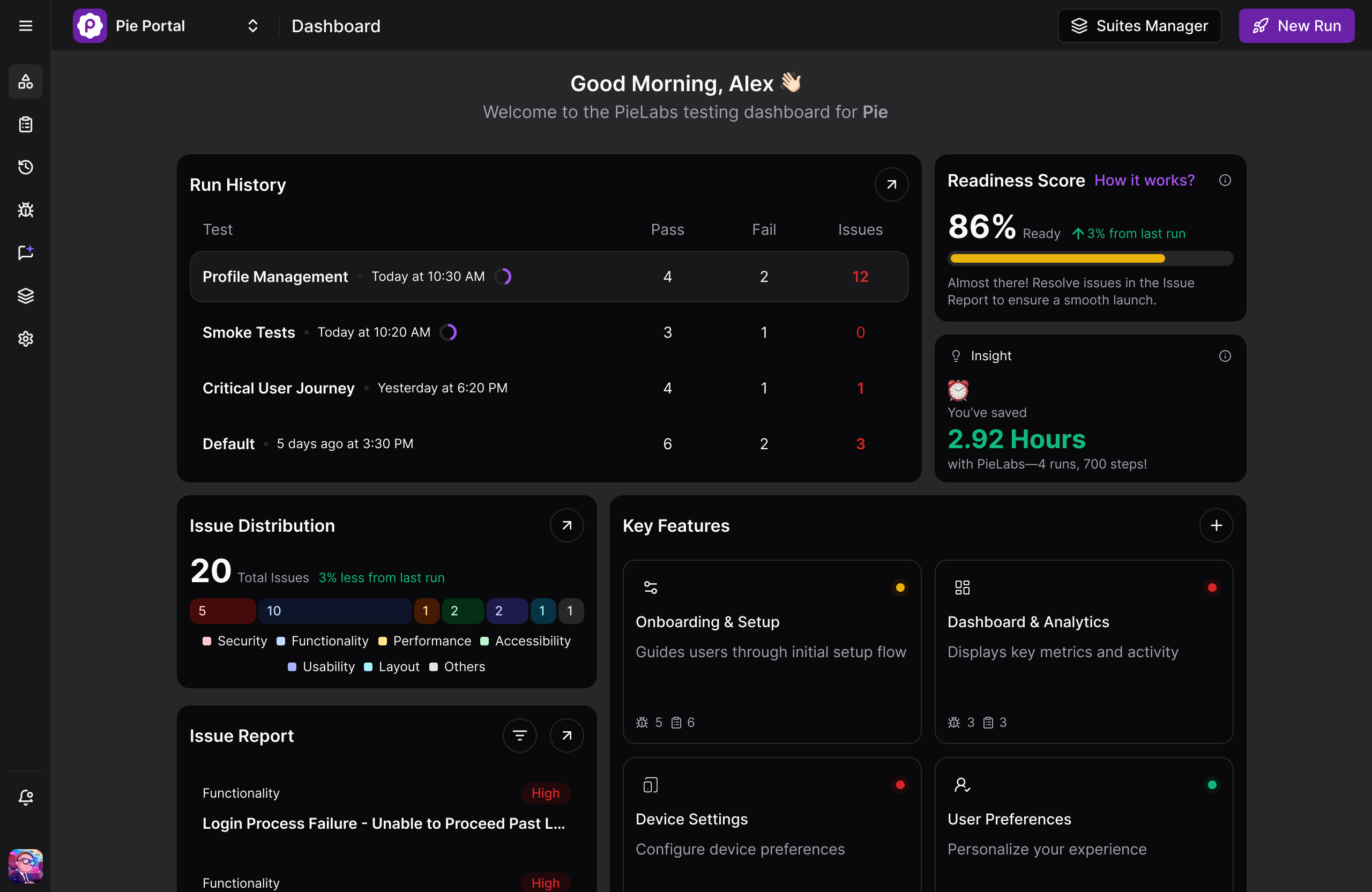
Pie is an autonomous QA platform, and it tops this list because it is the only entry that deletes the step every other tool keeps. Point it at a staging URL or a mobile build and hundreds of AI agents explore the app the way a user would, map every feature into a knowledge graph, and generate the regression suite through autonomous test discovery before anyone writes a test. Nobody authors a script, so the repair backlog that ends most Selenium suites never forms.
Authoring is still yours when you want it. Describe a specific or edge-case flow in plain English in Pie Canvas and Pie builds and runs it, the same natural-language authoring testRigor is known for, and you can import the test cases you already have in whatever format they live in today.
Execution is vision-first, locating elements by what the screen shows rather than by a locator you own, so a renamed class or a moved button changes nothing about the test. One set of test logic covers web plus native iOS and Android apps, which means there is no second mobile suite to keep alive.
Adoption: In production at Fi and Tilt, among others on Pie’s public customer roster. SOC 2 Type 2 certified.
Strengths:
- Autonomous discovery sends hundreds of agents to map the app and generate the regression suite before anyone writes a test, across web and native iOS and Android
- Vision-first execution and self-healing, so a redesign does not send anyone back to the selectors
- Author the flows you care about yourself in plain English in Pie Canvas, or import the test cases you already have in whatever format they live in
- Pie Loop catches regressions in merged pull requests and opens a fix your team reviews and merges
Trade-offs:
- Web execution runs on Chromium rather than every browser engine
- Native mobile runs on iOS and Android simulators rather than a physical device lab
“After evaluating multiple vendors, Pie was the only solution that consistently executed our most complex end-to-end workflows with reliability across builds. It has effectively replaced our manual regression efforts, enabling us to maintain our release velocity with significantly greater efficiency and confidence.” — Anil Kumar Lekkalapudi, Director of QA and Automation at Tilt
Best for: Teams shipping daily who want regression coverage that keeps pace with the app without anyone authoring or repairing tests.
Not for: Teams whose main job is load, security, or API contract testing, or who want a code-first framework with every test living in the repo.
2. Playwright, the Strongest Code-First Successor
Playwright is Microsoft’s open-source automation framework and the tool most people mean by “the modern Selenium.” It earns second place because it fixes the two things Selenium reviewers complain about most without asking anyone to change how they work. Auto-waiting removes the timing failures behind stale-element errors, and bundled browsers remove the per-browser driver chore.
What it does not touch is who repairs the locator when the UI moves. Our Playwright vs Selenium breakdown goes deeper on what the migration actually costs.
Strengths:
- Setup is what reviewers praise most, describing a framework that comes together fast because the essential tooling ships in the box
- Tests are quick to write and give fast feedback
- Cross-browser runs stand up quickly, credited to auto-waiting on actionability checks
Trade-offs:
- Reviewers running very large suites report performance dragging and failures getting harder to diagnose
- Some reviewers still find the ramp steep coming from Selenium
- No native mobile app testing, since device descriptors emulate mobile browsers rather than iOS or Android apps
Best for: Engineering teams that want tests in the repo and the best-designed code-first framework available.
Not for: Teams whose bottleneck is selector upkeep, or who need native iOS and Android coverage.
3. Cypress, Best Debugging Loop for Front-End Teams
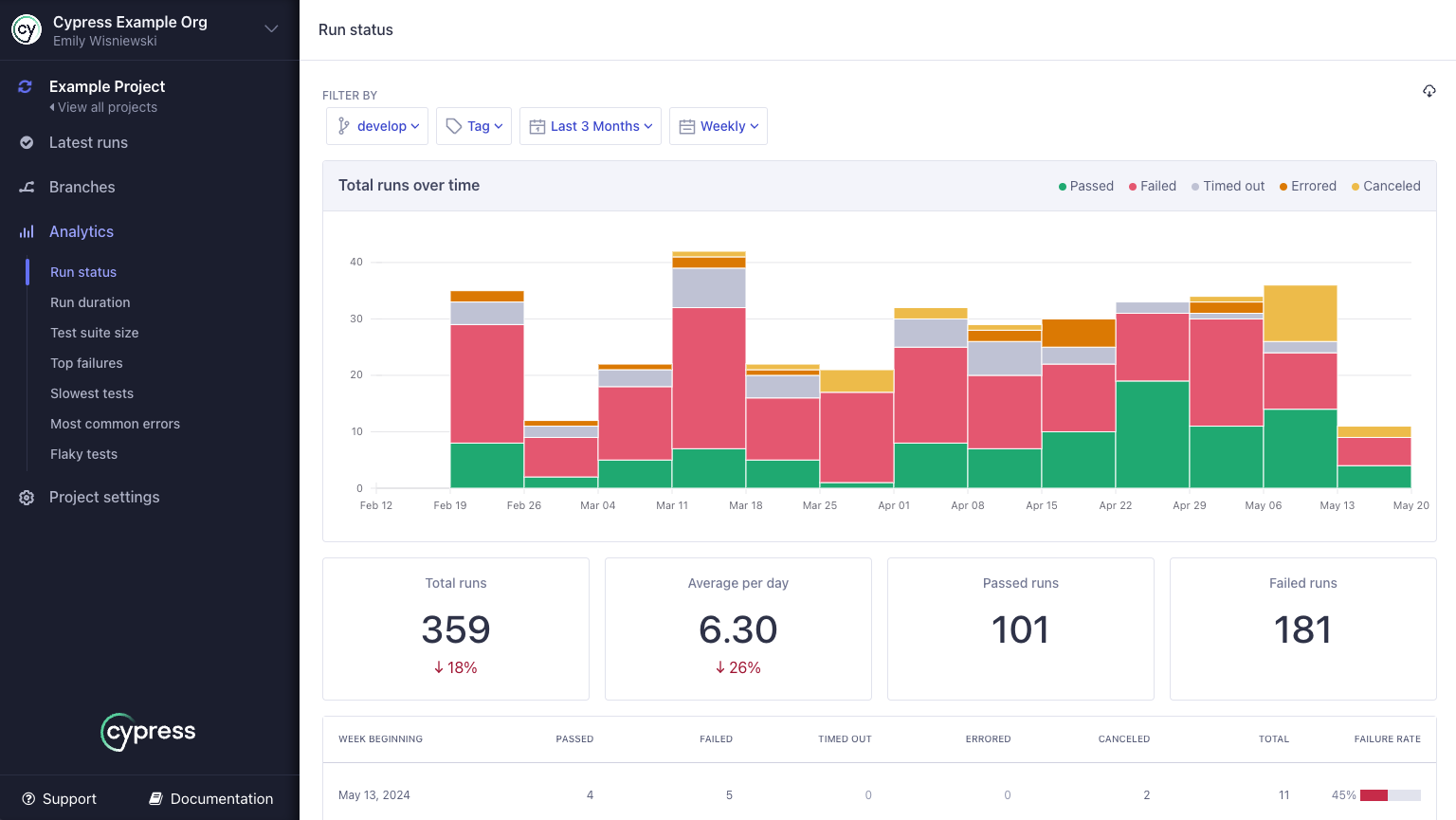
Cypress is a JavaScript end-to-end framework that runs inside the browser’s event loop, and its reputation rests on developer experience. It answers Selenium’s flakiness complaint from the opposite direction. Rather than making tests easier to write, it makes failures easier to see, and reviewers consistently describe watching app state change command by command instead of reading a stack trace. The architecture that makes that possible is also its ceiling, which our Cypress vs Selenium comparison covers in detail.
Rating: 4.7 out of 5 from 67 reviews on Capterra and 4.7 out of 5 from around 106 reviews on G2.
Strengths:
- A live view of the run in the browser, described by one reviewer as “easy to set up and I like how I can see everything running in the browser”
- Time-travel debugging that shows app state before and after every command
- A short ramp for developers who already write unit tests
Trade-offs:
- Reviewers say failures that surface only in CI are tricky to track down
- Parallelization and iframe handling are named as weak spots once a suite grows
- WebKit and Safari support is still experimental and opt-in, per Cypress’s own docs
Best for: Front-end teams that want the fastest feedback loop while debugging a web app.
Not for: Teams needing Safari coverage in CI, native mobile apps, or heavy parallel execution.
See Autonomous Coverage on Your App
Point Pie at a staging build and walk away. Come back to a suite you did not write.
Book a Demo4. testRigor, Plain-English Test Authoring
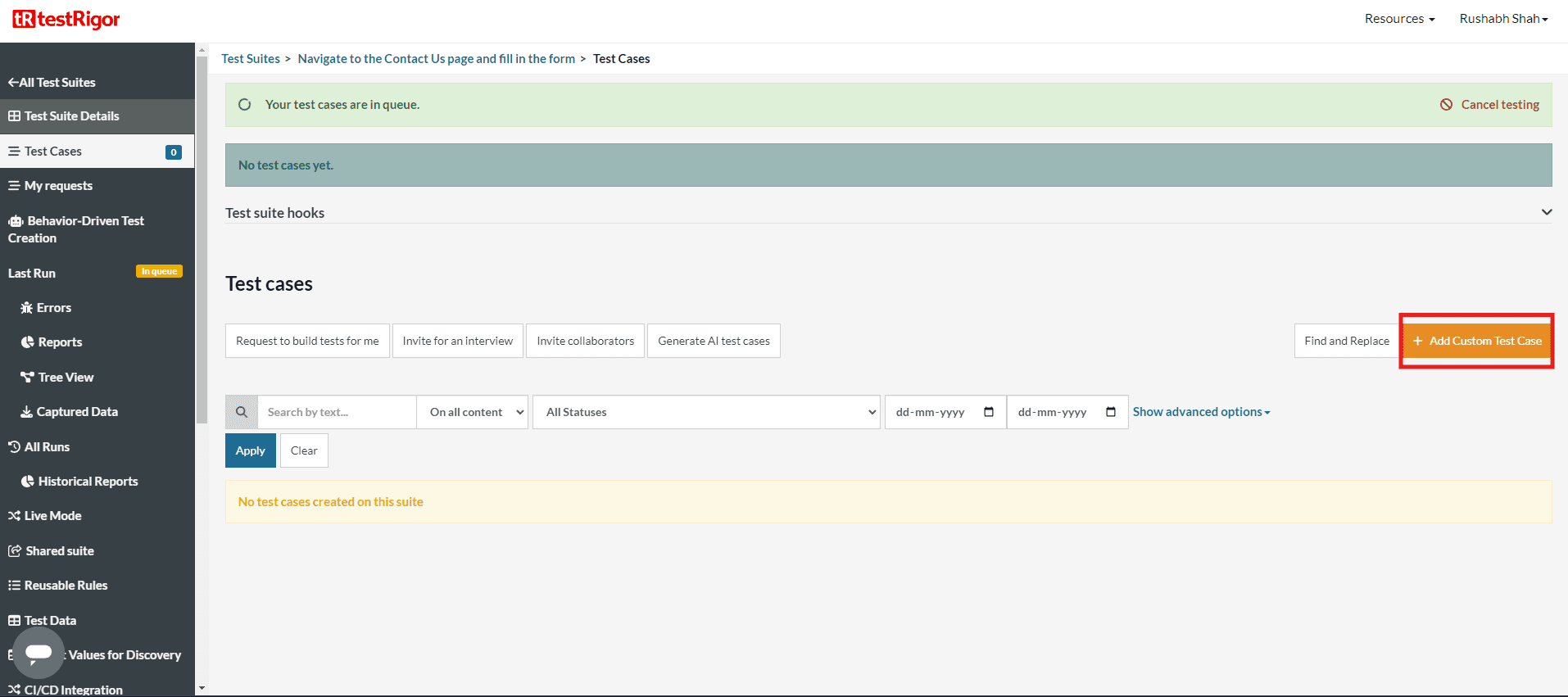
testRigor is a cloud platform where a test step is an English sentence rather than a line of code. It earns its place by removing the complaint that bites Selenium teams second-hardest, which is that only someone fluent in Java or Python can add coverage. Anyone on the team can author here, and because steps are not bound to XPath or CSS, a UI change does not automatically break them. A person still writes every test, so the authoring queue moves rather than disappears.
Rating: 4.7 out of 5 from 20 reviews on G2 and 4.6 out of 5 on Capterra.
Strengths:
- Plain-English authoring that, per one reviewer, “makes it easy for someone who does not understand coding to write test”
- Low maintenance, because steps are not tied to XPath or CSS selectors
- Support quality rated 9.8 out of 10 on G2
Trade-offs:
- Some reviewers report a test failing that had passed an hour earlier
- No built-in test management, so teams integrate a separate tool or fall back to spreadsheets
Best for: Mixed teams where product and QA people write the tests in plain English.
Not for: Teams that want the tests written for them, or who need built-in test management.
5. Katalon, One Low-Code Suite for Web, Mobile, and API
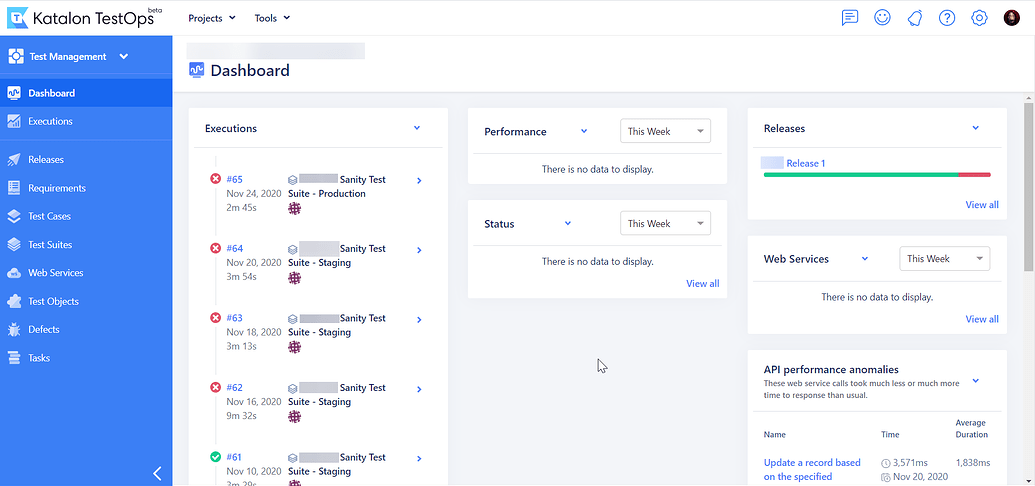
Katalon is a low-code platform built on top of Selenium and Appium, which makes it the shortest conceptual move on this list. It earns its place by wrapping everything Selenium leaves to you, handing over recording, reporting, and CI integration as one product rather than a framework you assemble. Web, mobile, API, and desktop tests live under one licence, and Selenium projects import directly. The engine underneath is still the one you were leaving. Robot Framework makes the same move in open source, keyword files over SeleniumLibrary, which is why Robot Framework vs Selenium gets its own comparison rather than a slot on this list.
Rating: 4.4 out of 5 from 706 reviews on Capterra and 4.4 out of 5 from 222 reviews on G2, the largest review base of any tool here.
Strengths:
- Quick to install and configure, with reviewers noting junior testers get productive fast
- Coverage beyond browser UI, including web services and desktop applications
- Jenkins and CI/CD integration that works without custom plumbing
Trade-offs:
- Heavy on machine resources, with one reviewer calling it “very heavy, it consumes a lot of resources”
- Mobile UI automation is the piece reviewers find tough to set up, as element IDs shift between devices
- Some reviewers read the interface as dated next to newer platforms
Best for: Teams that want one low-code product covering web, mobile, and API tests.
Not for: Teams trying to escape the Selenium engine rather than wrap it.
6. mabl, AI-Assisted Low-Code Automation
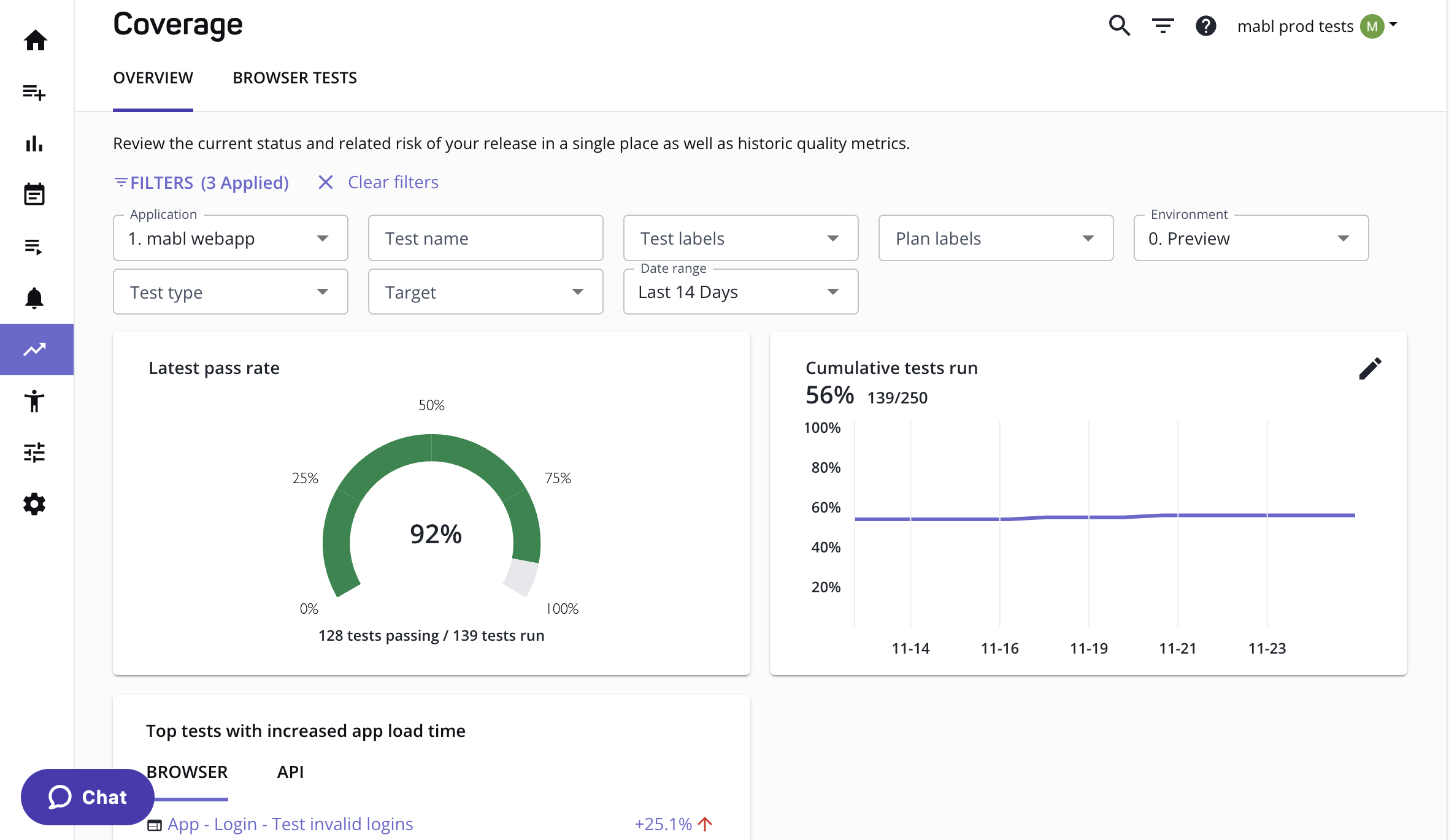
mabl is a low-code SaaS platform where you record or describe a test and its AI keeps the locators working when the UI shifts. It earns its place because auto-healing aims squarely at the failure Selenium teams resent most, a test breaking for a reason unrelated to the change. The distinction is worth being precise about. mabl heals the locator and keeps an element map underneath, so a heal repairs the model rather than removing it.
Rating: 4.4 out of 5 from 40 reviews on G2 and 4.0 out of 5 from 67 reviews on Capterra.
Strengths:
- Auto-healing through minor UI changes, which one reviewer summed up as “the ‘auto-healing’ is sleek”
- A low technical barrier, with reviewers noting it does not demand much programming knowledge
- Generative AI additions that reviewers say made authoring easier again
Trade-offs:
- Low-star reviews describe reliability slipping when an existing journey is edited
- Some reviewers find the trainer client resource-intensive on lower-RAM machines
- Mobile testing reads as an extension of a web-first platform rather than a mobile-native tool
Best for: In-house QA teams that want low-code authoring with healing built in.
Not for: Mobile-first teams, or teams that want to stop maintaining an element map at all.
7. WebdriverIO, WebDriver Breadth Modernized
WebdriverIO is an open-source framework governed by the OpenJS Foundation, and it is the closest thing here to a like-for-like migration. It keeps the protocol Selenium teams already know, now defaulting to WebDriver BiDi, while deleting the setup tax that comes with it. Set WebdriverIO against Selenium and the move looks closer to a repackaging than a rewrite. Drivers download and manage themselves from v8.14 onward, and the same framework reaches browsers plus native iOS, Android, and Tizen apps through Appium. Selenium’s model, minus its worst chores, as our WebdriverIO vs Playwright comparison lays out.
Strengths:
- One framework covers browsers plus native iOS, Android, and Tizen apps through Appium
- Drivers download and update themselves, so per-browser driver setup is gone from v8.14
- WebDriver BiDi runs by default, with classic WebDriver still available underneath
Trade-offs:
- Configuration stays involved, particularly around TypeScript setup
- JavaScript and TypeScript only, without Playwright’s multi-language bindings
Best for: Selenium teams that want the same protocol and one framework across web and mobile.
Not for: Teams wanting a language other than JavaScript or TypeScript, or a low-configuration start.
8. Puppeteer, Chrome and Firefox Scripting
Puppeteer is a Node library maintained by the Chrome team that drives Chrome or Firefox over the DevTools Protocol and WebDriver BiDi. It lands last because it is not really a Selenium replacement, and its own documentation does not claim to be. It is an automation library rather than a test framework, with no runner and no assertions of its own. Where it beats everything above is a narrow, fast job, which is why it usually shows up next to Playwright rather than instead of it.
Strengths:
- Direct DevTools Protocol access, which makes browser scripting fast and precise
- Chrome and Firefox are both supported now, so the old Chrome-only limit no longer applies
- Maintained by the Chrome team, so browser support tracks the browser itself
Trade-offs:
- No WebKit or Safari engine, and no native mobile
- No test runner and no assertion library, so it pairs with Jest, Mocha, or similar
Best for: Scripting, scraping, and screenshot jobs on Chrome or Firefox.
Not for: Standing in for a full end-to-end regression suite.
How to Choose Your Selenium Alternative
Most teams pick the highest-rated tool on the list and rediscover their original problem a year later. The shortlist collapses fast once you name what you are actually trying to fix. Work through these in order.
- Name the real constraint first: Is the bottleneck how tests get written, or how they get repaired? Reviewers of every tool here complain about the second far more than the first, and the two constraints point at different halves of this list.
- If the constraint is developer experience, stay in code: Playwright for the strongest all-round framework and true three-engine reach, Cypress for the tightest debugging loop on a web app, WebdriverIO to keep the WebDriver protocol and add mobile through Appium.
- If the constraint is who can write a test, move to plain English or low-code: testRigor for plain-English authoring, Katalon for one low-code suite spanning web, mobile, and API, mabl when healing locators matters more than the authoring style.
- If the constraint is maintenance itself, change the model: Pie is the only option here that removes the authoring step, so there is no selector to repair and no test to rewrite after a redesign. Pick it when engineers are spending sprint time on the repair backlog instead of on coverage.
- Check the platform surface before the feature list: Playwright, Cypress, and Puppeteer are web only. Katalon, testRigor, WebdriverIO, and Pie all reach native iOS and Android, each by a different route, and the route matters more than the checkbox.
Run those five and the shortlist usually comes down to one or two. For the wider field beyond Selenium replacements, our roundup of the best test automation tools covers the adjacent categories.
Pick for the Maintenance Model, Not the API
Selenium did not lose the default slot because its syntax aged. It lost it because a suite bound to XPath cannot survive a product that changes every week.
Every tool above beats Selenium at something. Only one changes the answer to the question behind the migration. When the button moves, who fixes the test?
Pie removes the selector, so nobody does. As an autonomous QA platform, it sends agents through your web and native mobile apps, generates the coverage, and adapts when the UI shifts. If your engineers are spending sprints repairing tests instead of shipping, you have outgrown the category, not the framework.
Stop Migrating Between Script Runners
Bring the flakiest flow you own. Leave without a selector to maintain.
Book a DemoFrequently Asked Questions
13 years building mobile infrastructure at Square, Facebook, and Instacart. Now building the QA platform he wished existed the whole time. LinkedIn →