10 Best Regression Testing Tools in 2026, Sorted by How Suites Fail
A regression suite fails four ways, and most tool lists only cover upkeep. Ten tools for upkeep, run time, flaky tests and visual bugs, with 2026 prices.

You’re shopping for a regression testing tool because this morning’s run went red again, and only one of the failures was a real bug. The rest broke because someone renamed a button, or because the checkout test that fails every few runs did it again. Nobody on the team reads the red anymore.
A renamed button and a flaky checkout test are two different problems, and most tool lists only rank tools for the first one. Here are ten tools sorted by the way your suite is failing.
What you’ll learn
- The four ways a regression suite fails, and how few tool lists cover more than one
- Ten tools with 2026 pricing, their limits, and the failure each one fixes
- Which tool to start with, based on what broke your last release
Four Ways a Regression Suite Fails, and Why Most Tool Lists Cover One
A regression test suite is the one test asset you pay for on every change, and it fails in four separate places. Each one needs a different kind of tool.
- Upkeep: A renamed button breaks a selector, and an engineer spends the afternoon repairing tests that found nothing. Regression testing exists to catch what a change broke, and repair work catches none of it. One retail automation lead told us their team runs 500 regression tests across two apps on iOS and Android, and every release starts with sorting real breakage from scripts that just need updating.
- Run time: Every bug fix adds a test and deleting one feels risky, which is why regression suites slow down until the full run no longer fits inside a pull request.
- Trust: A test that fails every few runs and passes on retry teaches people to rerun instead of read. What we see across teams is that flaky tests are often the first thing a team abandons, and whole stretches of the suite go stale and get skipped.
- Blind spots: A functional assertion checks that the checkout button works and says nothing about the button rendering half off the screen. People miss it too, because when you test the same screens week in, week out, your brain autocorrects them and you skim right past. Catching that is the job of visual regression testing.
Most regression tool lists stop at the first line. The other three are where suites go wrong after the tests exist, and few lists name a tool for them.
Regression Testing Tools Compared by the Line They Fix
Five of the ten work on upkeep, and the other five leave your tests alone and work on run time, trust and blind spots. Read the “Line it fixes” column first. Selenium, Cypress and Katalon are missing on purpose, and the close calls after entry 10 explain why.
| Tool | Type | Line it fixes | What you still maintain | Pricing and license (October 2026) |
|---|---|---|---|---|
| Pie | Agentic testing platform | Upkeep | Test steps when intended behavior changes | Custom quote |
| Playwright | Code-first framework | Upkeep | Every test and locator, in code | Free, open source (Apache 2.0) |
| mabl | Low-code platform | Upkeep | Your tests, plus a check on each healed step | Quoted, 14-day trial |
| testRigor | Plain-English platform | Upkeep | Every test, as English sentences | Free public plan, private plans quoted |
| Appium | Mobile framework | Upkeep | Tests, locators and drivers per platform | Free, open source (Apache 2.0) |
| CloudBees Smart Tests | Test selection | Run time | Your suite, plus a confidence threshold | Free plan on GitHub Marketplace |
| Datadog Test Optimization | Test analytics | Run time and trust | Datadog’s test library for each framework | $20 per active Git committer a month billed annually, $24 month to month, or $29 on demand |
| Trunk Flaky Tests | Flaky-test management | Trust | The fix for each quarantined test | Free up to 5 committers |
| Applitools Eyes | Visual testing | Blind spots | Baselines and approvals | From $667 a month, billed annually |
| Percy | Visual testing | Blind spots | Baselines and approvals | Free up to 5,000 screenshots a month |
10 Best Regression Testing Tools in 2026
Pie leads the ten because writing tests is less than half the battle. Keeping them working while the team ships is where the overhead lands, and that line compounds with every release. Tools 2 to 5 also work on upkeep, and tools 6 to 10 fix the other three lines.
1. Pie: Agent-Built Regression Suites for Web and Native Mobile
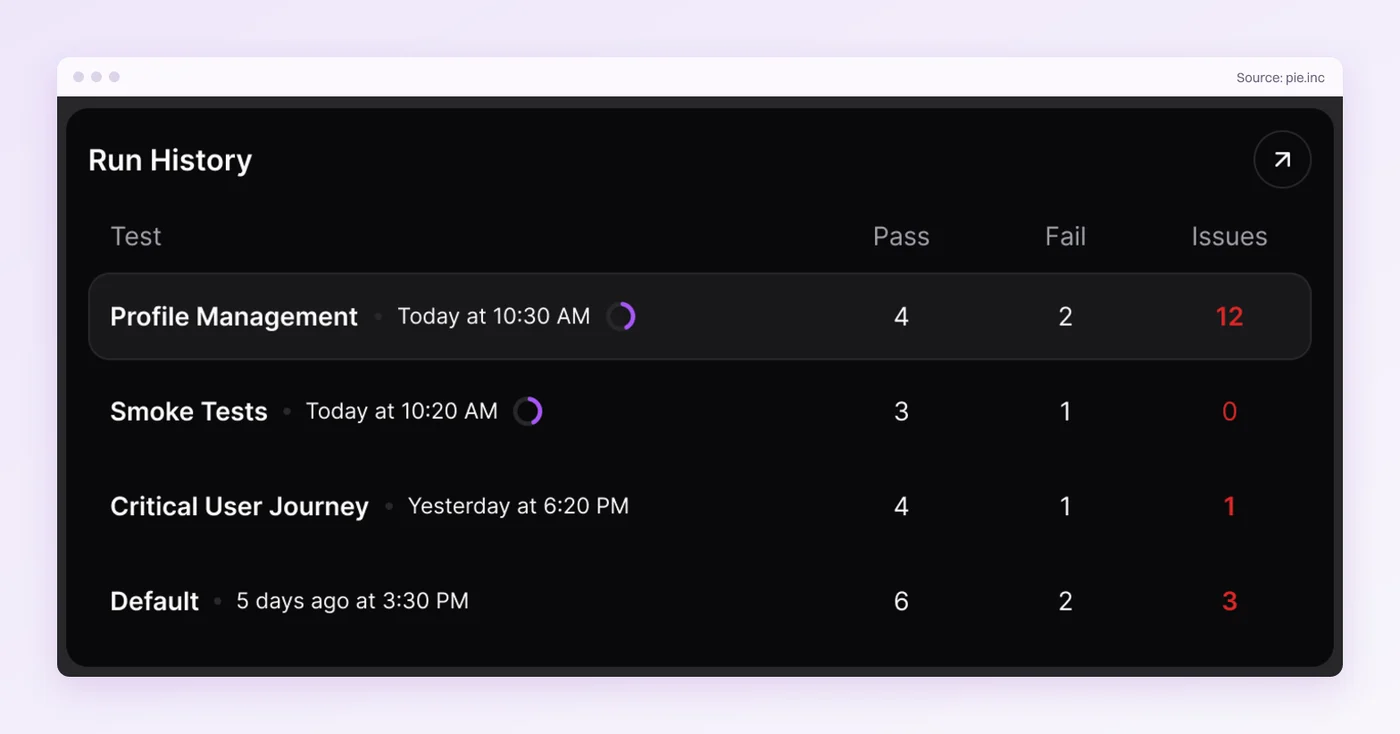
Pie goes after upkeep at the source. Point it at a staging URL or upload a mobile build with a test login. Its agents explore the reachable, supported flows and build a baseline regression suite before anyone on your team writes a test.
Execution is vision-first. You author supported tests without writing or maintaining selectors, and its self-healing tests mean a recognizable button that moves can need no locator repair.
Tests group into regression suites that run on demand or on their own daily and weekly schedules, on the web and on native iOS and Android apps. With repository access and fix settings switched on, Pie can also test pull requests and prepare a proposed fix for your team to review.
We call it Cursor for QA. Your team keeps the judgment about what matters, and the grunt work of clicking through and re-running the flows goes to the agents.
Rating: 5.0/5 from 3 ratings on Gartner Peer Insights.
Limits:
- Native apps run on iOS simulators and Android emulators, so validate hardware behavior like Bluetooth or NFC on a physical device.
Pricing: Custom, based on your team’s requirements and testing volume. Ask Pie for a quote.
Best for: Regression suites that break more often from UI changes than from bugs, and teams that ship native mobile apps alongside web.
Not for: Teams that need each test checked into their own repository as code they edit by hand, or a release sign-off that depends on physical-device runs.
2. Playwright: Free, Code-First, and on All Four Lines a Little
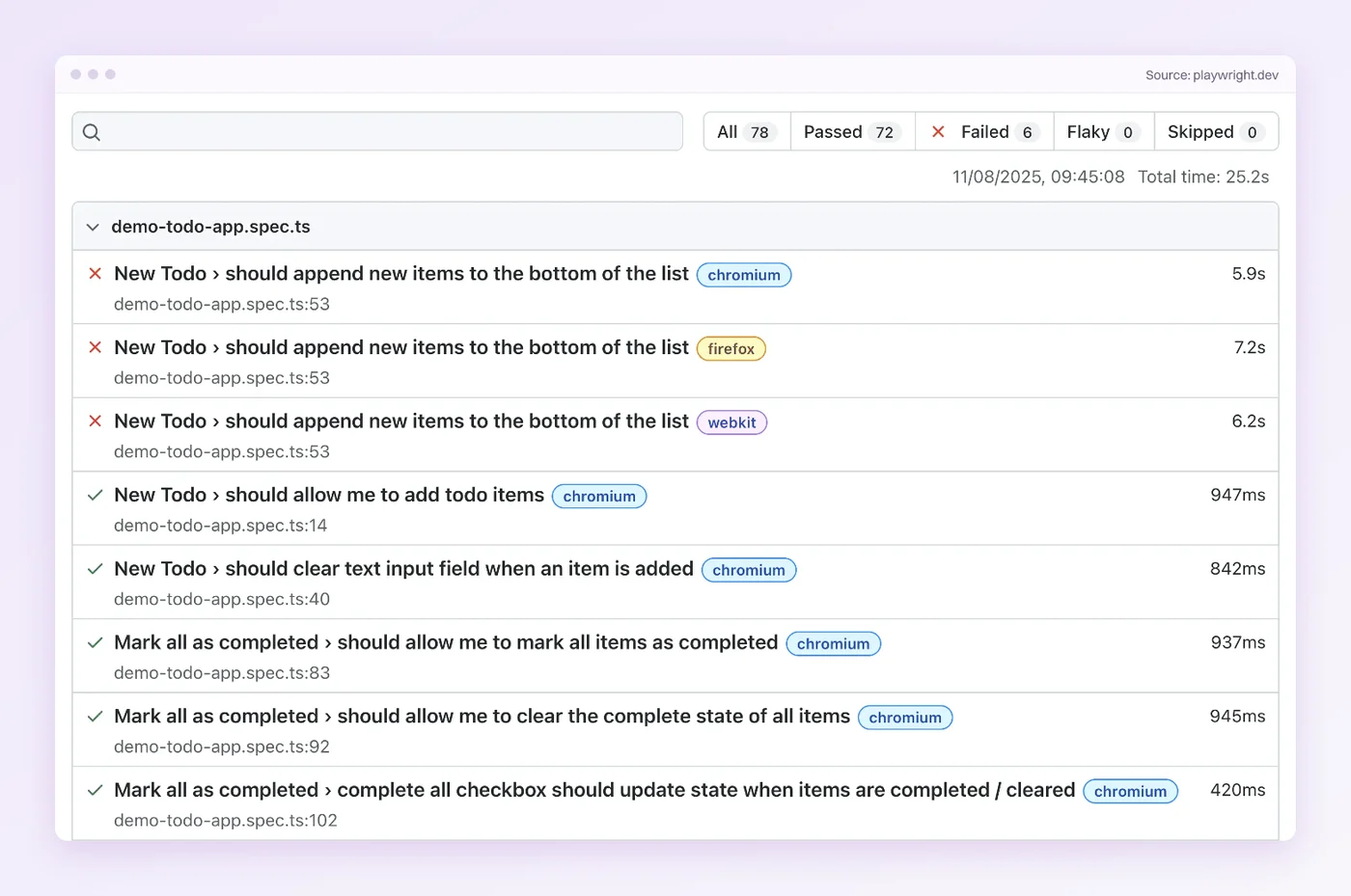
Playwright is the strongest free choice when your engineers want every regression test as code in the repo. It drives Chromium, Firefox and WebKit from one API and waits for an element to be actionable before it acts, which spares the suite hand-written sleeps. Its locators can also target what a user sees, such as a role or a label, in place of a CSS path.
It touches the other three lines too, lightly:
- Run time:
--only-changedruns the test files a Git change touched, plus any test file that imports a changed file. - Trust: Retries mark a test that passes on the second try as flaky.
- Blind spots:
toHaveScreenshotcompares screenshots against a baseline.
A flaky label is a start, and trust takes more. An engineering leader at one startup told us their Playwright suite is mostly good but can flake, and every flaky red sends someone off to work out whether the test or the code broke. Once developers stop trusting it, only QA keeps running it.
Since version 1.56, a healer agent can repair failing tests through an AI coding client, as a step you run on purpose. The upkeep stays with you, and a redesign that moves the DOM means editing locators in code.
Limits:
- Android support is experimental and covers Chrome for Android and Android WebView, per Playwright’s Android docs, with no native iOS automation.
- Screenshots render differently across host OS, browser version and hardware, so Playwright’s snapshot docs advise generating baselines where the tests run.
Rating: 4.8/5 from 14 reviews on G2.
Pricing: Free and open source under Apache 2.0. Version 1.64.1 shipped on 14 October 2026.
Best for: Engineering teams that want regression tests as code, reviewed like any other change.
Not for: Native iOS or Android apps.
3. mabl: Low-Code Regression With Auto-Healing
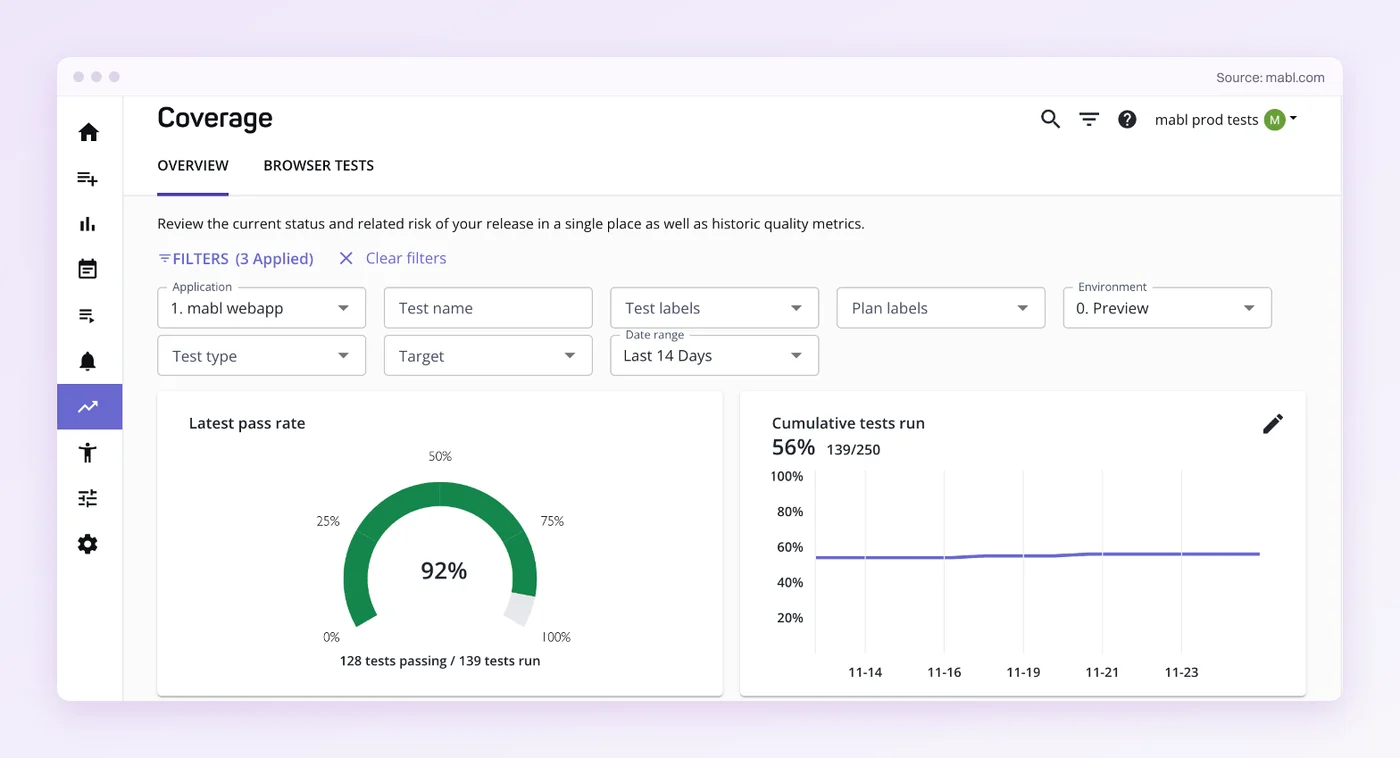
mabl’s answer to upkeep is Adaptive Auto-Healing, which updates element locators and test steps when the UI changes. You can switch it off step by step. Its generative-AI healing runs only in cloud runs, and only once a test has a passing history in a plan. A low-confidence match fails the step instead of healing it.
It reaches into the other lines too. Test impact analysis finds the existing tests a code change affects, and failure analysis classifies a red run as a real regression, an app change or environment noise. mabl’s healing re-matches elements after a locator breaks, where with Pie you author supported tests without writing or maintaining selectors.
Rating: 4.4/5 from 40 reviews on G2.
Limits:
- Mobile App Testing sits under Add-Ons on mabl’s pricing page, outside the core plan.
- Every healed step is a trust decision, because someone has to confirm the healed test checks what you meant it to.
Pricing: Quoted on mabl’s pricing page, with a 14-day free trial and a starting point of 500 cloud-run credits a month.
Best for: Low-code teams that want a managed gate in CI.
Not for: Mobile-first teams that want native app testing in the base plan.
4. testRigor: Plain-English Regression Tests for Manual QA Teams
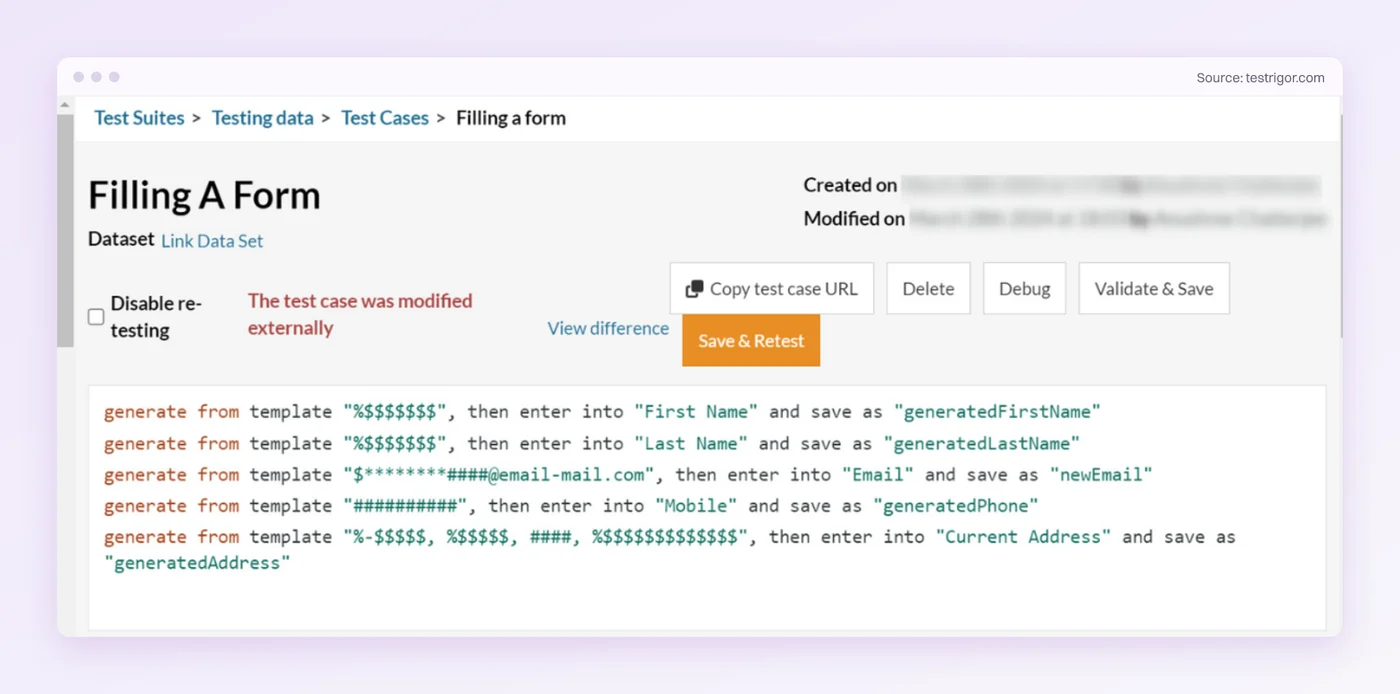
In testRigor, a test is a set of free-flowing English sentences that describe elements the way a user would, with no locators for the author to write. A manual QA team can turn its test cases into automation without learning to code. It covers web, native mobile and API tests, with native Windows apps on paid plans.
AI-based self-healing is opt-in. Switch on Vision AI and auto-healing, and testRigor repairs steps a UI change broke and labels the healed test case fixed-by-ai. Each healed step carries a warning that describes what changed.
Rating: 4.6/5 from 47 reviews on G2.
Limits:
- The free plan makes every test and every result public, per testRigor’s sign-up page.
- When the product’s behavior changes on purpose, someone rewrites the affected sentences.
Pricing: A free public plan, a 14-day trial for private tests, and Enterprise at custom pricing.
Best for: Manual QA teams moving their test cases into automation.
Not for: Engineers who would rather review a code diff than an English sentence.
5. Appium: Native Mobile Regression in Code
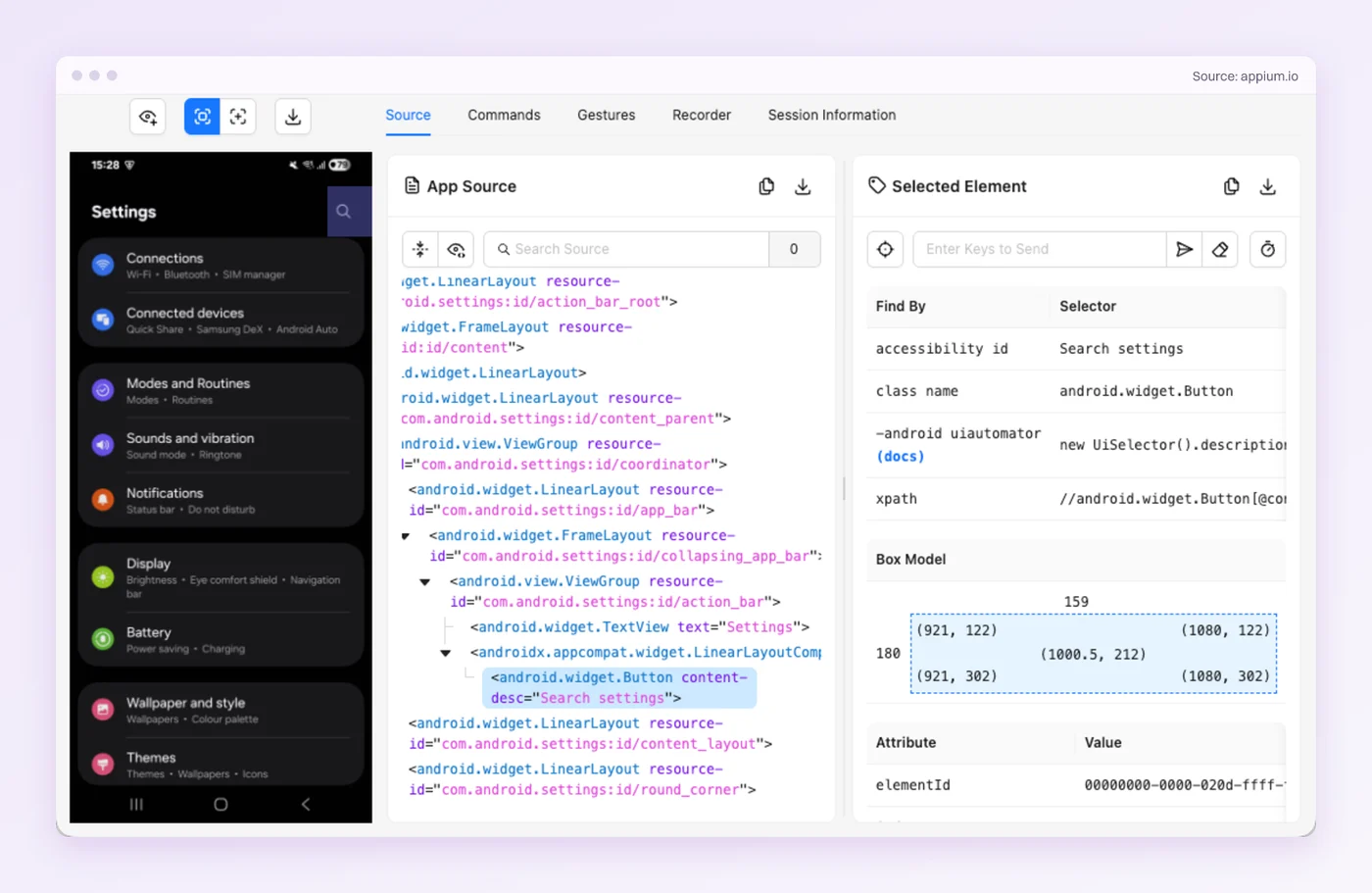
Appium is the open-source way to put native iOS and Android apps under regression in code, through the XCUITest, UiAutomator2 and Espresso drivers. Appium 3.8.0 shipped on 24 September 2026, and 4.0 betas have been out since 19 September.
It belongs with the upkeep tools because that is where its cost lands. Every test finds elements through a locator for each platform, and OS and driver upgrades bring their own maintenance. That locator churn is what makes mobile regression testing expensive to keep current.
Rating: 4.4/5 from 63 reviews on G2.
Limits:
- The server ships without any drivers, so each platform’s driver is one more thing to install and keep current.
- A flow with separate iOS and Android locators can need two repairs for one UI change.
Pricing: Free and open source under Apache 2.0.
Best for: Mobile teams with engineers who want native regression tests in code.
Not for: Small teams that can’t keep locators and drivers current across OS releases.
See a Suite You Didn't Write
Send Pie a staging URL. Review the regression suite its agents build.
Tools 6 to 10 plug into the suite you already have. They change what happens around the run.
6. CloudBees Smart Tests: Run the Tests a Change Is Most Likely to Break
A slow run costs more than its hours. When a regression pass runs a day or two long, developers wait on the feedback, then have to jump back into tickets they left days ago.
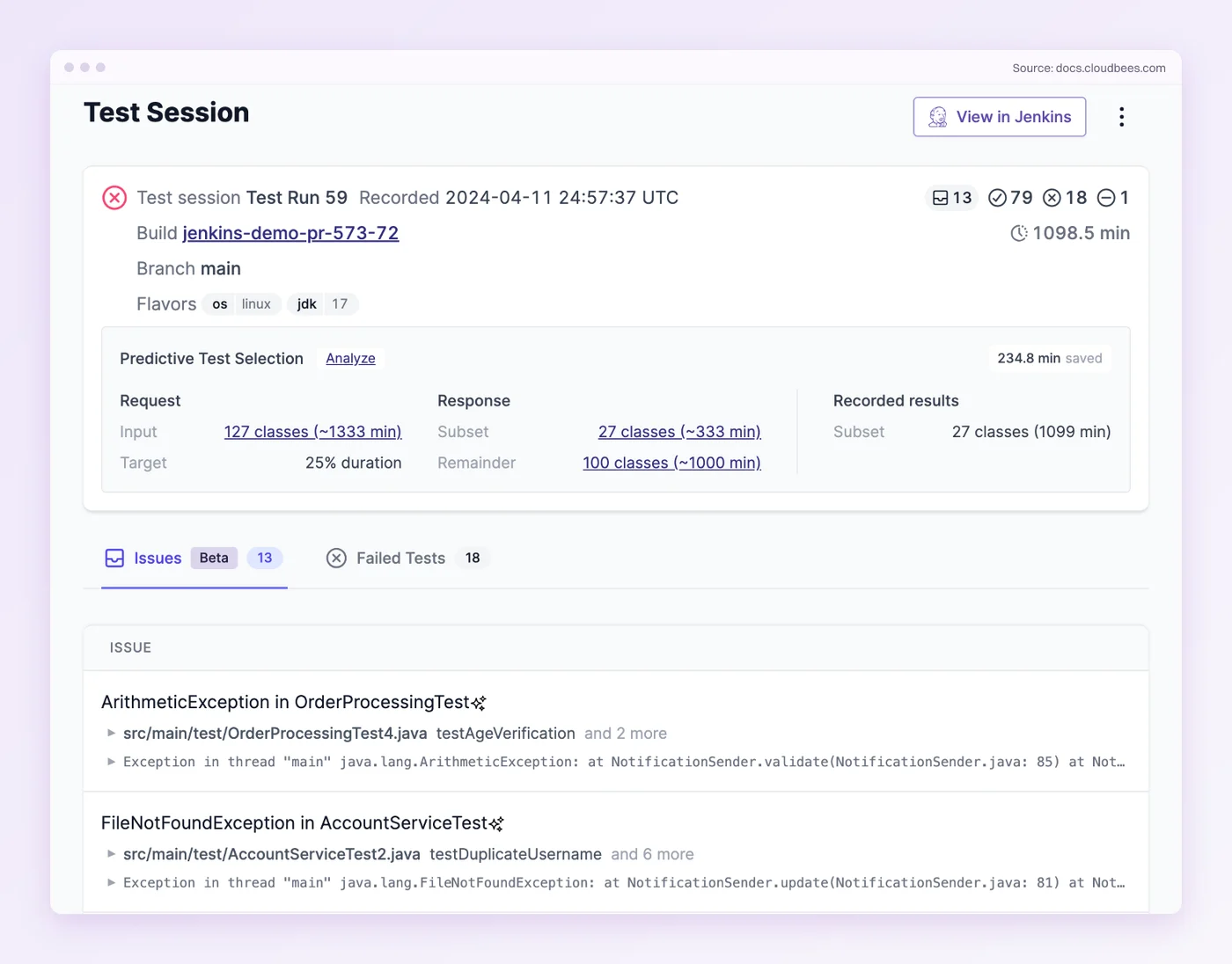
If a full run takes longer than a pull request can wait, CloudBees Smart Tests, the product formerly called Launchable, is the specialist. Its predictive test selection uses large language models to read each code change and puts the tests most likely to be affected first. It reached general availability under the CloudBees name on 2 April 2026.
The trade is confidence. A model choosing your subset is a judgment call, and one Hacker News commenter argued that selection is worth making deterministic, “without an LLM” (September 2025). Keep a full run every night so nothing goes unchecked for long.
How it fits a pipeline:
- Threshold: You choose the confidence threshold that decides how many tests are skipped.
- Parallel bins: It splits a subset into evenly sized bins for parallel workers.
- Quarantine: A quarantined test keeps running, and its result stops counting toward the pipeline’s pass or fail once you add the gate step.
Rating: 4.8/5 from 2 reviews on G2.
Limits:
- It picks which tests run, and it doesn’t write or repair them.
- A test the model skips can hide a regression until the next full run.
Pricing: Free for open-source and private projects on its GitHub Marketplace listing. Ask CloudBees what sits above the free plan.
Best for: Large suites in any CI system.
Not for: Small suites that already finish in a few minutes.
7. Datadog Test Optimization: Selection and Flaky-Test Control in One Place
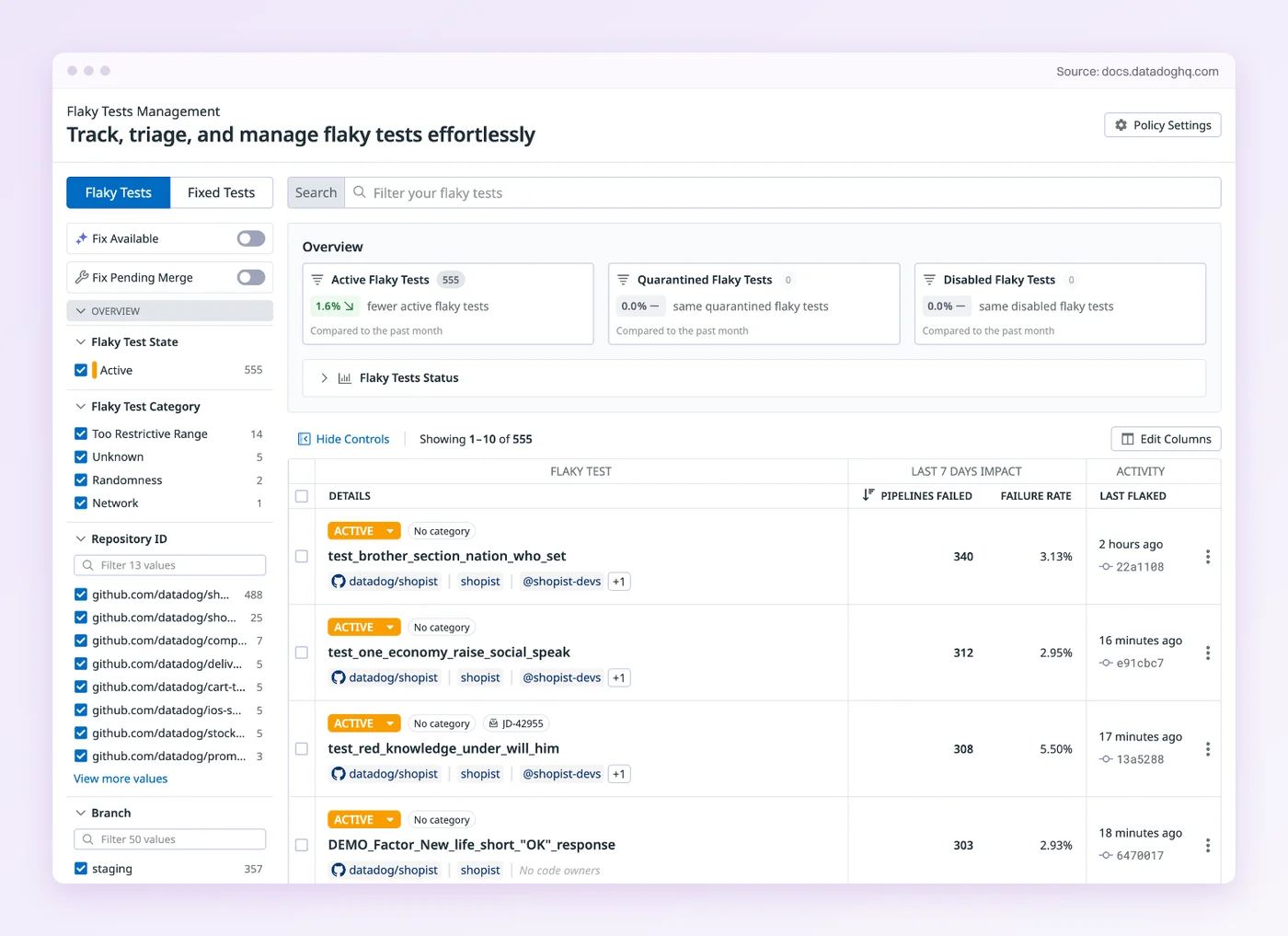
Datadog Test Optimization covers two lines at once. Test Impact Analysis skips tests whose covered code didn’t change, and Flaky Test Management gives every flaky test a state you control.
What you can do with a flaky test:
- Quarantined: The test keeps running, and its failures stop affecting CI status.
- Disabled: The test is skipped in CI.
- Attempt to fix: A claimed fix is retried automatically, and the test moves to fixed when the fix’s pull request merges.
Early Flake Detection runs newly added tests several times, so a flaky one gets caught before it merges into the default branch. Datadog asks for setup in return, because you need its own test library for each framework. That setup pays off most when your services already report to Datadog.
Rating: 4.4/5 from 746 reviews on G2.
Limits:
- Test Impact Analysis can’t see changes outside your code, such as a library upgrade or an external service, so Datadog’s docs warn it can skip a test those changes affect.
- The price sits on top of anything else you already pay Datadog for.
Pricing: $20 per active Git committer a month billed annually, $24 month to month, or $29 on demand. An active committer is one who commits at least three times in a month.
Best for: Anyone already on Datadog who wants selection and flaky-test control next to the rest of their telemetry.
Not for: Suites with no Datadog footprint that only need quarantine.
8. Trunk Flaky Tests: Quarantine for Any Test Framework
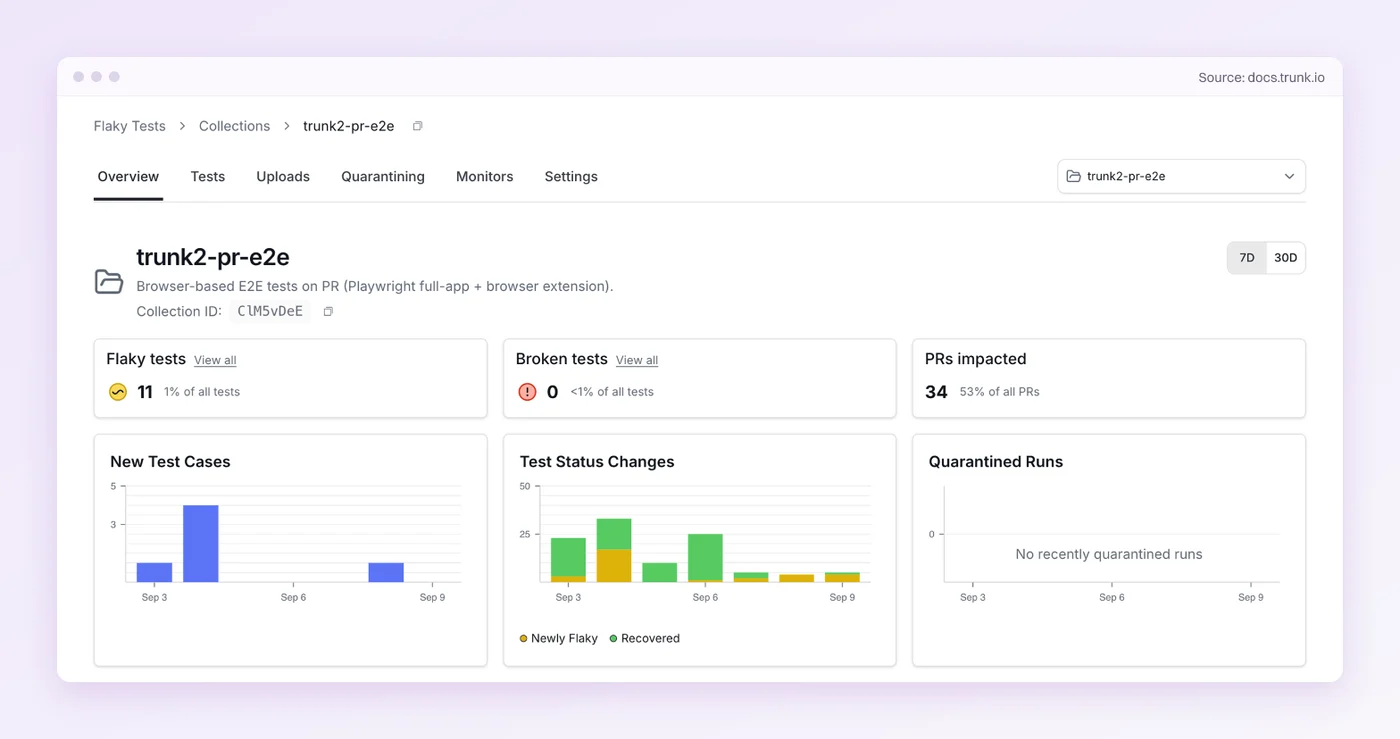
When red builds have stopped meaning anything and the suite spans several frameworks, start with Trunk Flaky Tests. Any runner that writes JUnit XML or XCResult reports can upload its results. Trunk spots the tests that flip between pass and fail across runs, and quarantining lets a known-flaky failure through without failing the job.
Think of it as a spam folder for CI. The flaky test keeps running and reporting, and it stops blocking the merge while someone owns the fix.
”As more flaky tests accumulate, team members (unconsciously?) start protecting their sanity and start ignoring red test runs. This defeats the purpose of having an automated regression test.”
Ministry of Testing Club, February 2026
One setup detail from Trunk’s docs matters. Run the upload step after every test run, failed runs included, or Trunk never sees the failures it is meant to sort. Trunk can also open a ticket in Jira, Linear or Asana for a flaky test.
Limits:
- A quarantined test that catches a real regression won’t block the merge either, so the quarantine list needs an owner.
- One Hacker News commenter who tried it thought it was aimed more at developers than at QA automation engineers (May 2025).
Pricing: Free for up to five committers, with 1 million test spans per committer. Quarantining is included on every plan, and Team and Enterprise plans sit above it on Trunk’s pricing page.
Best for: Suites that mix frameworks and need one place to track flakes.
Not for: Anyone hoping for help writing or repairing tests. Trunk works from test results, and each fix stays with your team.
9. Applitools Eyes: Visual Sign-Off Across Browsers
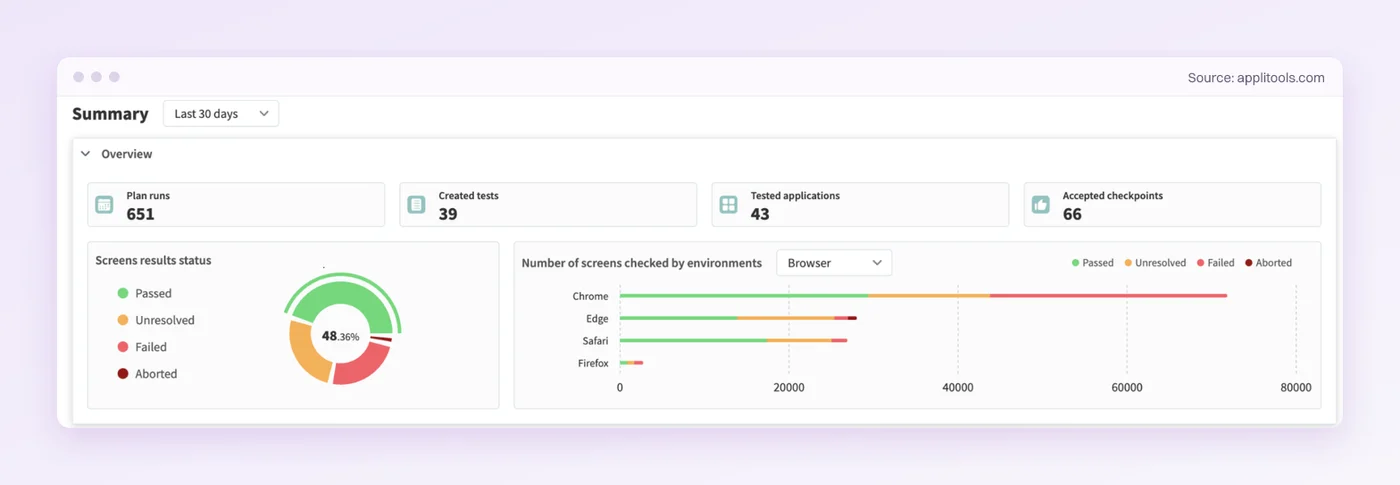
Applitools Eyes checks the screen itself. It captures the screens your tests visit and compares each against an approved baseline. Match levels such as Strict, Layout and Ignore Colors decide how much difference counts. Its Ultrafast Grid captures the page state during one run and re-renders it across browsers, viewports and devices.
Approvals land on your team. When a change is intended, someone reviews the diff and accepts it as the new baseline. A rejected diff marks the test failed, and depending on your SDK settings it can fail the CI job or show up as a status on the pull request.
Rating: 4.3/5 from 92 reviews on G2.
Limits:
- Approval work grows with the number of screens you check, since every intended redesign needs new baselines accepted.
- Access to real iOS and Android devices is an optional Enterprise add-on.
Pricing: Starter is $667 a month billed annually, for 1,000 page or 100,000 component checkpoints. Professional and Enterprise are quoted on Applitools’ pricing page, and there’s a free trial.
Best for: Design-sensitive products that need visual sign-off across browsers.
Not for: Apps with no functional regression suite yet, since a visual baseline is a second layer on top of one.
10. Percy: Visual Review on the Tests You Already Run
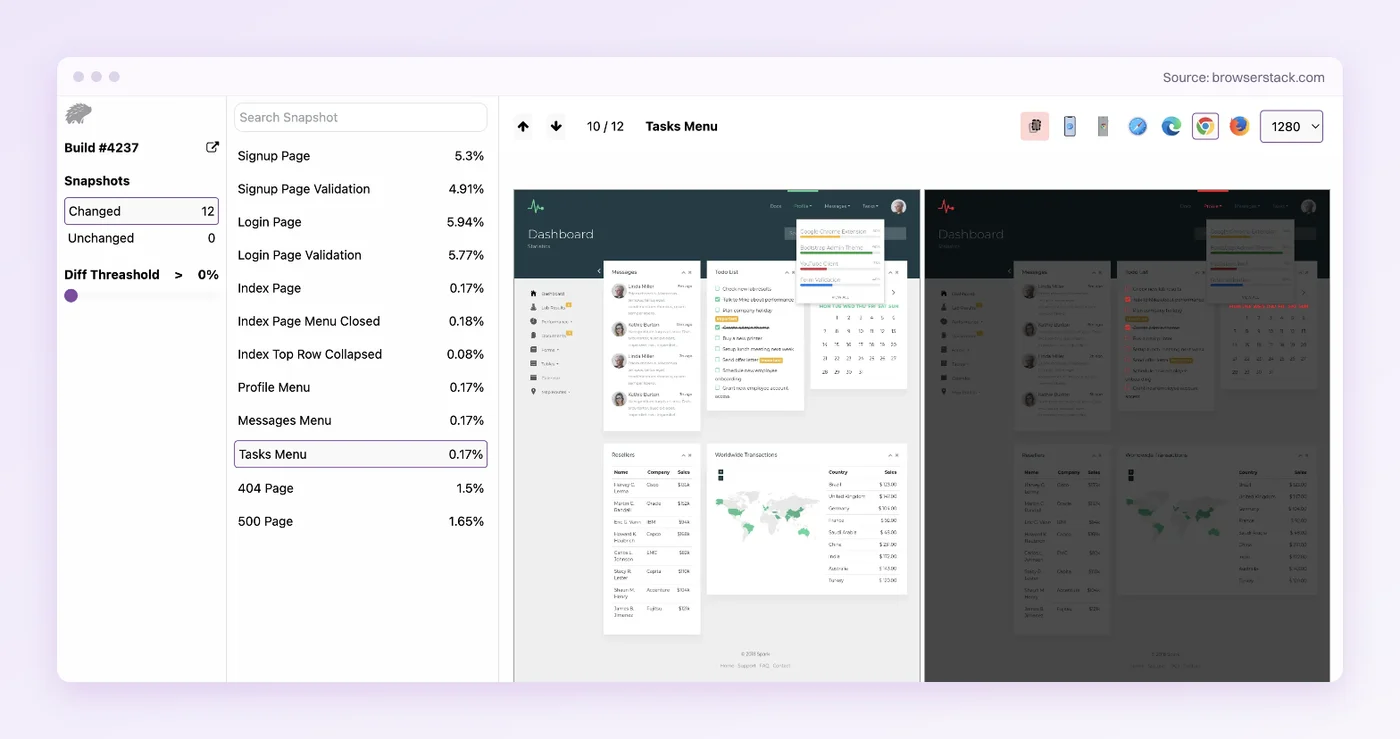
Percy, from BrowserStack, takes snapshots during your existing test runs and renders them in Chrome, Firefox, Edge and Safari at the widths you set. Each visual change goes up for review against the last approved build.
Since October 2025, its Visual Review Agent has filtered out minor pixel shifts and written a plain summary of what changed. The summary shrinks the pile a reviewer has to look at. Percy also freezes GIFs and most CSS animations so snapshots stay stable, and its Intelli Ignore rule skips dynamic regions. The review step stays, because someone approves each intended change before it becomes the new baseline.
Rating: 4.4/5 from 3,362 reviews on G2, listed under BrowserStack.
Limits:
- Free-plan build history lasts one month, against a year on the Desktop plan.
- Native apps need the separate App Percy product.
Pricing: Free for 5,000 screenshots a month with unlimited users. Desktop is $199 a month and Desktop & Mobile $599 a month, billed annually, on BrowserStack’s Percy pricing.
Best for: Adding visual checks to browser tests you already run in CI.
Not for: Native mobile apps on the web plan, since App Percy is sold separately.
Close Calls That Missed the Ten
- Selenium: Selenium 4.51.0 shipped on 9 October 2026, and Grid spreads WebDriver suites across machines. It has no built-in healing, selection or visual checks, so a new web suite gets more out of the box from Playwright.
- Cypress: Cypress 16.2.0 shipped on 14 October 2026, and it tests what runs in a browser. Cypress Cloud adds Flake Detection from the Team plan at $799 a year, and Spec Prioritization from the Business plan.
- Katalon and other AI platforms: Katalon TrueTest, QA Wolf, Functionize and Testim all work on upkeep, and our ranking of AI test automation tools covers them. This list keeps two from that group, mabl and testRigor, to leave room for the three lines most lists skip.
- Virtuoso QA and Momentic: Both focus on keeping tests from breaking when the UI changes. Virtuoso QA puts native mobile out of scope on its Touchstone page. Momentic’s CLI also picks tests from the git diff and quarantines flaky ones, so a web team that likes its approach should add it to the shortlist.
- Develocity: Predictive Test Selection for Gradle and Maven builds on the JUnit Platform, priced per committer per year on request, which makes it a pick for JVM teams only.
- Chromatic: Visual testing from the team behind Storybook, with a free plan of 5,000 snapshots on Chrome (Chromatic pricing).
- BackstopJS: A free visual tool that is asking for a new maintainer and hasn’t published a release since September 2024.
Which Regression Testing Tool Fits Your Suite?
Find the row that sounds like your last release, and start with the tool beside it.
| Your situation | Start with | Why |
|---|---|---|
| The UI changes every sprint and nobody owns test upkeep | Pie | You author supported tests without writing or maintaining selectors |
| You ship web, iOS and Android and can’t staff two automation stacks | Pie | One platform covers web, native iOS and native Android |
| There is no regression suite yet | Pie | Discovery builds a baseline suite before anyone writes a test |
| You want failures to arrive with a proposed fix | Pie | With repository access it can prepare a fix pull request for review |
| Engineers want every test as code in the repo | Playwright | Free and open source, with every test under your control |
| A mixed QA and dev team wants low-code with healing | mabl or Pie | mabl updates locators and steps when the UI changes, and with Pie a moved button can need no locator repair |
| Manual testers will write and own the automation | testRigor or Pie | testRigor tests are lists of plain-English sentences, and Pie builds custom tests from a plain-English description |
| Mobile engineers want native iOS and Android tests in code | Appium | Free, with drivers for XCUITest, UiAutomator2 and Espresso |
| The full suite is too slow for every pull request | CloudBees Smart Tests or Datadog | They pick the subset a change is likely to affect |
| Nobody believes a red build anymore | Trunk Flaky Tests or Datadog | Quarantine keeps flaky tests running without blocking merges |
| Layout bugs reach users even when tests pass | Applitools Eyes or Percy | They compare each screen against an approved baseline |
The lines stack. Fixing upkeep does nothing for a JVM build that runs for an hour, and a selection tool does nothing for a suite that breaks on every redesign. If you’re still working out how to automate regression testing in the first place, settle that before you pick a tool.
Solve one line at a time, and let the next failure name the second tool.
Upkeep Is the Line That Grows With Every Release
Writing and running tests is one line in four. The other three show up after the tests exist, as slow runs, flaky reds and layout bugs no assertion saw.
Upkeep is the line that never settles, and it’s the one we built Pie for. Its agents build and run a baseline suite for each web and mobile app, and your team keeps the judgment about what matters. Trunk and Percy both have free plans for the other lines, and neither asks you to rebuild the suite you have.
So look back at last month’s red runs. How many were real bugs, and how many were tests that broke because a button moved?
Bring Your Staging App
Send us a build or a staging URL. Decide after you see it tested.
Frequently Asked Questions
It depends on how your suite fails. Pie, Playwright, mabl, testRigor and Appium work on upkeep. CloudBees Smart Tests and Datadog Test Optimization cut run time, and Trunk Flaky Tests handles flaky failures.
Applitools Eyes and Percy catch visual bugs that functional checks miss.
It depends on who will own the tests. testRigor suits manual testers, because each test is a list of plain-English sentences. Playwright suits developers who already write JavaScript or TypeScript.
If nobody has time to write tests and the app has none, Pie's discovery builds a baseline suite first.
Yes. Playwright, Selenium and Appium are free and open source under Apache 2.0, and Trunk Flaky Tests and Percy have free plans with usage limits.
The license is the cheap part. The engineering hours spent keeping selector-based tests passing are the cost that grows.
Run fewer tests per change before you buy more machines. CloudBees Smart Tests and Datadog Test Impact Analysis pick the tests a change is likely to affect, and Playwright's only-changed option does a file-level version for free.
Keep one full run every night.
Quarantine them. Trunk Flaky Tests and Datadog Test Optimization keep a known-flaky test running and reporting without letting it fail the build.
Then give every quarantined test an owner and a date, or the quarantine list turns into the next backlog.
Appium is a common open-source choice for native iOS and Android regression in code, through its XCUITest, UiAutomator2 and Espresso drivers, and it brings locator and driver upkeep across OS releases.
Pie runs native iOS and Android regression vision-first, and you author supported tests without writing or maintaining selectors.
Yes, for teams with WebDriver and Grid already in place. Selenium 4.51.0 shipped on 9 October 2026.
It has no built-in self-healing or test selection, so upkeep and run time stay with your engineers. A brand-new web suite gets more out of the box from Playwright.
Playwright runs tests your engineers write as code, with locators they repair when the UI moves.
Pie's agents explore the reachable, supported flows and build a baseline suite, and with vision-first execution a recognizable button that moves can need no locator repair. You can run both side by side.
Spent a decade in B2B SaaS sales before building Pie. Now obsessed with helping engineering teams ship without the fear of breaking things. LinkedIn →