How to Test Role-Based Access Control (RBAC) End-to-End Without a Stale Permission Matrix
Access-control tests stay green long after they stop testing anything. Assert every role against every permission, at the API, and keep the matrix current.

A new role never breaks a test. Nothing in a suite written for three roles fails the day you ship a fourth, so access-control coverage degrades in total silence, and nobody notices until a viewer reaches the admin export.
Broken access control is the number one risk in the 2025 OWASP Top 10, above injection, and every application OWASP’s data covered showed some form of it. The fix is structural. Write the permission matrix down and hold the running app to it, cell by cell, on every build.
What you’ll learn
- How to turn a permission matrix into the test oracle for RBAC
- Why the API, not the UI, decides whether access control holds
- How to stop multi-role suites from flaking on session and token state
- How to keep coverage current as roles and permissions change
What Is Role-Based Access Testing?
Role-based access testing verifies that every user role can do exactly what its permissions allow and is refused everything else. There are two halves to it, and teams routinely test only one. The positive side is a role reaching what it should. The negative side is a role being blocked from what it should not, and skipping that half is how the worst bugs ship, because a demo only ever exercises the happy path.
Underneath, RBAC runs on three rules that Ferraiolo and Kuhn set out in the 1992 NIST paper the model comes from, and your tests are really checking all three:
- Role assignment: A user can take an action only through a role they hold. Access is never attached to the user directly.
- Role authorization: A user’s active role has to be one they are authorized for, so requesting a higher role grants nothing.
- Transaction authorization: A user can run a transaction only if their active role is authorized for it. Later RBAC writing calls this permission authorization.
Every cell in your matrix is one instance of rule three. Knowing the model tells you what to attack in a negative test. Try to act without a role. Try to activate a role you were never granted. Try a transaction your role does not carry. Those three probes, run for each role, are the backbone of an access-control suite.
The next five sections are the method, in the order you build it.
1. Build the Permission Matrix Before You Write a Test
A permission matrix is a table of roles against protected actions, with each cell marked allow or deny. It is the artifact that makes RBAC testing tractable, because it turns a vague “make sure permissions work” into a finite, countable checklist. Three roles and eight protected actions is twenty-four cells, and twenty-four is a number you can hold in your head.
Build it before any code. List the roles the product defines, then each action worth protecting, framed as verbs on resources. View invoices. Export users. Delete a project. Change a teammate’s role. Mark the intended answer in each cell.
The cells where the team argues about what the answer should even be are the bugs nobody has coded yet. Keep the matrix in the repo next to the tests, where it gets reviewed in the same pull request that changes a permission. New role, new row. New feature, new column.
The matrix is the test oracle. Your suite walks every cell, authenticates as that row’s role, attempts that column’s action, and asserts allow or deny.
Represent the matrix as data your tests read, with each action mapped to the endpoint that performs it. The suite then grows by adding rows instead of test bodies:
// permissions.matrix.js
// action names match the operationId in your OpenAPI spec
export const endpoints = {
  export_users:         ['POST',  '/api/users/export'],
  change_teammate_role: ['PATCH', '/api/team/members/42/role'],
};

export const matrix = [
  // role      action                  allow
  ['admin',    'export_users',          true],
  ['manager',  'export_users',          false],
  ['viewer',   'export_users',          false],
  ['manager',  'change_teammate_role',  true],
  ['viewer',   'change_teammate_role',  false],
  // ...one row per cell that matters
];
2. Assert Both Halves of Every Cell
Every cell becomes an assertion, and the negative ones catch the real vulnerabilities. A positive test logs in as the role, performs the action, and confirms both that it succeeded and that the state changed. A negative test logs in as the role, attempts the forbidden action, and confirms the system refuses it.
The refusal is the assertion. A negative access-control test passes when the action is blocked, which inverts almost all the other tests you write, and it is easy to get backward.
Drive the matrix as a data-driven loop so coverage is exhaustive by construction. In Playwright, each test opens an API context from that role’s saved login, the same session reuse that keeps flows like 2FA and OTP verification from re-authenticating on each case:
// rbac.spec.js
import { test, expect, request } from '@playwright/test';
import { matrix, endpoints } from './permissions.matrix.js';

for (const [role, action, allowed] of matrix) {
  test(`${role} ${allowed ? 'can' : 'cannot'} ${action}`, async () => {
    const api = await request.newContext({
      baseURL: process.env.API_URL,
      storageState: `playwright/.auth/${role}.json`, // saved login for this role
      maxRedirects: 0,                               // a bounce to /login stays visible
    });
    const [method, path] = endpoints[action];
    const res = await api.fetch(path, { method });
    expect(res.status()).toBe(allowed ? 200 : 403);
    await api.dispose();
  });
}
The deny status is a policy decision. RFC 9110 lets a server answer 404 in place of 403 when it would rather not admit a resource exists. If your API does that, store the expected status in the cell, 404 where you hide and 403 where you refuse. A looser “anything but 200” check lets a 500 pass as a refusal.
Watch the failure modes that masquerade as a pass:
- Login redirects: A forbidden action that bounces to the login page, where a 403 belongs, treats “not allowed” as “not authenticated” and hides broken authorization behind an auth prompt.
- Expired sessions: Playwright’s API client follows up to 20 redirects by default. If a role’s saved session has expired and the app redirects to the login page, the login page answers 200 and an allow cell passes without the action ever running. With
maxRedirects: 0(Playwright 1.52 or later), that run fails on the redirect. - Token in local storage: An API context sends the saved cookies and nothing from local storage. Pass a bearer token kept there as an
Authorizationheader throughextraHTTPHeaders, or the requests go out anonymous and the deny cells pass for the wrong reason. - Empty 200s: A deny cell that returns a 200 with an empty list has leaked the shape of a resource the role should not know exists, even though no rows came back.
Assert the exact status code, not the absence of data.
3. Check the API, Because a Hidden Button Is Not Access Control
The RBAC bug that outlives every UI test is a permission enforced in the interface and never on the server. Hiding the Delete button stops an honest user. It does nothing against anyone who opens the network tab, copies the request, and fires it straight at the endpoint.
Access control that lives only in the UI is a suggestion. The OWASP Web Security Testing Guide gives this class of defect an entire authorization chapter, from privilege escalation through insecure direct object references. So each protected action gets checked at two layers.
- The UI test: Confirm the experience is right, that a viewer sees no export control at all.
- The API test: Confirm the rule holds when the UI is bypassed, by taking a lower-privileged role’s session token and calling the privileged endpoint directly, the way an attacker or a broken client would.
A scripted request carrying the wrong role’s token is enough for the second one, or an ordinary API client like Postman. When the two layers disagree, the server is the source of truth and the UI is a convenience.
The screen can mislead you on logout too. One Pie run on a prospect’s staging site signed in, pressed logout, then pressed the browser’s back button, and the dashboard came back. The agent flagged it as critical. We never established whether the session survived or the browser showed a cached page, which is the question your test has to settle. After logout, send a request and assert it is refused.
4. Stop the Multi-Session Flakiness Before It Starts
RBAC tests are prone to flaking inside an end-to-end testing suite for one structural reason. They run several authenticated identities at once, and multi-session state is hard to keep clean. Three failure modes produce the intermittent red:
- Session bleed: A test that logs in as admin, then as viewer without fully clearing the first session, asserts the wrong role’s permissions. It passes or fails depending on execution order, which is the signature of a flaky test.
- Token expiry: Long matrix runs outlast a short-lived access token, so the last roles in the loop get judged on expired auth rather than on any permission check.
- Drifting seed data: If the project a role is supposed to delete was created by an earlier test, the outcome depends on whether that test ran, and the suite stops being deterministic.
Isolation fixes the flake here, as it does in any suite with more than one actor. Give each role its own pre-authenticated session, captured once and reused, rather than logging in through the UI in each test. Playwright’s storageState saves one authenticated context per role and Cypress cy.session() caches a programmatic login.
Then reset the underlying data per run so no test depends on another’s leftovers. Get test isolation right and the only thing a cell can measure is the permission check itself.
One saved login per role has a limit to know before you run in parallel. If your app logs an account out when it signs in somewhere else, two workers on the same role knock each other out, and the failures look random. We run into this on customer staging apps, and there is no general number for how many sessions an app tolerates. What has worked is a setup script that creates a fresh user for each test, runs it and logs out. Otherwise, run that role’s tests in smaller batches.
Saved sessions buy that determinism and hide one cell, revocation. Keep one test that demotes a user while their session is live and asserts the next request is refused. A token that carries the role as a claim can keep granting it until it expires unless the server checks again.
5. Keep the Matrix From Going Stale as Roles Change
A permission matrix solves the coverage problem and inherits a maintenance one. It is only as good as the day it was last updated, and AI coding assistants now add endpoints faster than anyone edits a spreadsheet.
In a September 2025 analysis, Apiiro found privilege escalation paths up 322% among developers using AI assistants, compared with developers who did not use them. A matrix somebody has to remember to update lags that kind of change. Two habits keep it current.
- Reviewed matrix: Treat a pull request that adds a permission without a matching row exactly like one that adds code without a test.
- Route check: Fail the build when the API grows an operation the matrix has never heard of. The table then cannot fall behind in silence.
If your action names match the operationId values in your OpenAPI spec, the route check is a single test:
// routes.spec.js
import { readFileSync } from 'node:fs';
import { test, expect } from '@playwright/test';
import { matrix } from './permissions.matrix.js';

const PUBLIC = new Set(['login', 'health']); // open on purpose

test('every API operation has a row in the matrix', () => {
  const spec = JSON.parse(readFileSync('openapi.json', 'utf8'));
  const covered = new Set(matrix.map(([, action]) => action));
  const missing = Object.values(spec.paths)
    .flatMap((item) => Object.values(item))
    .map((op) => op.operationId)
    .filter((id) => id && !covered.has(id) && !PUBLIC.has(id));
  expect(missing).toEqual([]);
});
Add a delete_invoices operation to the spec without a matrix row and this test fails, naming it in the diff. The route check guards the API. What each role sees on screen moves with each redesign, and keeping those UI checks current is where autonomous testing earns a place.
Which RBAC Testing Approach Fits Your Team
Every approach to access-control testing trades how much you write by hand against how well the coverage survives change. Weigh the options against how often your roles change and how many of them there are.
| Approach | Best for | Coverage as roles change | Catches UI-only gaps? | Maintenance cost |
|---|---|---|---|---|
| Manual matrix walkthrough | First pass, few roles | Rots immediately | Only if you also hit the API by hand | High, all human |
| Scripted per-role UI suite | A handful of critical flows | Selectors break on redesigns | No, UI only | High, selectors and logins |
| Data-driven API matrix loop | Exhaustive enforcement checks | Good, with a route check guarding it | Yes, this is its core job | Medium, one loop, many rows |
| Autonomous UI pass | What each role sees, re-run on a schedule or per build | One stored login per new role, checks in plain English | Only paired with an API check | Lower, no selectors to write |
Run the bottom two together. The loop gives you precise enforcement assertions you own in code, and it is fast. The autonomous pass covers what the loop skips, the screen each role actually gets, without a selector to maintain. For that pass, compare end-to-end testing tools on how they locate elements, because that decides what a redesign costs you.
How Pie Checks What Each Role Sees
In Pie, our autonomous QA platform, a test runs signed in as a stored login. Pie has no built-in idea of an admin or a viewer. A role is the name you give a stored login, so save one dedicated staging account per role, with two-factor turned off because it stops the agent at the login screen. Then you write the matrix the way you would say it out loud, one cell per test. “Sign in as viewer, open Team settings, try to change a teammate’s role, and confirm the app refuses” is a deny cell.
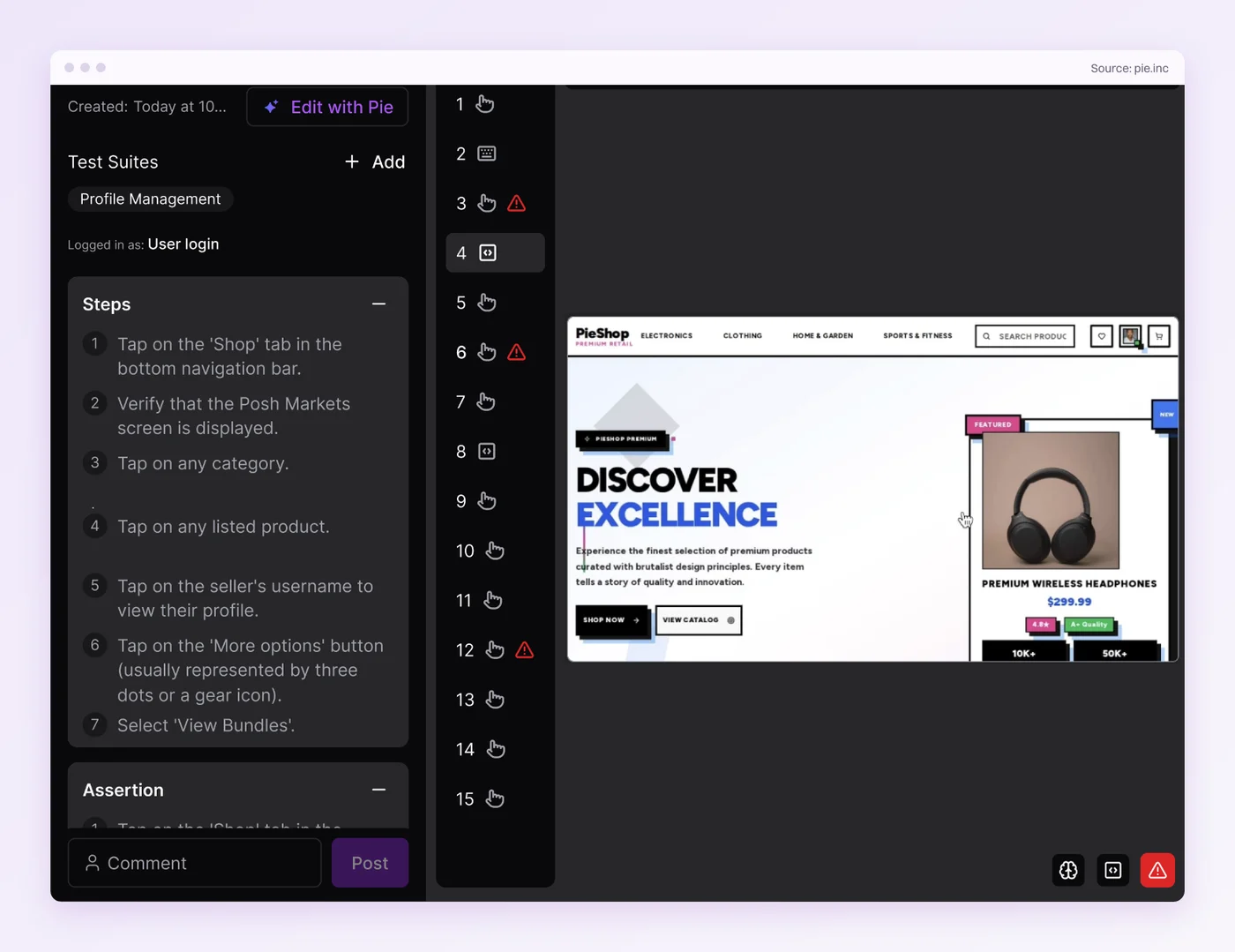
A stored login covers the screen half. The server half needs its own request. A configured script can send one, often a curl call carrying that role’s token, and the agent reads its output, but a failing script does not fail the test on its own. The exhaustive API check stays where it was, in the loop from step 2.
You do not write selectors for these tests. When a redesign moves a recognizable control, Pie can find it again without a locator repair. A large redesign can still mean editing a step. Schedule the suite, or turn on auto-run for new builds, and the role checks re-run without anyone having to remember them.
One login per role and one sentence per cell make the UI side of the matrix a scheduled run.
Make the App Agree With the Table
Access-control bugs do not announce themselves. The test stays green, the button is hidden, and the endpoint answers anyway.
What holds up is a full matrix asserted at the API, where enforcement lives, with a route check that fails the build the day the table falls behind. Pie takes the screen half, signed in as each role. A matrix nobody re-checks is documentation with a green badge on it.
Catch the Viewer Who Sees Too Much
Write each role's checks in plain English. Pie signs in as each one.
Frequently Asked Questions
Role-based access testing verifies that each user role can perform exactly the actions its permissions allow, and nothing more.
It checks both halves of every rule. Positive access means a role does what it should. Negative access means a role is blocked from what it should not.
Build a matrix of roles against protected actions, mark each cell allow or deny, then drive one authenticated session per role and assert every cell.
Allow cells should succeed. Deny cells should come back 403 from the API, or the 404 your API uses to hide a resource.
Authenticate as a lower-privileged role, attempt an action reserved for a higher one, and assert the system refuses it with the right status.
For a web app that usually means an HTTP 403 from the API and no state change in the database. The assertion is on the refusal.
Because they juggle several authenticated sessions at once. A suite that logs in as admin, manager, and viewer races token expiry, leaks one role's session into another test, and depends on seed data that shifts between runs.
Give each role its own pre-authenticated session and reset the data per run.
Both, and the API is where the verdict lives. Hiding a button stops an honest user, not an attacker calling the endpoint directly.
Test the UI for what each role should see, and the API for whether the server enforces it. If you can only do one, do the API.
On screen, yes. Save a test login per role and write each check in plain English, such as a viewer being refused the user export. Pie runs it signed in as that role.
Keep the server-side check in your own API suite, where the status code is asserted.
Eight years building search and delivery systems at Amazon. The kind of scale where flaky tests block billion-dollar releases. Now CTO at Pie, building AI agents that adapt when your UI changes. LinkedIn →