How to Test Payment and Checkout Flows End-to-End (Without Flaky Tests)
The card field sits in the gateway's iframe and 3D Secure opens a second one. Here is how to test checkout end-to-end in test mode without a real card.

The card field in your checkout is not part of your page. Stripe Elements and Braintree Hosted Fields render it in an iframe served from the gateway’s own domain, which keeps the card number off your servers. A test that searches your page for that field waits for an input that is not in the document, and times out.
The timeout is the easy problem, because it fails the same way each time. The flakes come from what you do not control, starting with a bank challenge that appears only sometimes and a webhook that lands after the redirect. Test checkout in the gateway’s test mode, where you pick every outcome.
What you’ll learn
- Which checkout failures are flakes and which one fails every run
- The three layers of a payment test and what each one catches
- A step-by-step end-to-end checkout test with test cards
- How to test 3D Secure, declines, and retries deterministically
- How Pie runs a supported test-mode checkout from plain-English steps
Why Do Checkout Tests Flake When Your Code Is Fine?
Checkout tests flake because part of every checkout runs on the gateway’s servers and the bank’s. Name the cause before you touch the test. A red checkout test has one of five causes, and only one of them fails every time.
| What you see | Cause | Fails | Fix |
|---|---|---|---|
| The card fill times out | The field lives in the gateway’s iframe | Every run | Scope the locator to the frame (step 4) |
| Pay sometimes stops on a bank page | The issuer asks for 3D Secure only on some payments | Sometimes | Force it with an authentication test card |
| Rate-limit errors once the suite runs in parallel | The sandbox has a lower rate limit than live mode | Under load | Cap the workers that call the gateway |
| The confirmation page shows unpaid | The webhook lands after the redirect | Sometimes | Assert the pending state, then the paid one |
| A stale coupon or order turns up in the cart | State left over from an earlier run | Sometimes | Seed a fresh user and cart per test |
The first row is a bug in the test, and the cheapest one here to fix. Every other fix in the last column moves the test onto ground you control.
What Are the Three Layers of a Payment Test?
A payment flow needs three layers of tests, each catching a class of bug the others cannot see. Collapse all three into one slow live-gateway test and you inherit every row of the table above at once.
| Layer | What it catches | Runs against | Flake risk |
|---|---|---|---|
| Unit / integration (your code) | Amount, tax, currency, webhook handling, idempotency | Fixtures and mocks, no network | Very low |
| E2E in gateway test mode | Full UI flow, card entry, 3D Secure, declines, confirmation | The gateway’s sandbox, test keys, test cards | Low if scoped right |
| Live smoke test | Live keys, production wiring, a real charge that goes through | The production gateway and one real low-value card | High, so run it once |
The rest of this guide lives in the middle layer. It is the only one that drives the real checkout UI while you decide what the gateway answers.
What Does Test Mode Give You, and Which Test Cards Matter?
Test mode is a parallel environment your payment gateway runs. It accepts special card numbers and returns realistic responses without charging anyone. Stripe, Adyen, Braintree and PayPal all ship one. Point your app at test API keys and the same checkout UI runs against the sandbox.
It also keeps real card numbers out of your tests. The PCI Security Standards Council defines the cardholder data environment as the systems, people and processes that store, process or transmit cardholder data. Put a live card in your CI and your CI joins that environment.
The Stripe testing documentation publishes a card for each outcome you need. Use any future expiry date and any three-digit CVC, four digits on American Express:
4242 4242 4242 4242   succeeds
4000 0000 0000 0002   generic decline
4000 0000 0000 9995   insufficient funds
4000 0025 0000 3155   authenticate unless set up
4100 0000 0000 0019   always blocked by Radar
The number you send decides the outcome you get, so a decline test is as repeatable as a success test. Gateways split this differently. On Braintree’s sandbox the card number decides a verification and the amount decides a transaction, with any sale from 2,000.00 to 2,999.99 coming back processor declined.
A test card only works against your test keys. On a page that is still in live mode, the run gets as far as entering the card, and then Stripe declines it. Before you debug the card, check the mode. We hit this on a customer’s checkout after it moved to Stripe Elements. The URL parameter that put its pages in test mode stopped being passed, so its test cards landed in live mode and came back declined.
Test mode does not give you two things:
- Unlimited parallel runs: Stripe’s rate limits allow 25 API requests a second per account in a sandbox, against 100 in live mode. A suite that runs many checkouts at once can draw rate-limit errors that read like flakes. The rate limits on test accounts problem applies here too, so cap the workers that call the gateway.
- Wallets without real cards: Stripe’s Apple Pay docs say Apple Pay will not hold its test cards. You test with a real card and test keys, and Stripe hands back a test token in place of a charge. Google publishes a test card suite that accepts Stripe’s test cards, but Stripe’s Google Pay guide still asks for a physical Android device with a real card saved to Google Wallet.
Plain-English Checkout Tests
Write each payment path as steps. Run them in test mode.
How Do You Write an End-to-End Checkout Test, Step by Step?
An end-to-end checkout test drives the real UI from cart to confirmation in test mode, then checks the result in two places, the screen and your backend. The usual end-to-end testing rules apply, and what makes payments different is that two systems in the flow belong to someone else, the gateway and the card issuer. The sequence below uses a web flow with Playwright and Stripe.
- Switch to test keys: Load the environment with test API keys so no transaction can settle. Keep it a config switch, with no payment branch inside the app code.
- Seed clean state: Create a fresh user and cart so no leftover order or coupon from a previous run leaks in. Test isolation keeps parallel runs from colliding, and if checkout sits behind a login, get the session programmatically, as you would when testing 2FA and OTP flows.
- Drive to checkout: Add an item, open the cart and go to the payment page the way a user would. Skip API shortcuts here, because this test exists to exercise the real flow.
- Fill the card frame: Scope the locator to the gateway’s cross-origin frame, where the card inputs live. A page-scoped locator waits out its timeout for an input that is not there.
- Submit and authenticate: Click Pay, and if the card triggers 3D Secure, complete the challenge in its own frame, covered in the next section.
- Assert the screen: Check the success UI, the order number and the charged amount.
- Assert the backend: Confirm the order row exists, the PaymentIntent reached
succeeded, and your webhook marked the order paid. This is the assertion that catches a thank-you page rendered for an order that never saved. - Reset state: Clear the seeded user and cart so the next run starts clean. Test-mode charges move no money and can stay.
Step 4 is the one worth code. A cross-origin iframe is almost like a shop window. A person sees the card field through it, but a page-scoped locator cannot reach the field until the test goes in through the frame.
The __privateStripeFrame prefix is the name Stripe.js gives its iframes rather than a documented API. Check it against your own rendered DOM before you pin it.
// Stripe mounts card fields in a cross-origin iframe for PCI reasons.
// Page-scoped locators cannot see inside it, so scope them to the frame.
// Assumes the combined Card Element mounted with hidePostalCode: true,
// one iframe with these placeholders (by default it adds a postal field).
// Split Elements mount one frame per field, and the Payment Element
// that Stripe now recommends renders its own labels. Read your DOM first.
const cardFrame = page.frameLocator('iframe[name^="__privateStripeFrame"]');
await cardFrame.getByPlaceholder('Card number').fill('4242424242424242');
await cardFrame.getByPlaceholder('MM / YY').fill('12 / 34');
await cardFrame.getByPlaceholder('CVC').fill('123');

await page.getByRole('button', { name: 'Pay' }).click();
await expect(page.getByText('Payment successful')).toBeVisible();
Do not skip step 1. Early on, the card in our own test runs was mine, and one run bought a bunch of yogurt on a grocery app. We use a fake card number now.
How Do You Test 3D Secure and SCA Without Getting Stuck?
You test 3D Secure by triggering it on purpose with an authentication test card, then driving the challenge to completion. The rule behind it is Strong Customer Authentication, which requires at least two of three authentication factors on customer-initiated online payments in the UK and Europe. For card payments, 3D Secure 2 is the main way to meet it.
The challenge hangs tests because it never renders in your page. Stripe.js opens a modal iframe and loads the challenge inside it from hooks.stripe.com, so a locator scoped to the main document never reaches the button. In test mode that page is a mock where, per Stripe’s 3D Secure docs, you authorise the payment or click Failure to simulate a failed authentication. Use 4000 0025 0000 3155 to force it on a one-time payment.
checkout page (your origin)
├─ iframe __privateStripeFrame…   card fields
└─ iframe __privateStripeFrame…   3DS modal, appended when Pay needs authentication
   └─ iframe hooks.stripe.com…    challenge page: authorise / Failure
One Playwright rule decides whether your locator works. Frame locators are strict, and once the modal opens your page holds two frames whose names start with __privateStripeFrame. Reuse the card’s frame locator after that and Playwright throws a strict mode violation. Select the newest frame explicitly.
// The 3DS modal is a second __privateStripeFrame, appended after the card
// frame. Frame locators are strict, so pick the last one explicitly.
// The challenge page loads inside it from hooks.stripe.com. Neither the
// frame names nor the button labels are a documented contract: read your
// DOM once, and chain one more contentFrame() if your version nests deeper.
const modal = page.locator('iframe[name^="__privateStripeFrame"]').last().contentFrame();
const challenge = modal.locator('iframe[src*="hooks.stripe.com"]').contentFrame();

await challenge.getByRole('button', { name: /complete|authori[sz]e/i }).click();
await expect(page.getByText('Payment successful')).toBeVisible();
Cover the failure branch too. A customer who fails the bank challenge should land back on the payment form with a clear retry prompt.
Click Failure, assert the recovery message, then assert the PaymentIntent is back in requires_payment_method, the status Stripe sets when authentication fails. Behind an identical spinner, the status is what separates a failed payment from one still running.
Which Four Payment Failure Paths Belong in Your Suite?
Declines, retries, double submits and late webhooks break in production because a happy-path test with one good card never reaches them. A shopper whose first card fails may have a second one ready, and an app that mishandles the retry loses a sale it nearly had.
- Decline and recover: Drive checkout with
4000 0000 0000 0002, assert a specific human error message, then retry with a good card and assert success. A generic “something went wrong” loses that customer. - Insufficient funds: Use
4000 0000 0000 9995and confirm the message differs from a hard decline, so the user knows another card might work. - Double submit: Click Pay twice fast and assert exactly one charge exists. The guard is an idempotency key on the server call. Stripe returns the stored first result when the same key repeats within 24 hours.
- Late webhook: The user can land on the confirmation page before your
payment_intent.succeededwebhook arrives, which is why Stripe’s guidance is to confirm payment on your server or from the webhook. Assert a pending state instead of an unpaid one, and leave delivery order and duplicates to your webhook end-to-end tests.
Test mode checks your integration, never your live account. A wrong live API key, an acquirer that declines your traffic, or a payment method your account is not approved for only shows up on the one live charge you run before release.
Miss these and the funnel leaks without a single red test. A suite of one success path, one recovered decline, one authentication challenge and one double submit stays small and covers where the money goes.
How Does Pie Test Checkout Flows?
Everything above is wiring you author and then keep. Each locator that reaches inside Stripe’s frames is coupled to markup Stripe controls and does not document. A Stripe.js release can break a suite that did nothing wrong.
Pie is an autonomous QA platform that runs your web checkout vision-first. For supported flows in your test mode, you describe the checkout in plain English and write no selectors. Two parts of that matter most on a payment flow.
- Plain-English variants: Guest versus signed-in, saved card versus new card, coupon versus none. You write each variant as its own short test. Each one needs its test data in place first, such as a coupon your test environment accepts or an account with a saved card.
- Backend check: A configured shell command, often a curl call to your own test API, can set up order state or read it back, the same test-only control plane pattern that makes subscription state testable. The run then checks the order record as well as the confirmation screen.
Check one step first on your own checkout. The card field sits in a frame the gateway serves, so make card entry the first thing you watch in a trial run before you rely on the suite.
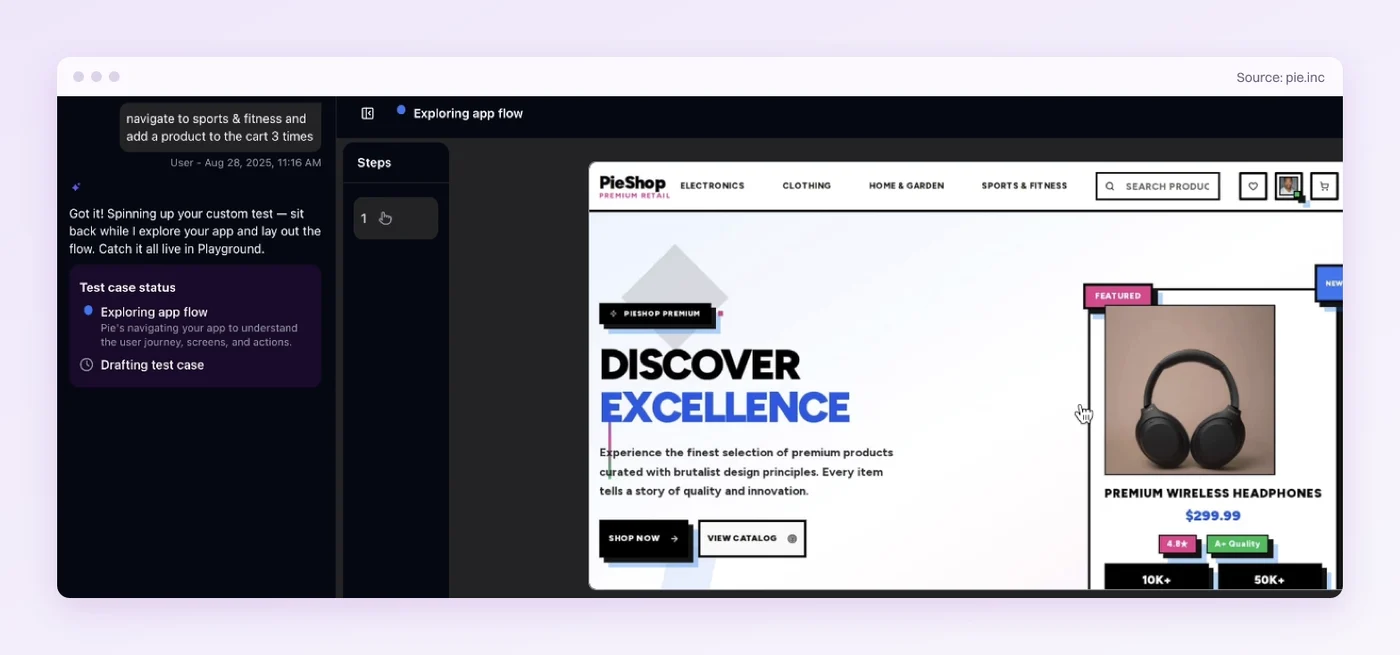
When your checkout page is restyled, a scripted suite can break until someone repairs its selectors. Those repairs are what made checkout tests expensive to keep. Pie can adapt to a restyled checkout page while checking the same flow. When the flow itself changes, say a new address step, you edit the test’s steps.
One Live Charge Per Release
Move every outcome you can into test mode. Force the decline and the challenge there and assert on the order record, so a green confirmation page cannot hide a payment that never landed. One live charge per release covers the only thing test mode cannot prove, your live account.
Pie runs supported test-mode checkouts from plain-English steps, and can read the order back through a script that calls your own API. Your payment code stays where it is, and your team decides which paths the suite covers. Most of checkout stops being the flow someone clicks through by hand the night before a release.
Test Checkout Before Release Night
Run your staging checkout on test keys. Check the payment paths you name.
Frequently Asked Questions
Yes. Stripe, Adyen, Braintree and PayPal each run a test or sandbox mode that accepts special card numbers and returns realistic responses without moving money.
Drive the checkout with a test card and assert on the confirmation screen and the order record. No real card number enters your test setup.
Use your gateway's published test cards. With Stripe, 4242 4242 4242 4242 succeeds, 4000 0000 0000 0002 is a generic decline, and 4000 0025 0000 3155 asks for authentication on a one-time payment.
Any future expiry date works, with any three-digit CVC or four digits on American Express.
Trigger it with a test card that requires authentication, then drive the challenge. In test mode Stripe shows a mock page where you authorise the payment or click Failure.
That page loads in a frame inside another frame, so chain your locators instead of searching the main page.
Many flakes come from systems outside your CI. A live bank challenge appears on some payments only, parallel runs hit the sandbox rate limit, and webhooks can land after the redirect.
A locator that misses the card iframe is a bug in the test, and it fails on each run.
Not in the regression suite. Run it against test mode, where no money moves and every decline is on demand.
Keep one small live charge per release to prove your live keys and production wiring. It needs a real card and your live secrets and belongs outside the main suite.
Use decline test cards. Stripe publishes cards for a generic decline, insufficient funds, an expired card and an incorrect CVC, each returning its own error or decline code.
Assert that the app shows the right recovery message, then retry with a good card and confirm the order goes through.
Only in part. Apple Pay will not hold Stripe test cards, so you test with a real card and Stripe returns a test token.
Google's test card suite takes Stripe test cards, but Stripe asks for a physical Android device. Keep the wallet sheet in the manual release check.
Pie runs the checkout in the browser vision-first, so for supported test-mode flows you write the steps in plain English rather than selectors.
A configured shell command, often a curl call to your test API, can confirm the order record too.
Eight years building search and delivery systems at Amazon. The kind of scale where flaky tests block billion-dollar releases. Now CTO at Pie, building AI agents that adapt when your UI changes. LinkedIn →