Best Autify Alternatives in 2026: 6 Tools, One Real Question
Autify proved testing shouldn't require hand-written selectors. In 2026 it has company. An honest, sourced comparison of the six best Autify alternatives, and the one question that decides which fits your team.

Teams adopt Autify to get out of one job: hand-writing and repairing selectors. It was among the first tools to prove a QA suite could be built without an engineer babysitting locator strings, and for a lot of teams it delivered. Then the reasons to look around show up. Mobile coverage that trails the web product. A credit meter that makes next quarter’s bill hard to call. A product line that keeps changing shape. None of that makes Autify a bad tool. It makes it worth seeing what else is out there.
The useful question when you shop is not “which other no-code recorder should I buy.” It is how much of the testing you want to own and maintain at all. Five of the six tools below give you a faster way to author tests. One removes the authoring. Sort the list by that and the choice gets a lot simpler.
What you’ll learn
- The four reasons teams actually leave Autify, with the receipts from reviews and pricing pages
- The six strongest Autify alternatives in 2026, each with features, pricing, and honest pros and cons
- How each tool finds UI elements, and why that decides your maintenance bill
- A direct way to pick based on your stack and your appetite for building
Why Teams Look for an Autify Alternative
Start here, before the list. Autify is well-liked by the teams that use it, with a 4.8 on G2 from a small base of around a dozen reviews and a near-perfect but even thinner score on Capterra. Four reasons still send teams shopping, drawn from those reviews and Autify’s own pricing pages.
- Maintenance still rides on locators. A UI change can break a locator-based test, and while Fix with AI patches it, keeping brittle scripts alive is the hidden, recurring cost of automation.
- Mobile trails the web product. Autify for Web shipped in 2019 and mobile came later, and weaker mobile is the single most-cited limitation across its G2 and Capterra reviews.
- Cost is hard to forecast. Autify runs two pricing models at once, and per-step credits get harder to predict as volume grows.
- Aximo, credit-based: a free tier with 2,000 one-time credits, then $99 and $450 a month, billed per AI step.
- Nexus, seat-based: priced separately, from around $400 a month.
- Less room on complex flows. Reviewers flag limited flexibility for dynamic elements and anything that needs deeper logic than record-and-replay.
There is also a moving-target quality to the lineup: Autify for Web, then Genesis, then Nexus rebuilt on Playwright in 2025, then the Aximo agent. The momentum is real, but each shift can mean re-learning the tool or re-authoring suites, and that is often the moment a team surveys the whole field instead of upgrading in place.
Best Autify Alternatives at a Glance
The best Autify alternatives in 2026 are Pie, testRigor, mabl, Testim, Katalon, and BrowserStack Low Code Automation. They sort into three camps: natural-language executors that read your test as plain English, low-code recorders with self-healing locators, and autonomous vision-based platforms that discover and write the tests for you. The split is simple: speed up the authoring, or remove it.
| Tool | Approach | What you author | Best for |
|---|---|---|---|
| Pie | Autonomous, vision-based QA platform | Nothing. Pie discovers flows and generates tests | Teams that want coverage without building or maintaining it |
| testRigor | Plain-English natural-language executor | Test steps written in plain English | Manual QA teams that want to own the tests |
| mabl | Low-code recorder + self-healing | Recorded journeys, low-code | Enterprise teams wanting healing plus visual regression |
| Testim | AI smart-locator recorder (Tricentis) | Recorded tests, optional code steps | Enterprise CI/CD inside the Tricentis suite |
| Katalon | Codeless layer on Selenium and Appium | Keyword tests or scripts, free tier available | Teams wanting one tool for web, mobile, and API |
| BrowserStack Low Code | No-code recorder on a device cloud | Recorded steps, AI-assisted | Teams already on BrowserStack’s real-device grid |
How We Compared These Tools
We ranked these on what actually predicts cost of ownership, not feature count:
- How each tool finds UI elements. Locator-based tools are precise and pay a maintenance tax when the UI moves. Vision-based tools trade a little determinism for resilience.
- What you author. Scripts, recordings, plain-English steps, or nothing at all.
- Platform coverage. Web, mobile, API, and desktop from one tool, or a subset.
- Pricing transparency. Public and predictable, or quote-gated and metered.
- What reviewers report. The recurring strengths and complaints on G2 and Capterra.
Ratings cited below are from Capterra, checked July 2026. Pie sits in the table as what it is, an autonomous platform rather than a drop-in recorder, so read its entry as a different category, not a like-for-like swap.
6 Best Autify Alternatives in 2026
1. Pie: Autonomous Testing With No Selectors to Maintain
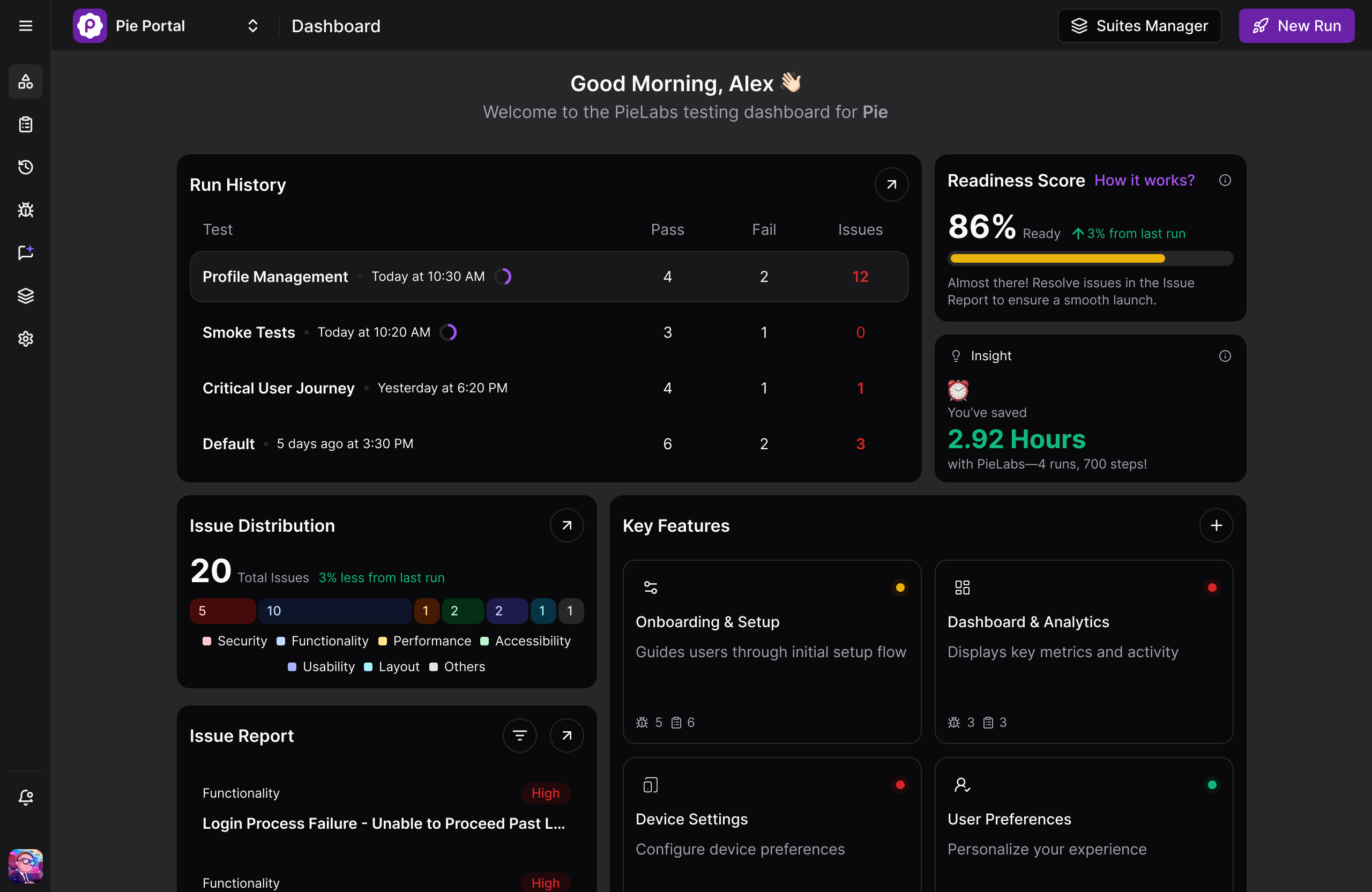
Pie is a managed, autonomous QA platform that tests your app the way a person does, by looking at the screen. You point it at your app, and it navigates on its own, maps the user flows, and generates coverage with nothing authored by hand. A vision model reads the rendered UI from screenshots rather than the DOM, so tests are not anchored to any selector, XPath, or accessibility ID. That is the structural break from Autify. When the UI changes there is no locator to fix, because the test references what is on screen and self-heals as the app evolves.
Key features:
- Autonomous discovery that maps real user flows and prioritizes high-risk paths like auth and checkout on its own
- Vision-based execution that identifies elements by what the user sees, so renames, redesigns, and OS updates do not break the test
- One behavior-based definition that runs across web, native iOS, and native Android, removing the duplicate mobile suite recorder stacks require
- Self-healing on every pull request, so regressions surface at the change that caused them
Honest trade-offs:
- Not a drop-in recorder you point a legacy Selenium suite at, and not a tool for unit or performance testing
- A newer platform, so a smaller ecosystem than decade-old projects
“The time between having a release candidate ready and being fully tested has gone from two to three days to a few hours.”
— Philip Hubert, Director of Mobile Engineering, Fi (the Fitbit for pets)
Pricing: Custom, based on your app footprint. Get in touch for a quote.
Best for: Teams whose bottleneck is authoring and maintaining tests rather than access to devices, where engineers spend more sprint time repairing selectors than catching real bugs.
See What Autonomous Testing Removes
Point Pie at your app and watch it discover, write, and run the tests in about 30 minutes.
Book a Demo2. testRigor: Plain-English Test Authoring
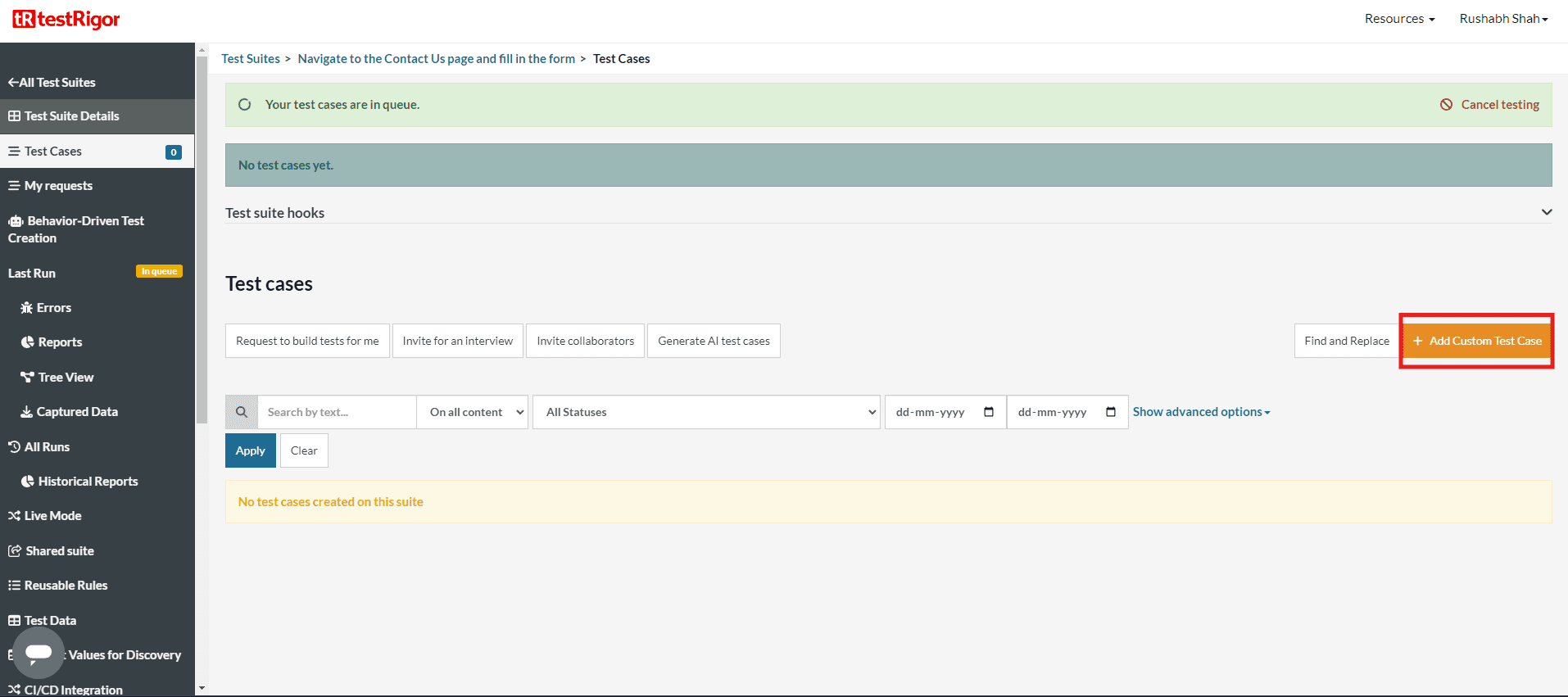
testRigor lets you write tests in plain English, closer to a manual test case than to code. A step like “click the Submit button” is matched to the live page by visible text and position rather than a fixed selector, which sidesteps the locator problem the recorder tools fight. It runs web, mobile, desktop, and API from one suite, and counts USDA, Cisco, and Esri among its users. Reviewers give it 4.6 on Capterra.
Key features:
- Plain-English test steps, no selectors or code required
- Element matching by visible text and position rather than brittle locators
- One suite across web, mobile, desktop, and API
- Reusable rules and data-driven testing for larger suites
Pros:
- Manual QA testers get to reliable automation fast, since steps read like the test cases they already write.
- No selectors to anchor to, so ordinary UI changes break fewer tests.
Cons:
- Plain-language steps can turn ambiguous on dense or highly dynamic screens.
- Pricing is not public, and execution is tied to testRigor’s proprietary engine.
Pricing: Not public. testRigor bills for parallel execution capacity rather than per user or per test. Contact them for a quote.
Best for: Teams that want their manual QA testers authoring and owning the suite without touching code.
3. mabl: Low-Code With Built-In Visual Regression
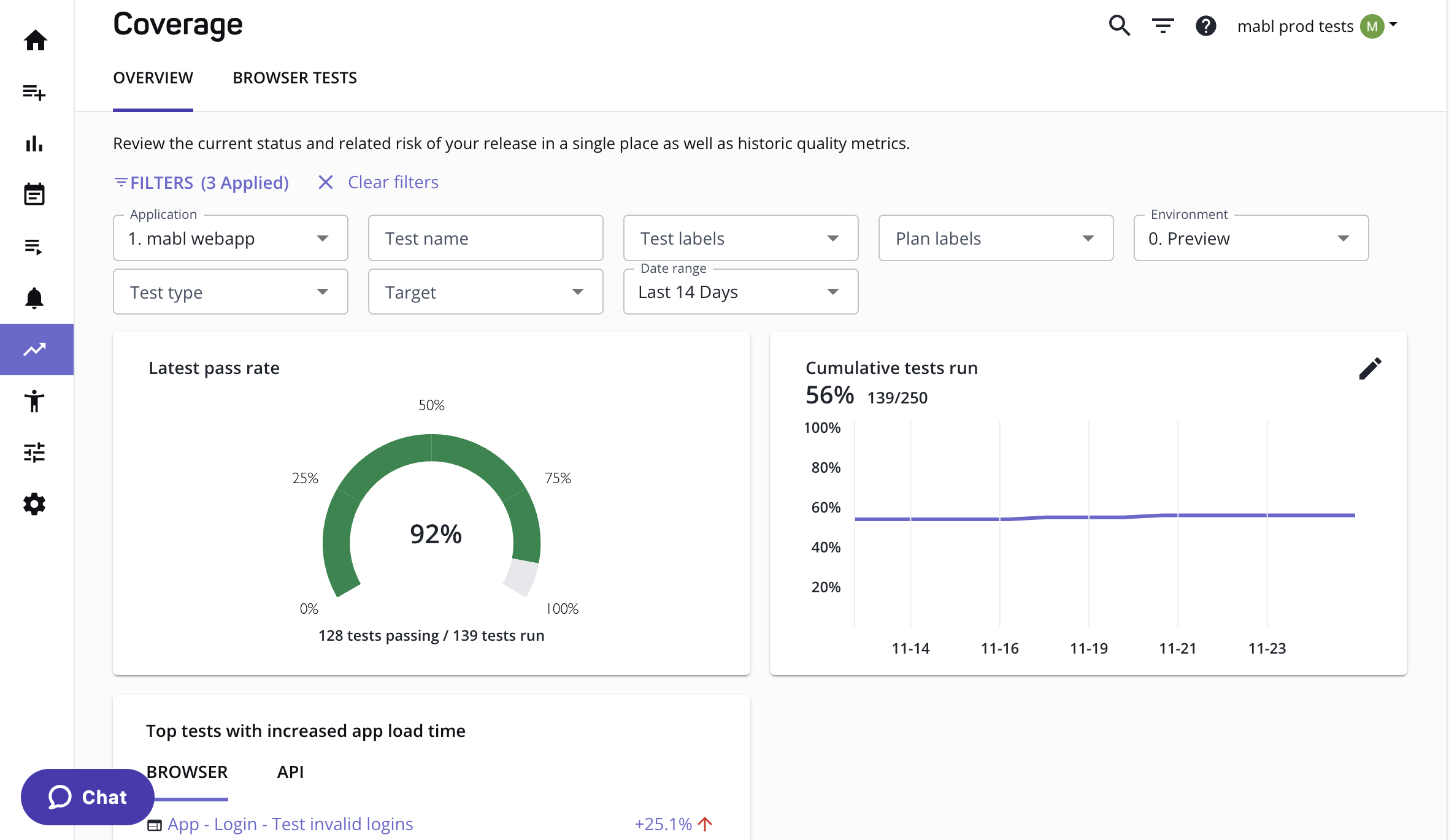
mabl records user journeys, auto-heals them when the UI shifts, and ships built-in visual regression, a feature set close to where Autify started. It carries enterprise positioning with a broad integration footprint and strong reporting, and its customer list runs to Intuit, JetBlue, and Lowe’s. Across roughly 67 reviews it holds 4.0 on Capterra.
Key features:
- Low-code journey recorder with AI auto-healing
- Built-in visual regression and coverage analytics
- Broad CI/CD, Jira, and Slack integrations
- Enterprise reporting across web and API
Pros:
- A mature record-and-heal workflow with visual regression and analytics in one place.
- Deep integrations and reporting suited to enterprise QA org needs.
Cons:
- Self-healing trims upkeep without ending it, and coverage centers on UI tests.
- Pricing is quote-gated, and reviewers flag cost and a resource-heavy trainer.
Pricing: Quote-gated. A 14-day trial and a starting allotment of cloud test-runs, then custom pricing. Contact mabl for a quote.
Best for: Enterprise teams set on the recorder model that want healing and analytics built in.
4. Testim: AI Smart Locators Inside Tricentis
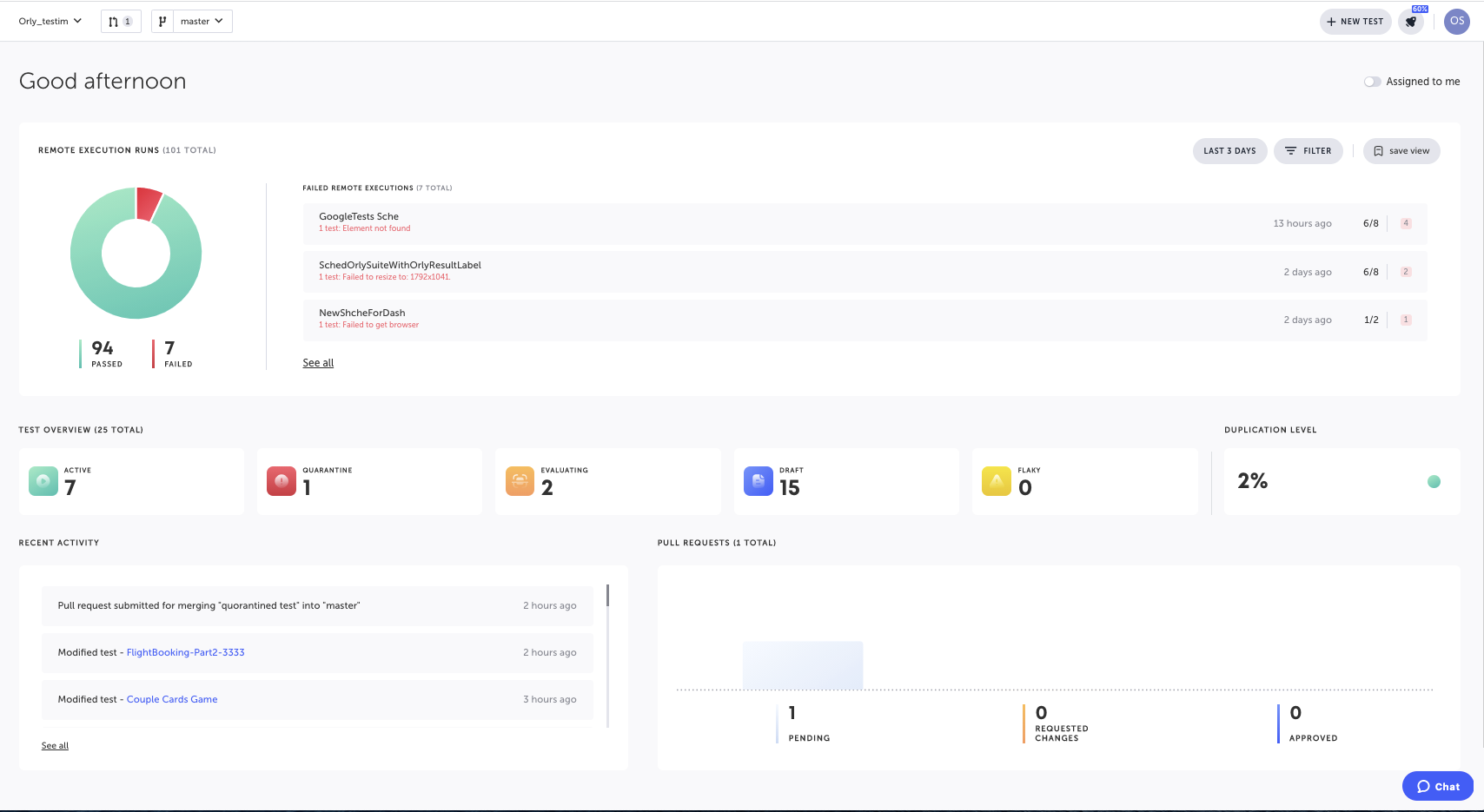
Testim pairs a visual recorder with AI smart locators that identify elements across hundreds of attributes and adapt as the UI changes, dropping down to JavaScript or TypeScript when you need more control. Tricentis acquired it in 2022, which anchors it in enterprise CI/CD and the wider Tricentis suite, and named customers include Microsoft and JFrog. It rates 4.6 on Capterra.
Key features:
- AI smart locators that self-heal as the UI changes
- Auto-improving locators that swap in replacements before tests fail
- Visual recorder with full JavaScript and TypeScript access
- Parallel execution and centralized test management inside Tricentis
Pros:
- An intuitive visual editor with a drop-down to real code when a test needs it.
- AI locators cut maintenance as the UI moves, backed by a large enterprise vendor.
Cons:
- Debugging complex flows can be slow, and per-seat pricing bites as usage scales.
- Tests still resolve through locators underneath, so it evolves the model rather than replacing it.
Pricing: Demo-gated and sold through Tricentis, with no public price list. Contact sales for a quote.
Best for: Enterprises already standardized on Tricentis that want a recorder inside the suite they run.
5. Katalon: One Codeless Tool for Web, Mobile, and API
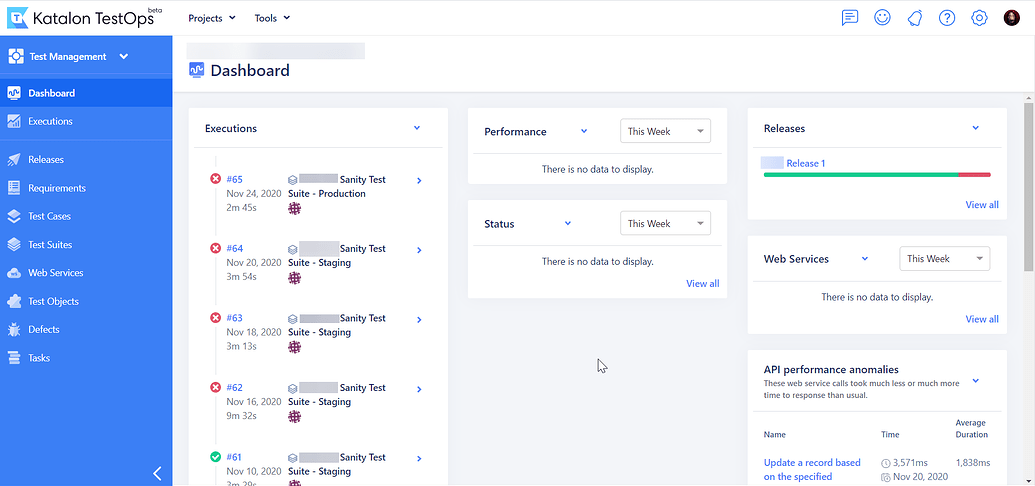
Katalon layers codeless authoring on top of Selenium and Appium, packaged as one studio for web, mobile, API, and desktop testing. It offers both a no-code recorder for less technical testers and full scripting for engineers who want to drop into code, and the company says more than 30,000 teams use it, GE Digital and Auchan among them. On one of the larger review bases here, it holds 4.4 on Capterra across more than 700 reviews.
Key features:
- One studio spanning web, mobile, API, and desktop testing
- Dual-mode authoring: no-code recorder plus full Groovy and Java scripting
- AI helpers including StudioAssist, SmartWait, and self-healing locators
- Native CI/CD, Jira, and ALM integrations
Pros:
- Broad coverage across four surfaces in one tool, with a genuinely free tier.
- Fast onboarding backed by deep documentation and training.
Cons:
- Resource-heavy on RAM and CPU, and it slows on large projects.
- Built on Selenium and Appium, so it inherits their selector-based maintenance.
Pricing: A free Studio tier, with Studio Enterprise from roughly $1,000 per seat per year, plus Runtime and cloud-execution add-ons.
Best for: Teams that want one affordable tool across several surfaces and are comfortable owning the maintenance.
6. BrowserStack Low Code Automation: Recording on a Real-Device Cloud
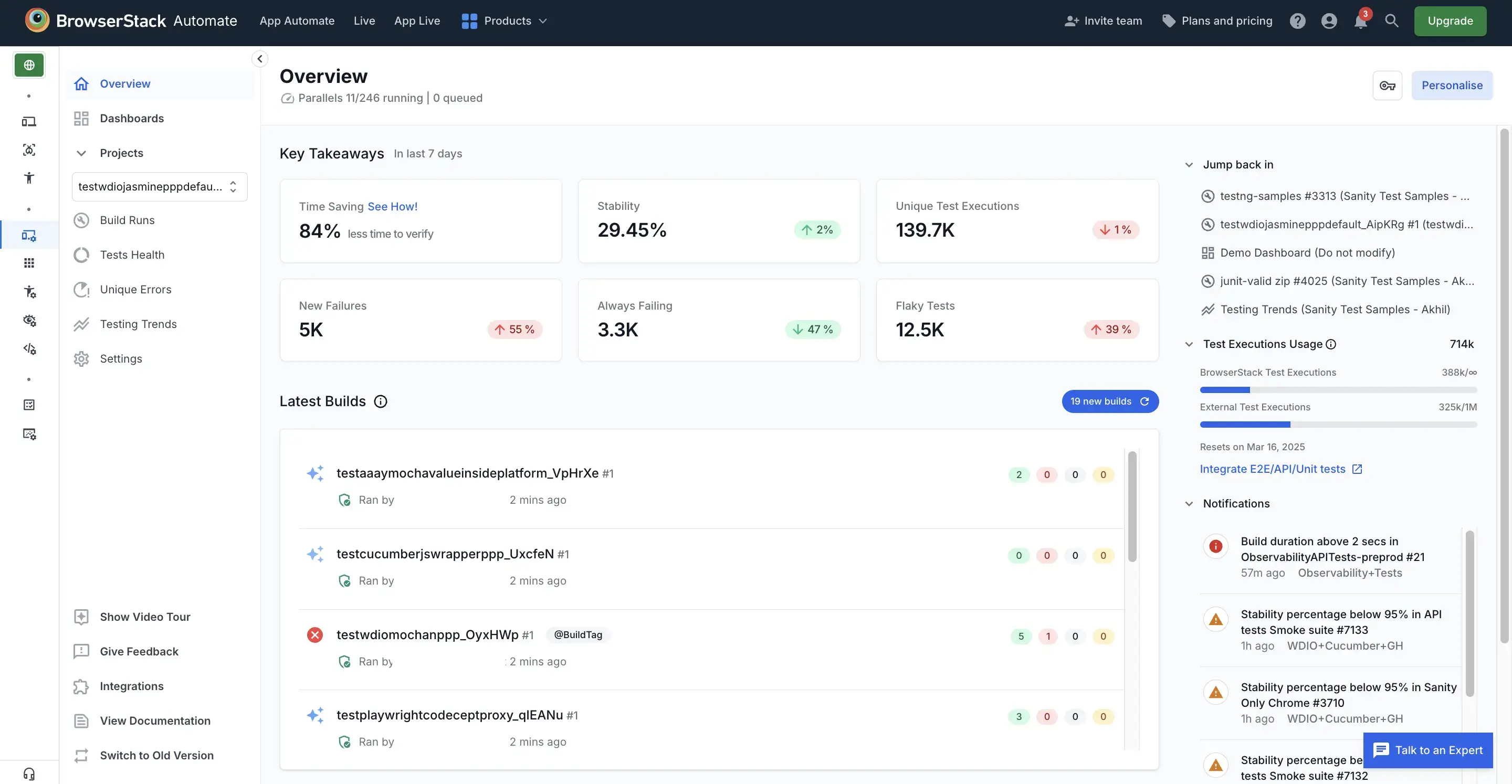
BrowserStack Low Code Automation, launched in late 2024, puts a no-code recorder on top of the device cloud teams already use. You record steps or add them in natural language, then run across BrowserStack’s real browsers and devices with AI-assisted self-healing. Named users include Royal Caribbean and Carousell. Its parent platform rates 4.6 on Capterra, though that score covers all of BrowserStack rather than the Low Code product alone.
Key features:
- No-code recorder with natural-language step authoring
- Self-healing agent that repairs broken locators as the UI changes
- Execution across BrowserStack’s real desktop and mobile device cloud
- Reusable modules, data-driven testing, and built-in accessibility and visual checks
Pros:
- Non-technical testers get productive fast on real devices with no local setup.
- Authoring lives on the same grid you already pay for, so nothing new to stand up.
Cons:
- Cost climbs quickly with parallel runs, and sessions can lag at peak hours.
- The AI test generation is still maturing and can add review overhead.
Pricing: No standalone public price for Low Code Automation. It is bundled into BrowserStack plans and quoted through sales, with a free trial to start.
Best for: Teams already on BrowserStack that want low-code authoring on the grid they run.
Which Autify Alternative Fits You
Your bottleneck decides the answer, not a ranking, and the same test sorts the AI testing tool alternatives when the tool you are leaving is Momentic rather than a recorder. Match your situation to the move:
- Choose Pie to stop authoring and maintaining tests altogether, not just do it faster. It is the only category here that removes the work rather than speeding it up.
- Choose testRigor to keep your manual QA team authoring and owning the suite, in plain English instead of code.
- Choose mabl for the record-and-heal model backed by visual regression and reporting.
- Choose Testim if you are standardizing on Tricentis and want a recorder inside the suite you already run.
- Choose Katalon for one affordable tool spanning web, mobile, and API, with a genuine free tier.
- Choose BrowserStack Low Code if you already run its device cloud and want low-code authoring on top of it.
Buy Against Your Real Bottleneck
Every tool here is a legitimate Autify alternative. If your constraint is plain-English authoring, enterprise integrations, surface breadth, or device coverage, this guide should help you pick among them on the merits. Name the bottleneck honestly first, because it decides everything.
For a growing number of teams, the bottleneck is not a missing feature. It is the hours poured into writing tests and fixing them when the UI moves. Recorder-and-locator tools are excellent at precision and pay for it in upkeep. That is the exact cost Pie was built to remove, by reading the screen instead of the selectors. Switch recorders to author faster. Switch categories to stop authoring at all.
Stop Maintaining Tests. Start Shipping.
Get coverage across web and mobile with no selectors and no flows to keep alive.
Book a DemoFrequently Asked Questions
13 years building mobile infrastructure at Square, Facebook, and Instacart. Now building the QA platform he wished existed the whole time. LinkedIn →