How to Test Pagination End-to-End (UI and API): Assert Invariants, Not Page Numbers
Pagination tests flake because they assert which rows sit on page two, and that moves with every insert. Assert four invariants instead, with UI and API code.

Page two is whatever sits at positions 11 through 20 at the moment you ask. A test that asserts it shows records 11 through 20 passes the day you write it and fails the morning someone deletes record 4, when page two becomes what used to be records 12 through 21.
Pagination tests flake in a predictable way, and the fix never says which record belongs on which page. Here is how to write one that stops caring who deletes record 4.
What you’ll learn
- Why asserting page contents makes pagination tests flake
- The four invariants that stay true no matter what the data is
- How to test UI and API pagination step by step, with code
- The edge cases and concurrency bugs a front-to-back walk misses
Why Pagination Tests Flake: Three Causes, Three Fixes
Pagination tests flake for three reasons that stack, and each one has its own fix.
| Cause | What you see | Fix |
|---|---|---|
| Data-dependent assertion | Page two passes until any row before it is inserted or deleted | Assert invariants across every page |
| Async page load | A fixed sleep either races the fetch or wastes seconds | Wait for the new rows to appear |
| Shared dataset | Another test creates a record mid-run and your counts move | Seed a dataset the test owns |
Start with the first row. Page contents are a function of every row that sorts before them, so one insert or delete anywhere earlier shifts every boundary after it. The assertion checks a snapshot of your data, and data in a shared test environment keeps moving.
The pagination logic can be flawless and the test goes red anyway. The failure teaches you nothing except to add a retry, and retries on a data-coupled assertion are how a suite slowly stops meaning anything. It is a non-deterministic test in its plainest form.
Every flaky test hides an input you forgot to control. In pagination that input is the data.
Assert Four Invariants Instead of Page Contents
An invariant is a property that holds for every valid dataset, and pagination has four. A test built on them encodes nothing about which record lives where. It keeps passing when the data changes between runs.
| Invariant | What it catches | How to assert it |
|---|---|---|
| No duplicates | Offset drift, an unstable sort, a reused cursor | The set of all IDs has the same size as the list of all IDs |
| No gaps | Rows skipped at a boundary, off-by-one paging | Every ID you seeded appears in the accumulated list |
| Correct total | A wrong page count, bad ceil math, a miscounted result set | The walked count equals the reported total, and the page count equals ceil(total / page size) |
| Stable ordering | A missing sort, each page sorted on its own | The last item of page N sorts before or equal to the first item of page N+1 |
A pagination test should give the right verdict on a dataset it has never seen. If it breaks when someone adds a row, it is asserting the data.
The total and gap checks assume the dataset does not change during the scan, which is why the test owns its data. The concurrent-insert test in the API section covers the case where it does. Most of this reduces to one accumulator. Walk the pages, gather the IDs, and let the invariants do the asserting.
async function collectAllIds(fetchPage, maxPages = 500) {
  const ids = [];
  const keys = [];
  let total = null;
  let pages = 0;
  for (let page = 1; page <= maxPages; page++) {
    const res = await fetchPage(page);
    total = res.total;
    if (res.items.length === 0) break;                  // the API signals the end
    ids.push(...res.items.map((i) => i.id));
    keys.push(...res.items.map((i) => i.createdAt));    // the field the list sorts by
    pages = page;
  }
  return { ids, keys, total, pages };
}

const { ids, keys, total, pages } = await collectAllIds(fetchPage);
const got = new Set(ids);
expect(got.size).toBe(ids.length);                                      // no duplicates
expect(SEEDED_IDS.filter((id) => !got.has(id))).toEqual([]);            // no gaps
expect(ids.length).toBe(total);                                         // correct total
expect(pages).toBe(Math.ceil(total / PAGE_SIZE));                       // page-count math holds
expect(keys.every((k, i) => i === 0 || keys[i - 1] <= k)).toBe(true);  // order never runs backward
The maxPages cap matters. An endpoint that answers every page past the end with the last page would loop forever without it, and with it the test fails on duplicates instead of hanging.
Nothing in that test says which ID lands on which page. It asserts that pagination partitions the data correctly, which is the contract, and ignores positions, which are the part that drifts.
The same checks apply whether a person or an assistant wrote the endpoint, and they matter most for AI-generated code that nobody read line by line. An off-by-one on the last page looks fine in a diff, and so does an offset query on a table that takes inserts. The gap and total checks catch the first. Only the concurrent-insert scan in the API section catches the second, because on a dataset nobody writes to mid-run, offset paging passes every assertion in the accumulator.
How to Test UI Pagination Step by Step
Drive the real controls a user would click, collect the IDs on every page, and apply the four invariants to the accumulated set. The bugs live at the boundaries between pages, and one read of the DOM never crosses a boundary. The steps use Playwright, and the shape carries over to Cypress or any end-to-end testing framework.
- Seed an isolated dataset: Create a known number of records that only this test touches. Test isolation is the difference between a stable pagination test and a coin flip.
- Collect the page’s IDs: Read them from a stable test ID or data attribute, never from a row position.
- Click Next and wait: Wait until the first row shows a different ID.
- Repeat until Next is disabled: Then assert the invariants on the accumulated list, not on any single page.
test('pagination shows every record once', async ({ page }) => {
  await page.goto('/orders');
  const ids = page.getByTestId('order-id');
  const seen = [];
  while (true) {
    await expect(ids.first()).toBeVisible();
    const onPage = await ids.allInnerTexts();
    seen.push(...onPage);
    const next = page.getByRole('button', { name: 'Next' });
    if (await next.isDisabled()) break;
    await next.click();
    await expect(ids.first()).not.toHaveText(onPage[0]);  // wait for the new page, not a clock
  }
  expect(new Set(seen).size).toBe(seen.length);  // no row repeats across pages
  expect(seen).toHaveLength(SEEDED_TOTAL);       // every seeded record appeared
});
If your UI removes or hides Next on the last page instead of disabling it, break when next.isVisible() returns false. isDisabled() waits for a button that is no longer there, while isVisible() answers at once for a removed button and a CSS-hidden one alike. If the pager shows “Page 2 of 5”, that label is the better thing to wait on.
Infinite Scroll Uses the Same Test
Swap the Next click for a scroll. Scroll the last row into view, use expect.poll to wait until the set of collected IDs grows, and stop when a scroll adds nothing new. Many infinite scrollers load the next batch when a sentinel row enters the viewport through an IntersectionObserver, so the scroll has to bring that row into view.
Count IDs, never rendered rows. A virtualized list unmounts rows that scroll out of view. Its row count can stay flat while the data grows underneath it. Collect IDs on every pass, because a read at the end sees only the rows mounted at that moment.
How to Test API Pagination: Offset vs Cursor
Call the endpoint with its own paging parameters until it signals the end, collect every returned ID, and assert the same four invariants with no browser in the loop. Find out which style the API uses first, because the two fail in different places.
Offset is almost like telling someone to start at page 20 of a book. A cursor is a bookmark in the page you were reading. Tear a page out of the front and the first lands you one page off while the second never notices.
- Offset pagination: You ask for a page by position (
?limit=10&offset=20). It is simple and it drifts. If a new row is inserted between two page fetches, a long scan can return a record twice, and large offsets make the database work harder, as the use-the-index-luke offset guide explains. - Cursor (keyset) pagination: You ask for the records after a stable key (
?limit=10&after=<cursor>). It holds up when rows are inserted or deleted behind the cursor, provided the sort order is definite, meaning a unique key or a tiebreaker. Stripe’s list endpoints page this way withstarting_after, and Google’s AIP-158 specifies opaque page tokens. A test passes the token back untouched and never builds one.
Whichever contract the API states, the test follows the same four steps. Only the way you advance from one page to the next changes.
- Walk every page: Use the API’s own parameters, following the next cursor or raising the offset until the response signals the end.
- Collect every ID: Accumulate across pages into one list, and judge only the list.
- Assert the invariants: Check duplicates, gaps, total, and ordering on the accumulated list.
- Insert mid-scan: Add a record that sorts before your position, finish the scan, and assert that nothing repeated or went missing.
The code below walks a cursor API. For an offset API, reuse the collectAllIds accumulator above and advance the page number instead.
async function walkCursor(client) {
  const ids = [];
  let cursor = null;
  do {
    const res = await client.get('/api/orders', { params: { limit: 100, after: cursor } });
    ids.push(...res.data.items.map((i) => i.id));
    cursor = res.data.next_cursor;
  } while (cursor);
  return ids;
}

const ids = await walkCursor(client);
expect(new Set(ids).size).toBe(ids.length); // no record served twice
If you write one API pagination test beyond the walk, make it step four. Page partway through, insert a record that sorts before your position, finish the scan, and assert that nothing repeated and nothing that existed before the scan went missing. Run it against an offset endpoint, advancing offset by limit instead of passing after, and it fails on a duplicate. Run it against a cursor endpoint with a definite sort order and it passes.
test('scan stays consistent under a concurrent insert', async () => {
  const baseline = await walkCursor(client);   // IDs that exist before the scan starts
  const seen = [];
  let cursor = null;
  let inserted = false;
  do {
    const res = await client.get('/api/orders', { params: { limit: 50, after: cursor } });
    seen.push(...res.data.items.map((i) => i.id));
    cursor = res.data.next_cursor;
    if (!inserted && seen.length >= 100) {     // mid-scan: add a row that sorts before our position
      await seedOrder({ createdAt: EARLIEST }); // your fixture helper and an earliest-possible timestamp
      inserted = true;
    }
  } while (cursor);
  const got = new Set(seen);
  expect(got.size).toBe(seen.length);                    // the insert never duplicated a row
  expect(baseline.filter((id) => !got.has(id))).toEqual([]);  // nothing that existed went missing
});
TLDR: an insert that sorts ahead of your position becomes a duplicate under offset paging and never shows up under a cursor with a definite sort order.
Click Through Every Page
Seed the data. Pie pages through it and checks what each page shows.
Book a DemoSix Pagination Edge Cases to Test
Bugs cluster at the boundaries and the extremes, so test the degenerate sizes directly. Several are negative testing in practice, where you send input the endpoint should reject and assert a clean failure.
- Empty result set: Zero records should render an empty state. Watch for a broken pager or a “Page 1 of 0” label, which is what
ceil(0 / pageSize)gives a UI that starts counting at page 1. - Exactly one full page: With
pageSizerecords there is one page and Next is disabled. A naivefloor(total / pageSize) + 1produces a phantom empty second page here. - Partial last page: With
pageSize + 1records, the last page holds one item and the count math still resolves. - Page past the end: Requesting page 999 of a 3-page set should do whatever your API documents, an empty page or a clean 404, but it must not repeat the last page or return a 500.
- Invalid parameters: A negative offset, a zero or oversized limit, and a non-numeric page should be rejected, clamped, or defaulted as documented. AIP-158 specifies an
INVALID_ARGUMENTerror for a negativepage_size. - Filters and sorting: Changing the sort, applying a filter, or submitting a new search query must reset paging coherently. Reusing a cursor issued under the old ordering is an easy way to get duplicates.
How to Test Paginated Flows in Pie
In Pie you describe the paged flow in plain English, and Pie drives it through the UI the way a user would, in a web app or a native iOS or Android app. You can author it without maintaining selectors. The API half of this guide stays in your own test code.
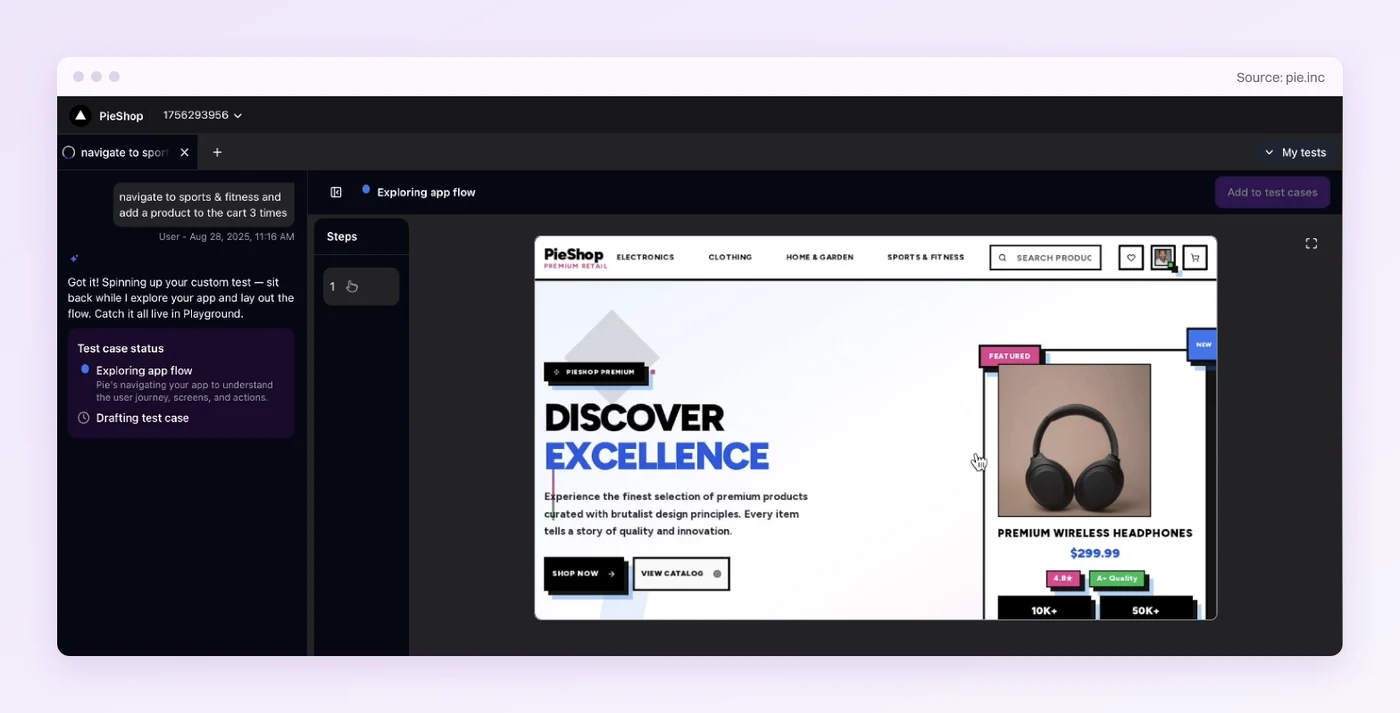
- Seed the records: A configured script, often a curl call to your test API, can create 23 records before the run if your fixture API supports it. Resetting them between runs stays that fixture’s job. At a page size of 10, the last page must hold 3.
- Write the flow: With plain-English Custom Tests you state the behavior and skip the selectors. A test for that set reads “Open Orders. Go to page 2 and confirm it lists 10 orders. Go to the last page and confirm it lists 3 orders.” Include a scroll in the instructions whenever the rows you need to count sit below the fold.
- Validate each platform: A web table and a native list often page differently, one through a Next button and one through scrolling. Write the flow against each platform’s own control and confirm it passes there.
- Keep accounting in code: Pie’s checks cover what a user can see, such as the rows, counts and end-of-results message on each page. Your team keeps the ID-by-ID total in the accumulator test above.
Assert What Cannot Drift
Page boundaries move with every insert ahead of them, so an assertion about a single page has a shelf life. An assertion about the whole walk holds for any dataset you seed.
Keep one scan that walks every page, assert the four properties of what it saw, and never hardcode which record belongs on page two. Then add the concurrent-insert scan that separates stable pagination from lucky pagination.
The UI half is the part a restyle breaks. Pie holds that flow as a plain-English Custom Test and can adapt to a restyled pagination bar while checking the same behavior. Hand it the clicking and keep the counting.
Test the Pager Like a User
Describe the paged flow in plain English. Skip the selector upkeep.
Book a DemoFrequently Asked Questions
Walk every page from first to last through the real interface, collect the record IDs you see, and assert four invariants. No duplicates, no gaps, a total that matches the reported count, and a sort order that never runs backward. Never hardcode which rows belong on page two.
Beyond the full walk, cover the boundaries. Test an empty set, exactly one full page, a partial last page, a page past the end, invalid sizes, and a sort or filter change. Then add one scan that inserts a record mid-walk and checks that nothing repeats or goes missing.
Call the endpoint with its paging parameters, following the next cursor or raising the offset until the response signals the end. Collect every ID, then assert no duplicates, no gaps against the total, and the promised ordering. Add direct calls for a page past the end and a negative size.
Because it asserts page contents. Page two shows whatever sits at positions 11 through 20, so any insert or delete earlier in the list shifts every boundary. Assert invariants across the whole walk instead, and seed a dataset the test owns so no other test mutates it mid-run.
Scroll the last row into view, wait for new IDs to appear instead of sleeping, and stop when a scroll adds nothing. Collect IDs on every pass, because a virtualized list unmounts rows that scroll away and its rendered count stays flat. Then assert no duplicates and the expected total.
Offset pagination asks by position, so an insert or delete before your offset shifts rows and can repeat or skip one mid-scan. Cursor pagination asks for records after a stable key and holds up when the sort order is definite. Test both with a concurrent insert.
Yes, as plain-English Custom Tests on web and native iOS and Android apps. Write and confirm the flow on each platform, because a web pager and a native scrolling list often page differently. Pie works through the UI, so keep the record-by-record accounting and API checks in your test code.
Eight years building search and delivery systems at Amazon. The kind of scale where flaky tests block billion-dollar releases. Now CTO at Pie, building AI agents that adapt when your UI changes. LinkedIn →