How to Test a Mobile App Under Poor Network and Offline Conditions
The worst network bugs surface when the connection comes back. Simulate each condition on iOS and Android, assert the recovery, and keep those tests stable in CI.

A test that never issues a real network request cannot fail when the network breaks. Stub the API response and assert the screen, and the test comes back green on office WiFi and green in airplane mode. It is measuring your view code and nothing else.
Testing an app under a bad network is two jobs. Job one puts the device into a degraded state with airplane mode, a throttle, or a proxy. Job two asserts that the app degraded cleanly and then recovered, and it is where the tests turn flaky in CI.
What you’ll learn
- Why network testing is two jobs, and which one catches the bugs
- The exact tools and commands to simulate each condition
- How to assert recovery without asserting on a clock
- A condition-to-assertion-to-bug matrix you can lift into a suite
- Why network tests flake in CI, and the wait that fixes it
Why Network Testing Splits Into Two Jobs
Most of the guides ranking for this query spend their words on job one. They walk through the Network Link Conditioner, emulator throttling, proxies and device farms. The better ones add a checklist for job two, covering sync queues, retries that must not duplicate, and conflict resolution. Few say what each check should assert on screen, or why those checks flake once they run in CI.
Recovery is where users get hurt. The outage itself usually lands on a banner or a cached screen. The damage arrives when the connection comes back and the app reconciles, as a double charge or a write that quietly disappears. A test that ends at the outage only proves the app noticed it.
What “Poor Network” Actually Means
“Poor network” covers five conditions, and each one exercises a different code path in your app. Treat it as a single slow-internet scenario and the app ships handling a clean outage gracefully, then falls over on a flapping subway connection. Network behavior is a hard axis in any mobile app testing guide, and an easy one to collapse into a single test.
Opensignal’s July 2026 USA report scored how often users’ connections were good enough for demanding everyday tasks, such as a video call without noticeable lag, between April and June. T-Mobile led at 82.8 percent of tests, Verizon followed at 80.4 and AT&T at 79.4. Put the other way, 17 to 21 percent of tests on every major US carrier fell short. Your office WiFi is not a reasonable model of that slice.
- Offline: Zero connectivity. Cached reads, queued writes, and a clean no-network UI.
- High latency: The request completes, eventually. Loading states and timeouts earn their keep here.
- Low bandwidth: Throughput is throttled. Large payloads, image loading and upload progress are the stressors.
- Packet loss: Requests fail intermittently. Retry logic and idempotency go on trial.
- Transitions: The connection drops and returns, sometimes repeatedly. This is the flapping case, and it is usually the meanest.
Five conditions, seven tests, because offline splits into a cold start and a queued write, and transitions split into a single reconnect and a repeated flap. The matrix further down maps all seven.
Full offline gets tested because it is easy to reason about. The flap, a connection that drops and returns three times in ten seconds, is where a naive retry loop fires duplicate writes and an optimistic update never reconciles with the server.
How to Simulate Poor Network Conditions
Pick the tool by the layer you need to control, whether that is the device, the emulator, or only the app’s HTTP traffic. Each layer has a standard tool on each platform, and the choice comes down to realistic radio behavior versus exact, repeatable numbers. For most of the matrix, repeatable wins.
On iOS
The Network Link Conditioner is the standard. On a physical device you enable it under Settings then Developer, as Apple’s network testing talk shows, and on the Mac it ships as a preference pane in Apple’s Additional Tools for Xcode download. Apple ships no Simulator-only version. The pane conditions your entire Mac. Every app on the machine slows down while a profile is active, and the Simulator inherits it because it shares the host’s network stack.
On Android
The emulator does it natively. Open Extended Controls, go to the Cellular tab, and pick a network type and signal strength, or set speed and latency at launch with the -netspeed and -netdelay flags from the command line. Google’s reference scopes both flags to Ethernet and cellular, and every system image from API 25 up also offers a simulated Wi-Fi network called AndroidWifi. Check which network the app is on before you trust a throttle.
A full drop needs both radios off. Setting Data status to Unregistered in the Cellular tab, or sending adb emu gsm data unregistered to the emulator console, cuts cellular and leaves Wi-Fi up. Airplane mode normally takes both down. Google’s adb reference does not list the shell command for it, but appium-adb 16.1.0, the adb layer under Appium’s Android driver, calls it on API 30 and above. Pin the system image and assert the offline banner appears before you build on it.
# 3G speeds with 200 ms of added latency, set at launch
emulator -avd Pixel_8_API_34 -netspeed umts -netdelay 200

# Cut cellular data through the emulator console. Wi-Fi stays up.
adb emu gsm data unregistered

# Full drop, Wi-Fi included. Missing from Google's adb docs; appium-adb uses it on API 30+.
adb shell cmd connectivity airplane-mode enable
adb shell cmd connectivity airplane-mode disable
For One Host at a Time
For control over the app’s HTTP traffic specifically, a proxy like Charles throttles bandwidth and latency to any value you set, and its Block List blocks requests to individual hosts outright. For the web build of a hybrid app running in the browser, Chrome DevTools has throttling presets for Fast 4G, Slow 4G, 3G and Offline. Per-host control is the capability that matters most, because real degradation is rarely uniform. Slowing one API while leaving the rest fast reproduces bugs a device-wide throttle cannot.
| Tool | Platform | Layer it controls | Best for |
|---|---|---|---|
| Network Link Conditioner | iOS | Whole device, or the whole Mac | Latency, bandwidth and packet loss with named profiles |
| Emulator Cellular tab and flags | Android | Emulated cellular and Ethernet links | Preset network types, speed and latency, scriptable at launch |
| Emulator console gsm data | Android | Cellular data only | Cellular drops, once Wi-Fi is off |
| cmd connectivity airplane-mode | Android, API 30 and up | The radios on the airplane-mode list | Full offline and offline-to-online runs in CI |
| Charles or another proxy | iOS and Android | HTTP traffic | Throttling HTTP traffic, or blocking one host at a time |
| Chrome DevTools | Web, or a hybrid app’s web build | Browser network | Quick throttling presets in the browser |
How to Assert the App Recovered
Assert recovery on the end state the user can see. Confirming the request went out proves nothing about whether the user’s data survived, so check the outcome. The record has to arrive exactly once, with the right contents.
The highest-value scenario is the offline-to-online sync. Walk it in three phases and assert at each one:
- Offline capture: Create or edit something with the network off. Assert the app shows the change immediately as an optimistic update and marks it as pending rather than silently dropping it.
- Single sync on reconnect: Restore the network. Assert the pending item reaches the server and that the app does not send it again. Duplicate submissions on reconnect are one of the most expensive bugs in this category, especially for anything that writes money or messages.
- Conflict resolution: Edit the same record on two devices while one is offline, then reconnect. Assert your defined resolution happens, whether that is last-write-wins, a merge, or a prompt. A silent overwrite here is data loss, and no happy-path test will see it.
Know who owns the retry before you write the assertion. On iOS, a URLSession with waitsForConnectivity set parks a request while the device is offline and starts it when connectivity returns. Apple scopes the property to setting up the connection. If the connection drops mid-request, your completion handler or delegate gets an error. On Android, WorkManager defers work that carries a NetworkType constraint, and if the network drops mid-run it stops the worker and retries it once the constraint holds again.
WorkManager’s stop-and-retry is the flap in miniature. An upload the server already accepted can go out again on the retry, and only an idempotent write survives it. Neither platform tells your test when the retry fires, so never assert on a fixed delay.
Map Each Condition to the Assertion It Demands
Completeness comes from a matrix that maps each condition to the specific assertion it demands and the bug that assertion catches. Ranking pages list conditions, tools and things to verify, usually as separate lists. The mapping between them is the part you end up building yourself. Start from this one and adapt the assertions to the flows your app has.
| Condition | What to assert | Bug it catches |
|---|---|---|
| Cold start offline | Cached content renders, no crash, no infinite spinner | App assumes a live fetch on launch and hangs |
| High latency | Loading state appears within a beat, request eventually completes or times out cleanly | Frozen UI mistaken for a hang, no timeout handling |
| Low bandwidth | Large images and uploads show progress and degrade gracefully | Upload silently fails, user retries and duplicates |
| Packet loss | Failed request retries with backoff and idempotency | Retry storm, duplicate writes, battery drain |
| Offline write | Action is queued locally with pending feedback | User action silently dropped with no error |
| Reconnect sync | Queued action reaches the server exactly once | Duplicate submission, lost write |
| Flapping transition | Repeated drop and recover leaves one consistent final state | Stuck spinner, re-sent upload, unreconciled optimistic update |
Stop Timing the Sync
Describe the synced screen once. Pie checks it every run.
Why Network Tests Flake in CI
Underneath, a network condition test is a timing test. The platform decides when a parked request starts or a stopped worker reruns, and the runner’s spare CPU decides how fast the result renders. Researchers who throttled the machine resources behind 52 open-source projects found that 283 of 608 flaky tests, 46.5 percent, failed at a significantly different rate under throttling.
The trap is the fixed sleep, a classic source of non-deterministic tests. Take a test that reconnects the network, sleeps two seconds, then asserts the record synced. It passes on a developer laptop and fails on a loaded CI runner where the sync took 2.4 seconds. The fix has the same shape in every framework. Here it is in Detox, with goOnline() and api standing in for your own helpers:
import assert from 'node:assert/strict';

// Flaky. The sleep is a guess about a machine you do not control.
await goOnline();
await new Promise((resolve) => setTimeout(resolve, 2000));
assert.equal((await api.getNotes(userId)).length, 1);

// Stable. The wait ends when the pending badge leaves the screen.
await goOnline();
await waitFor(element(by.id('pending-badge'))).not.toBeVisible().withTimeout(30000);
assert.equal((await api.getNotes(userId)).length, 1);
Padding the sleep only moves the threshold. On a fast runner it wastes time, and on a slow one it still loses the race. That treadmill is how connection-drop tests get quarantined out of the mobile regression testing pass entirely, and quarantine is the first step toward a flaky suite in CI that nobody trusts.
How Pie Covers the Recovery Half
Pie is an autonomous QA platform that runs iOS and Android flows vision-first, and you can author supported tests without maintaining selectors. Runs happen on iOS simulators and Android emulators, so validate real cellular-radio behavior separately. Job one stays with controls you own, such as an offline switch in a debug build or a fault-injection endpoint on your staging API.
A configured script, often a curl call to your test API, can hit that endpoint at the step that calls it, as long as the endpoint is reachable and accepts the script’s credentials. The agent then drives the flow screen by screen and checks the end state your team wrote down, such as the pending badge clearing and the note appearing once in the list. You do not have to write a sleep for the sync.
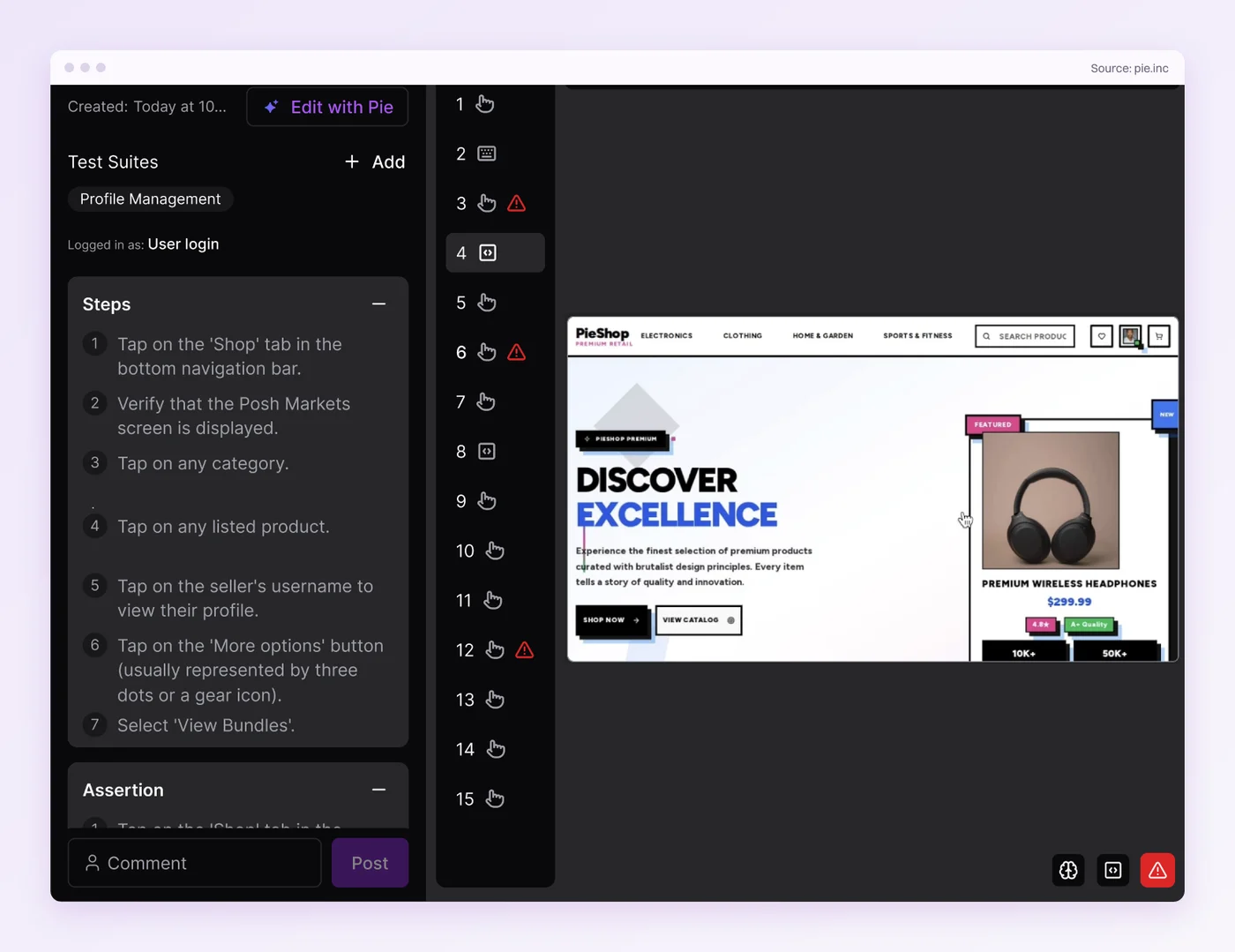
End the recovery check on something that stays on screen, because our agent works from screenshots. We add a short delay before each capture, and a “Back online” toast that shows for two seconds can still slip past it. In one early run against a mobile game, the step that checked whether play had resumed reported that it had not. Our read was that the screenshot came in before the game finished a reconnect that takes it several seconds. Give the app a persistent test-mode indicator, or confirm the result with a separate API check.
Make the Reconnect the Test
Every tool in this guide can take a connection away. The bugs that reach users wait for the reconnect, in the upload a stopped worker sends twice and the spinner that never clears.
Cover all five conditions with the flap as its own test, and end every recovery check on a state the user can see, with a timeout in place of a sleep. The connection-drop test then earns a place in the suite instead of a place on the quarantine list.
Pie checks where the user lands once your build or backend can produce the degraded state. For the person on a subway platform, that landing is the product.
Cover the Half That Flakes
Bring a reconnect flow. Get its end state checked on iOS and Android.
Frequently Asked Questions
Split it into two jobs. First put the device into the target state, whether offline, slow, lossy or flapping, with the Network Link Conditioner, the Android emulator's controls or a proxy.
Then assert that the app degraded cleanly, recovered, and synced each queued action exactly once.
On an iOS device, enable the Network Link Conditioner under Settings then Developer. For the Simulator, install the Mac pane from Apple's Additional Tools for Xcode. It conditions your whole Mac.
On Android, use the emulator's Cellular tab or the -netspeed and -netdelay flags, with Wi-Fi off.
Work in three phases. Launch with no connection and confirm cached content loads without a hang. Create, edit and delete while offline, and confirm each action queues with clear pending feedback.
Then reconnect and confirm every queued action syncs once and conflicts resolve as intended.
They are timing tests. The platform decides when a parked request or a stopped background job runs again, and a loaded CI runner shows the result later than a laptop does.
A fixed sleep guesses that delay. Wait on the visible end state with a generous timeout instead.
Both. Simulators and emulators give repeatable control over latency and bandwidth, which suits most of the condition matrix in CI.
Physical devices catch what simulation cannot, such as a Wi-Fi to cellular handoff in the middle of a request. Smoke the critical reconnect paths on a few handsets.
Offline testing covers no connection at all, meaning cached reads, queued writes and a clean no-network state. Poor network testing covers everything in between, from high latency to packet loss.
It also covers the flap, a connection that keeps dropping and returning, which is often nastier than an outage.
Yes, once your build or backend can produce the degraded state, for example through a debug offline switch or a fault endpoint that a configured script calls. Pie then drives the flow and checks the end state.
Runs use iOS simulators and Android emulators, so validate real cellular-radio behavior separately.
Eight years building search and delivery systems at Amazon. The kind of scale where flaky tests block billion-dollar releases. Now CTO at Pie, building AI agents that adapt when your UI changes. LinkedIn →