Generative AI for QA: What It Does, Where It Falls Short, and Tools to Try
How generative AI is reshaping QA roles. Learn what to evaluate in GenAI testing tools, how to augment your workflow, and which platforms are delivering real results.

What you’ll learn
- How GenAI differs from traditional test automation and why it matters
- The five capabilities that make GenAI testing work under the hood
- Where GenAI falls short and why human oversight still matters
- A practical framework for evaluating and adopting GenAI testing tools
GenAI has fundamentally changed software development. Cursor, Copilot, and a wave of AI coding tools have turned capable engineers into 10x developers, shipping features at speeds that seemed impossible two years ago. But testing? Most teams are still running record-and-playback scripts that break every time the UI changes.
Teams record videos, write step-by-step instructions, submit detailed tickets. And then a single UI change forces them to start over. The World Quality Report 2025 found that test maintenance alone eats 40-60% of automation effort for the average team. QA has become the bottleneck that drags down every fast-moving engineering org.
Nobody has quite cracked it. But a handful of platforms are trying to change that, building testing tools with GenAI at the core. Tests that generate from plain English. Self-healing locators that survive UI refactors. Autonomous agents that explore applications without scripts at all.
Below, we cover how GenAI is reshaping QA, where it still falls short, and which tools are worth your time.
What Is Generative AI for QA?
GenAI uses large language models to create, maintain, and run tests. Instead of telling the automation exactly which buttons to click and which selectors to use, you tell it what you want to test. It figures out the rest.
Traditional automation looks like this:
// Click the element with id='submit-btn', wait 500ms, verify URL
await page.click('#submit-btn');
await page.waitForTimeout(500);
expect(page.url()).toContain('/confirmation');
GenAI testing looks like this:
Verify the user can complete checkout.The difference matters because the AI handles element selection, timing, and adaptation when the UI changes. Your test says “complete checkout” and keeps working even when the dev team redesigns the checkout flow. That’s the semantic understanding piece that separates this from script-based automation.
Under the hood, these tools build on the same LLMs powering ChatGPT, Claude, and GPT-4. But they’re specialized for understanding applications, generating test scenarios, and interpreting results. They can analyze code, requirements docs, UI screenshots, and existing test suites to produce coverage.
How GenAI Testing Works
GenAI testing combines several capabilities that let it handle the grunt work of test creation and maintenance.
1. Natural Language Test Creation
Most GenAI testing tools let you describe tests in plain English. “Verify a user can add items to cart and checkout” becomes a sequence of clicks, inputs, and validations without you specifying selectors or waits. The LLM parses your intent and maps it to UI elements.
2. Test Generation from Context
GenAI can analyze requirements docs, user stories, or existing code to generate test scenarios. The AI produces coverage from specifications, catching edge cases you might not think to script manually. This is table stakes for most platforms in the space.
3. Self-Healing Locators
When developers change element IDs or restructure the DOM, tests break. GenAI tools use adaptive locators that recognize elements by multiple attributes, so tests survive minor refactors. A “Submit” button stays recognized even when #submit-btn becomes #checkout-button.
4. Vision-Based Testing
Advanced platforms go further with computer vision. Instead of parsing DOM structures, the AI “sees” your application like a user does—identifying buttons, forms, and content from screenshots. Pie uses this vision-based approach to test at the UI layer rather than the code layer, making tests resilient to refactors that don’t change the actual user experience.
5. Autonomous Exploration
The most advanced tools don’t just execute predefined tests—they explore applications independently. Without scripts or test cases, they discover pages, interact with features, and surface bugs you wouldn’t think to check for. This agentic behavior is still emerging across the industry, but it’s where testing is headed.
You focus on what to test. The AI figures out how. Writing selectors, handling timing, updating broken locators—that work moves from your plate to the machine.
GenAI vs Traditional Testing Methods
The difference isn’t just about speed. It’s a fundamentally different approach to how tests get created and maintained.
| Aspect | Traditional Automation | GenAI Testing |
|---|---|---|
| Test Creation | Write explicit scripts with selectors, waits, assertions | Describe intent in natural language; AI generates execution |
| Maintenance | Manual updates when UI changes break locators | Self-healing adapts to UI changes automatically |
| Coverage | Limited to what you explicitly script | Can explore and discover untested paths |
| Skill Required | Programming knowledge (Selenium, Cypress, Playwright) | Ability to describe test scenarios clearly |
| Time to First Test | Hours to days depending on complexity | Minutes for basic scenarios |
| Handling Dynamic Content | Requires explicit handling of variations | Understands intent, tolerates variations |
Traditional automation isn’t going away. For highly specific validation logic or performance-critical tests, explicit scripts still make sense. But for broad coverage and regression testing, GenAI reduces the effort dramatically.
What Can GenAI Do for QA?
Generative AI impacts nearly every stage of the testing lifecycle. Here are the applications seeing the most adoption:
- Test Case Generation creates scenarios from requirements, user stories, or application analysis. It covers edge cases humans might overlook.
- Self-Healing Tests automatically adapt when UI elements change. No more broken tests from CSS updates or DOM restructuring.
- Test Data Generation produces realistic, synthetic data that mimics real user behavior without exposing sensitive information.
- Bug Report Generation creates context-rich reports with reproduction steps, screenshots, and root cause suggestions.
What ties these capabilities together is a fundamental shift in where engineers spend their time. Less wrestling with scripts and selectors, more focus on decisions that actually require human judgment. The teams that figure out this division of labor first will ship faster than those still debugging flaky locators.
See GenAI Testing in Action
Watch Pie's autonomous agents explore your app and find bugs without writing a single test script.
Book a DemoHow to Evaluate a GenAI Testing Tool
Before diving into specific tools, here are some questions worth discussing with your team. The answers will help you evaluate platforms and pick the right fit for your requirements.
1. Intent Understanding vs. Script Generation
Some tools generate Selenium or Playwright scripts from natural language. Others understand application intent and execute directly. Script generation still leaves you with maintenance. True intent-based testing adapts automatically.
2. How Self-Healing Actually Works
Ask how the tool handles UI changes. Does it rely on multiple locator strategies (fragile) or semantic understanding of what elements do (resilient)? The difference determines whether you’ll still fix broken tests after every release.
3. Human Oversight Capabilities
GenAI can hallucinate. It can generate tests that look correct but validate the wrong behavior. Look for tools that make human review efficient, not ones that promise to eliminate it entirely.
4. Integration Depth
Can it plug into your CI/CD pipeline? Work with your test management platform? Generate results your team can actually act on? The best GenAI tool in isolation is useless if it doesn’t fit your workflow.
5. Cost at Scale
LLM API calls aren’t free. Understand pricing models before committing. Per-test pricing can explode with large suites. Look for predictable costs that scale with your usage.
These criteria matter more than feature lists. A tool that nails intent understanding and integrates well will outperform one with more features but weaker fundamentals.
Where GenAI Testing Falls Short
I’m not going to pretend this stuff is perfect. Here’s where it breaks down.
1. Business Logic Blind Spots
AI doesn’t understand your business rules. It can generate tests that technically pass but don’t validate what matters to users. A QASolve survey found 66% of developers frustrated by “AI solutions that are almost right, but not quite.” That gap between almost-right and actually-right is where human judgment still matters.
2. Context Limitations
LLMs have context windows. For complex applications with thousands of screens and workflows, the AI may not understand how pieces connect. Tests work in isolation but miss integration issues. We’ve seen this in practice.
3. Hallucination Risk
LLMs generate plausible-looking tests that don’t actually validate correct behavior. You might get tests that pass but fail in production. On the flip side, you could get flagged bugs that don’t actually exist. AI testing tools with high false positive rates can end up costing you more time and effort than testing manually. Hybrid approaches with expert verification outperform fully autonomous ones because they catch both false positives and false negatives before they waste your team’s time.
4. Learning Curve
The shift from script-writing to AI-supervision requires different skills. Teams report difficulty finding staff experienced with AI testing workflows. Budget for training, not just the tool. That said, codeless platforms have lowered the barrier significantly. Truly autonomous QA platforms have a negligible learning curve since nearly all aspects of testing happen with a single click. You can be hands-off on the entire operation and just check the reports later.
5 GenAI Testing Tools Worth Evaluating
The GenAI testing market is evolving quickly. These five platforms each tackle test automation differently. Some focus on natural language, others on codeless enterprise workflows, and a few are pushing toward fully autonomous testing. Here’s what makes each one distinct.
1. Pie
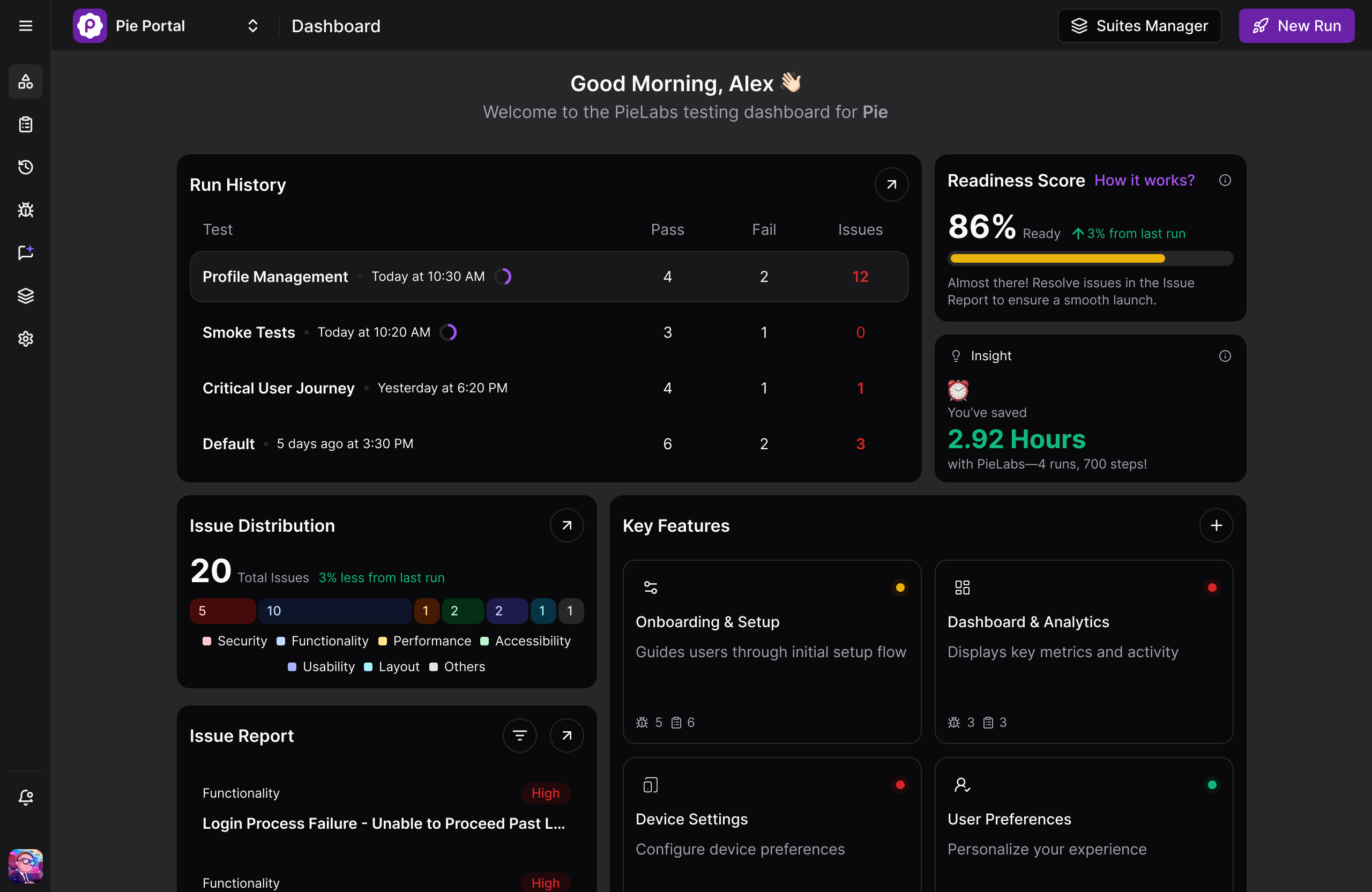
We built Pie to solve the problem we kept hitting ourselves: test automation that breaks faster than you can fix it.
Pie is an AI-native QA platform. Vision-based agents explore your app the way users do—through the screen, not through brittle selectors. Point it at your application and it starts finding bugs in flows you haven’t even thought to test yet.
No test scripts to write. No locators to maintain. When you onboard an app, Pie’s autonomous discovery kicks in automatically, exploring every corner of your application without you lifting a finger. The agents map testable behaviors, generate coverage, and heal themselves when your UI changes. Want to probe specific edge cases? Describe them in plain English and let the AI handle the rest.
10x QA for 10x developers. That’s what we’ve been building towards. And the best part? It’s working.
“We went from release cycles taking days to shipping in hours. Pie handles the coverage we never had time to write ourselves.” — Fi engineering team. Read the full case study →
2. ACCELQ
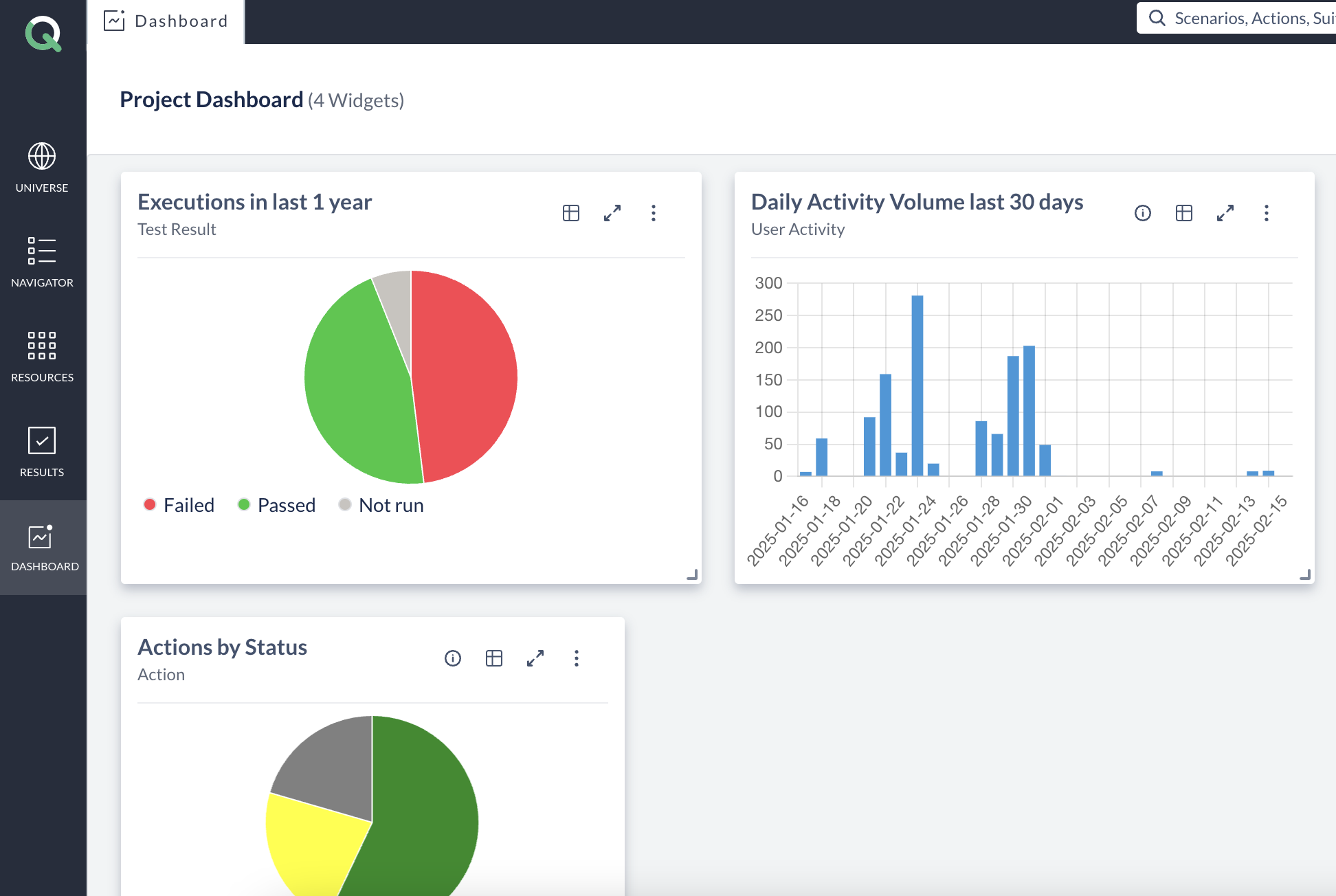
ACCELQ is a codeless test automation platform designed for enterprise environments. The platform focuses on business process discovery, mapping how applications actually work and generating tests from that understanding. Their Autopilot feature handles test creation and maintenance without requiring teams to write scripts.
The platform supports web, API, mobile, and desktop testing with particular strength in packaged applications like Salesforce, ServiceNow, and SAP. ACCELQ emphasizes AI-powered automation that can work across these enterprise systems without deep technical expertise.
ACCELQ fits enterprise teams already running complex business applications who need unified automation across their stack. The pricing and implementation reflect enterprise expectations.
3. TestRigor
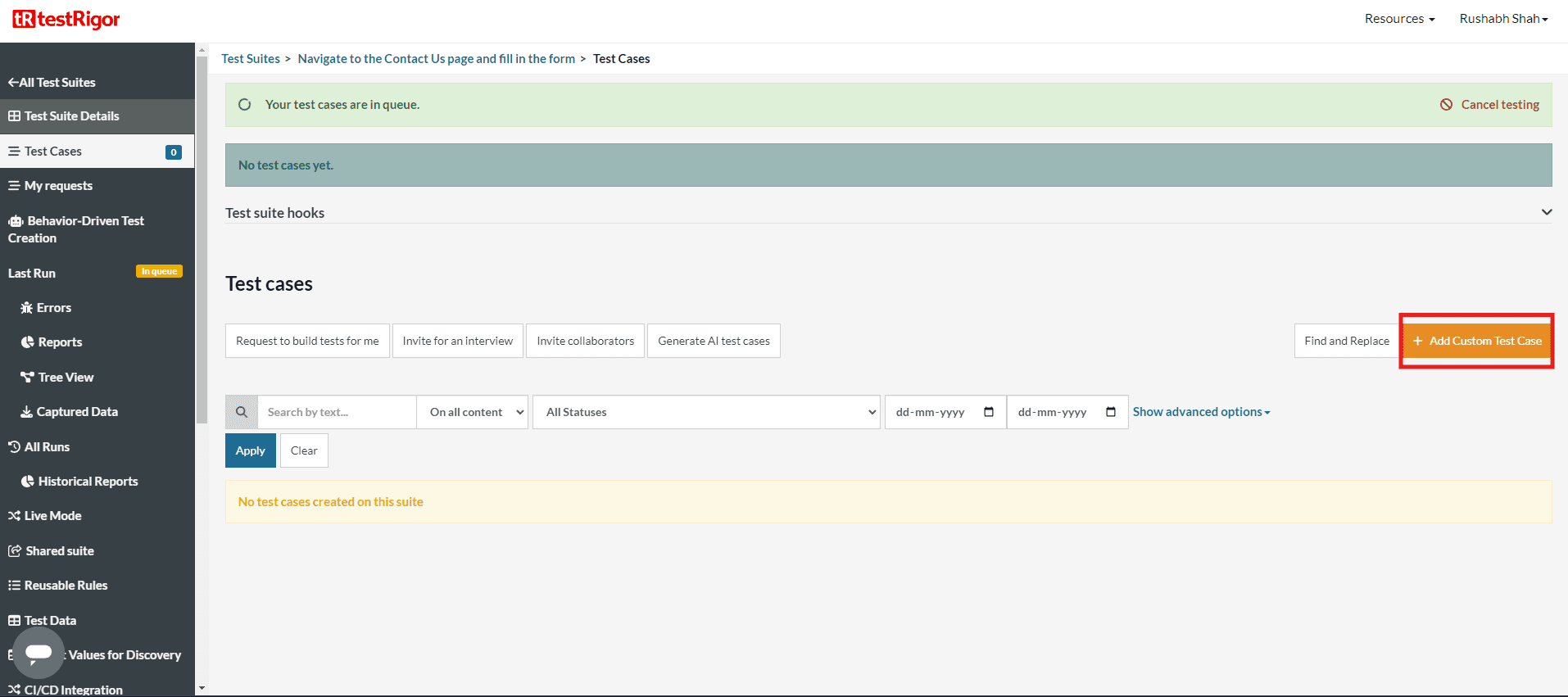
TestRigor is a test automation platform built around plain English test authoring. Teams write test cases as natural language statements like “Log in as admin and verify the dashboard loads” and the platform translates these into executable tests. No selectors, no XPath expressions, no code required.
The approach removes the technical barrier from test creation, allowing product managers, business analysts, and QA engineers to contribute test cases in the same format. TestRigor handles the translation to actual browser or mobile interactions, and includes self-healing to adapt when UI elements change.
TestRigor works well for teams with mixed technical backgrounds who want everyone contributing to test coverage. The tradeoff is that someone still needs to author each test case manually, even though the format is more accessible than traditional scripting.
4. Katalon
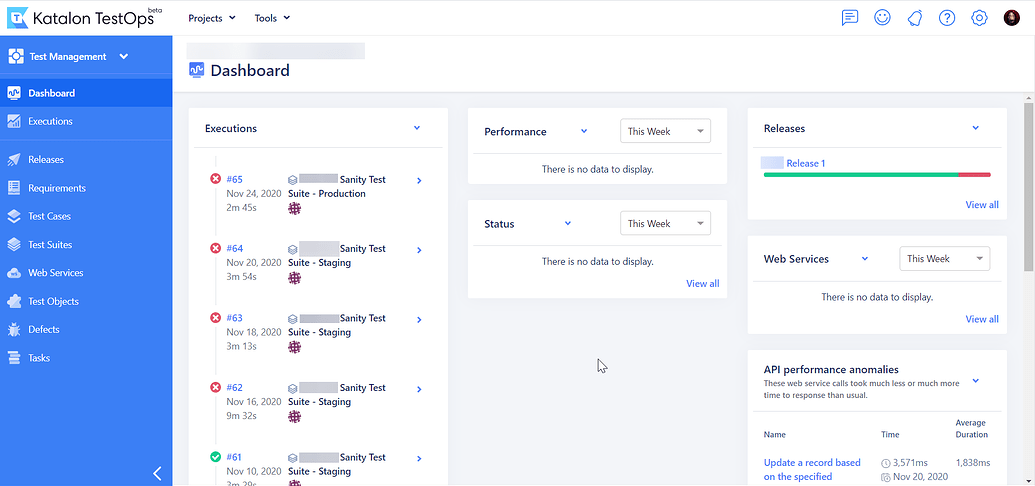
Katalon is an all-in-one test automation platform covering web, API, mobile, and desktop applications. The platform offers multiple modes of test creation: no-code record-and-playback for beginners, a visual test builder for intermediate users, and full scripting capabilities for teams that need granular control.
AI features are layered throughout, including test generation assistance, smart wait handling, and self-healing locators. Katalon also provides built-in reporting, CI/CD integration, and test management in a single platform rather than requiring separate tools.
Katalon offers a free tier, making it accessible for teams evaluating options before committing. The platform fits organizations that want a single tool spanning different skill levels and testing types without stitching together multiple solutions.
5. Testim (by Tricentis)
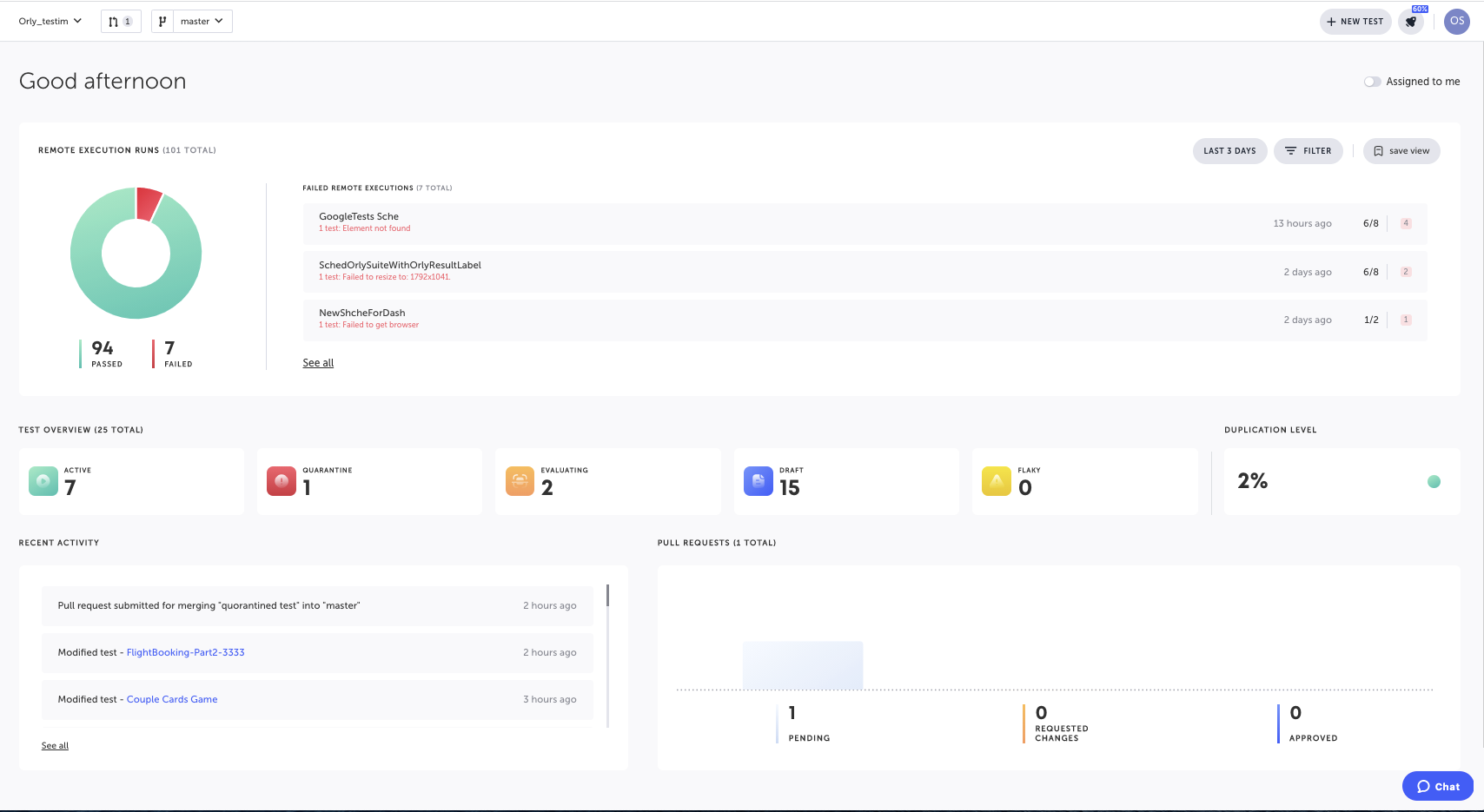
Testim is an AI-powered test automation platform now part of the Tricentis portfolio. The platform focuses on fast test authoring with a visual editor and AI-assisted element location. Their “smart locators” use machine learning to identify elements based on multiple attributes, reducing test fragility when UI changes occur.
The platform includes self-healing capabilities that automatically update locators when elements change, and AI-generated suggestions for test steps as you build. Testim supports web and mobile testing with integrations into CI/CD pipelines and test management tools.
Testim works well for teams that want to move faster than traditional record-and-playback tools but don’t want to write code from scratch. The AI assistance reduces the technical barrier while still giving engineers control when they need it.
Getting Started with GenAI Testing
Adopting GenAI doesn’t mean replacing your entire testing process. The most successful teams integrate it strategically.
1. Start Where You’re Spending the Most Time
If test maintenance consumes most of your automation effort, start with self-healing capabilities. If test creation is the bottleneck, focus on generation. If coverage is the gap, look at autonomous exploration. Match the tool to your actual pain point, not a theoretical ideal.
2. Keep Humans in the Loop
The QA engineers who understand how to get the most out of GenAI will outperform those who don’t. But that means treating AI as a collaborator, not a replacement. Review AI-generated tests before they hit your regression suite. Use AI to augment your judgment, not substitute it.
3. Measure Before and After
Pick specific metrics: test creation time, maintenance hours, coverage percentage, bugs found in production. Measure your baseline before adopting GenAI, then track changes. Without data, you’re guessing at ROI.
4. Invest in Prompt Engineering
The quality of AI output depends on input quality. Teams that learn to describe requirements clearly, provide context, and iterate on prompts see dramatically better results than those who expect magic from vague instructions.
The goal isn’t to automate humans out. It’s to move human effort from repetitive tasks to strategic decisions where judgment matters most.
The QA Role Isn’t Shrinking. It’s Shifting.
Three trends worth watching:
- Shift-left integration means GenAI testing is moving earlier in the cycle, generating tests as code is written. Expect tighter integration with Copilot, Cursor, and other AI coding assistants.
- Multi-modal understanding combines vision (screenshots, videos), audio (voice interfaces), and text. Coverage expands to things that were hard to automate before.
- Autonomous agents go beyond generating individual tests to managing entire testing strategies. Deciding what to test, when to test it, how to prioritize based on risk. This is the evolution toward agentic AI test automation.
AI handles more execution. Humans provide strategic direction. QA expertise doesn’t become less valuable—it gets applied at a higher level. Teams who figure out this division of labor first ship faster with fewer bugs reaching production.
Pie is an autonomous testing platform built for exactly this. Our vision-based AI agents explore your app, find bugs you wouldn’t think to test for, and adapt when your UI changes. If your team is ready to stop babysitting tests, book a demo.
Frequently Asked Questions
Traditional AI testing uses machine learning for specific tasks like visual comparison or test prioritization. GenAI testing uses large language models to understand intent, generate tests from natural language, and adapt to changes through semantic understanding. GenAI can create entirely new test cases from requirements documents or user stories, while traditional AI typically optimizes existing test workflows.
For routine test cases and regression coverage, GenAI often matches or exceeds human speed and consistency. It excels at generating thorough test suites from specifications. However, human QA engineers bring business context, intuition about user behavior, and judgment about what matters most. The best results come from GenAI handling volume while humans focus on strategy and edge cases that require domain expertise.
AI-generated code from tools like Cursor and Copilot needs the same testing as human-written code, but at higher volume. The challenge is that AI-generated tests may share blind spots with AI-generated code. Effective approaches include autonomous QA that explores applications independently, vision-based testing that validates actual user experience, and human review of flagged issues.
GenAI testing tools work at the UI layer, making them framework-agnostic. React, Vue, Angular, Svelte, Rails, Django, legacy jQuery apps: if it renders in a browser or mobile device, GenAI can test it. The AI interacts with the application the way a user would, not through code-level integration.
Production-ready GenAI testing requires human-in-the-loop verification. The AI generates and executes tests, but flagged issues should be reviewed by QA experts before becoming bug reports. This hybrid approach combines AI speed with human judgment, catching issues that would otherwise reach production.
GenAI testing handles dynamic content, personalization, and conditional workflows by understanding intent rather than expecting exact outputs. Instead of checking if a specific string appears, it verifies that login succeeded, the dashboard loaded, or the expected functionality works. This semantic approach handles variations that would break traditional assertions.
Teams we’ve worked with report 60-80% reduction in test maintenance time, 5-10x faster initial test creation, and broader coverage than manual scripting allows. The ROI compounds over time as the AI learns your application and maintenance overhead stays near zero even as the codebase grows.
GenAI outputs are probabilistic, not deterministic. The same prompt can produce different results. Traditional testing expects exact matches. Effective GenAI testing focuses on behavioral validation (did the checkout complete, did the dashboard load) rather than asserting specific text or element states. Semantic understanding replaces brittle assertions.
References
- Capgemini, Sogeti, OpenText (2025). “World Quality Report 2025”
- QASolve (2025). “QA and Software Testing in 2025: Insights from 100+ Dev Teams”
- TestGuild (2025). “8 Automation Testing Trends for 2025”
- MagicPod (2025). “How to future-proof your QA career in an AI-driven world”
8 years at Amazon, led Rufus (Amazon's LLM shopping experience). Now building the autonomous QA platform that makes test maintenance a thing of the past. LinkedIn →