BrowserStack Alternatives in 2026: Why a Cheaper Grid Won't Fix Your Real Problem
Most BrowserStack alternatives just move your bill to a new vendor. We compare eight options on the axis that actually matters, the test-authoring and maintenance work no device cloud removes.

Most teams shopping for a BrowserStack alternative are solving the wrong problem. They go looking for a cheaper grid, find one, switch, and feel good for a quarter. Then the bill creeps back up and the pain never moved, because the pain was never the grid.
A device cloud rents you browsers and real devices to run tests on. It does not write those tests, and it does not fix them when the UI changes. Writing the tests and keeping them alive is where most QA budgets quietly go, and it is the line item practitioners complain about long after the invoice stops surprising them. Renting the same tests from a different vendor does nothing for it.
So this guide compares eight alternatives on the axis most “best alternatives” lists skip: how much of the test-writing and test-maintenance work each tool actually removes, not just where your tests run. Several are genuinely good at what they do. Only one changes that number, which is why it sits at the top of the list.
What you’ll learn
- The real reasons teams outgrow BrowserStack, from practitioner reviews
- Eight alternatives with real ratings, pricing, and honest pros and cons
- How to match an alternative to your actual bottleneck
- The structural limit every device cloud shares, and what closes it
Why Teams Look for a BrowserStack Alternative
BrowserStack is the category leader for a reason: 4.5/5 from more than 2,600 reviews on G2, real devices instead of emulators, and it runs whatever framework you already use. Teams do not leave because it is bad. They leave when a specific cost or limit starts to bite. Three reasons come up again and again in practitioner reviews.
- Cost climbs with parallelism. BrowserStack prices by parallel session, how many tests you run at once, so the bill scales with the exact thing a growing suite needs more of. G2 reviewers name cost as the number-one drawback, and mid-size teams report bills in the thousands per month once they run enough parallels to keep CI fast. BrowserStack is not overcharging so much as charging on the axis that grows fastest.
- Real-device sessions get flaky at peak. Reviewers report dropped sessions, slow connections, and inconsistent behavior on real mobile devices during busy hours, which adds minutes to CI and noise to the results you have to triage.
- A grid runs tests; it does not own them. This is the reason that does not fit on a renewal slide. BrowserStack solves where your tests run. It does not write them, and its newer AI add-ons still produce selector-based tests you maintain yourself. When the expensive part of QA is authoring and upkeep, a grid leaves that untouched no matter how cheap it gets.
The first two are solvable by switching vendors. The third is not, because it is true of every device cloud. Hold onto that, because it decides which of the alternatives below is a real upgrade and which is a lateral move.
How to Evaluate a BrowserStack Alternative
Score every alternative on five axes that matter in production. Coverage breadth. Pricing model. Parallelism. Integration with your existing scripts. And the one most comparisons skip: how much of the test-writing and test-maintenance work the tool actually removes. A cheaper grid that leaves you authoring everything has not changed your real cost structure. It changed your invoice.
Here are the five questions that separate a genuine upgrade from a lateral move:
- Coverage. Does it offer real devices, emulators and simulators, or both, and the browser and OS versions your users actually run? Real-device coverage is non-negotiable for mobile, because emulators miss platform-native bugs.
- Pricing model. Per-parallel-session, per-user, per-minute, or open-source and self-hosted? The model matters more than the headline number, because it decides how cost behaves as you scale.
- Parallelism and speed. How many sessions run at once, and what does that do to your CI wall-clock time? A grid that throttles parallel runs quietly becomes your pipeline bottleneck.
- Integration. Does it run your existing Selenium, Playwright, Cypress, or Appium scripts unmodified, or does it demand a rewrite?
- Work removed. Does it only run the tests you write, or does it generate and maintain them? The biggest cost lives here. Most grids have added an AI test generator and a self-healing feature, and that genuinely helps, but both work inside the selector model: the AI writes locator-based scripts and patches the locators when the DOM shifts. The authoring-and-upkeep loop gets faster, not removed.
Most BrowserStack-alternative comparisons score only the first four axes, coverage, price, speed, integration, because every device cloud competes there. Scoring only those four keeps you comparing grids while the expensive problem, test authoring and maintenance, never enters the spreadsheet. Score the fifth axis and the shortlist changes.
8 Best BrowserStack Alternatives in 2026
Ask who BrowserStack’s biggest competitor is and the honest answer is two-headed. On the grid axis, Sauce Labs and TestMu (formerly LambdaTest) are the closest head-to-head rivals, with AWS Device Farm and the budget clouds circling on price. On the axis that decides most QA budgets, writing and maintaining the tests, the real competitor is not another grid at all. Keep both answers in view as you read the list.
The alternatives worth your time fall into three groups. An autonomous platform that removes the authoring and maintenance work (Pie). Competing device clouds that rent you real browsers and devices (Sauce Labs, TestMu, AWS Device Farm, TestingBot). And open-source frameworks you host yourself (Selenium Grid, Playwright, Appium). These eight are the BrowserStack replacements specifically. If you are shopping the wider field, our roundup of the best test automation tools in 2026 covers the top platforms overall, Katalon and testRigor included.
We list Pie first because it is the only entry that touches the fifth axis, the maintenance work the rest of this list spends engineering hours fighting. If what you need is a cloud of real devices to run scripts you are happy to keep writing, jump to the grids: they are the right tool for that job, and a cheaper one is a real win. If the tests themselves are the bottleneck, that is why Pie sits at the top.
The table maps all eight against the axes that matter. Read it as a router, not a leaderboard. The column that decides it for you is “Best for.”
We scored every tool on the five axes above, weighting the fifth most (how much authoring and maintenance work it removes), since that is where most QA budgets go. Ratings and pricing reflect each vendor’s public model and current G2 and Capterra scores as of mid-2026.
| Tool | Type | Best for | Pricing model | Key limitation |
|---|---|---|---|---|
| Pie | Autonomous platform | Teams who want tests written + maintained | Platform subscription | Not a raw grid for hand-written legacy scripts |
| Sauce Labs | Device cloud | Enterprise web + mobile coverage | Per-parallel / subscription | AI tests still selector-based; slower at peak |
| TestMu | Device cloud | Cost-conscious cross-browser teams | Per-parallel / subscription | AI authoring is still selector-based |
| AWS Device Farm | Cloud device fleet | AWS-native teams, pay-as-you-go | Per-device-minute | Sparse UI; setup-heavy; no authoring help |
| TestingBot | Device cloud | Budget + EU data-residency teams | All-features subscription, tiered by parallels | Smaller device pool; still selector-based |
| Selenium Grid | Open-source framework | Full control, no license fee | Free (self-hosted infra) | You own all infra, scaling, and flakiness |
| Playwright | Open-source framework | Fast modern web automation | Free (self-hosted infra) | Not a device cloud; no real-device fleet |
| Appium | Open-source framework | Native + hybrid mobile scripting | Free (self-hosted infra) | Brittle selectors; heavy setup and upkeep |
1. Pie: Tests Written and Maintained for You
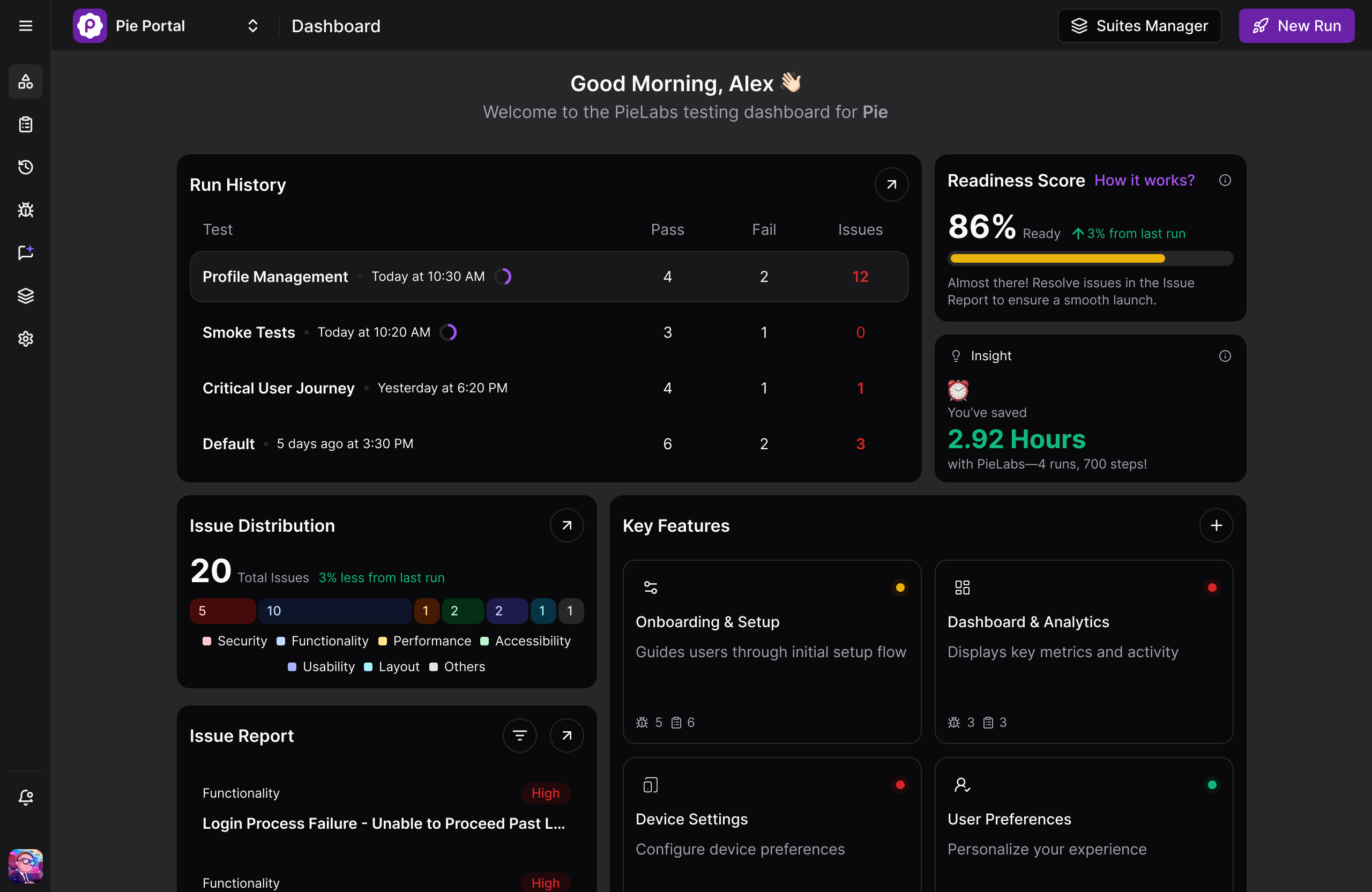
Pie is the autonomous alternative, and the only entry here that targets the fifth evaluation axis head-on. Instead of renting browsers to run hand-written scripts on, Pie’s agents discover your app, generate the tests, run them, and repair them when the UI changes. It executes through the rendered screen using vision rather than element IDs, so nothing is anchored to a selector and UI changes do not turn the suite red. There is no authoring step to staff and no locator backlog to fight.
Every other tool below either runs the tests you write or speeds up how you write them. Pie removes the writing and the upkeep, which is the part of QA that actually scales with your product. It earns first place on that difference alone.
What makes the difference in practice:
- Autonomous discovery maps real user flows and generates coverage with no test authored by hand, prioritizing high-risk paths like auth and checkout on its own
- Vision-based execution identifies elements by what the user sees, so class renames, redesigns, and OS updates do not break the test
- One behavior-based definition runs across web, native iOS, and native Android, removing the duplicate mobile suite that Appium-plus-framework stacks require
Honest trade-offs:
- Not a raw grid you point a legacy Selenium suite at, and not a drop-in for unit testing or performance harnesses
- Pie runs on simulators and emulators, not physical devices, so a hardware-specific bug that only reproduces on a particular handset still wants a real-device cloud alongside it
- Smaller ecosystem than decade-old projects like Selenium, as with any newer platform
“The time between having a release candidate ready and being fully tested has gone from two to three days to a few hours.”
— Philip Hubert, Director of Mobile Engineering, Fi (the Fitbit for pets)
Pricing: Custom pricing, tailored to your team’s requirements and testing volume. Contact Pie for a quote.
Best for: Teams whose bottleneck is test authoring and maintenance rather than device access, where engineers spend more sprint time repairing broken selectors than catching real bugs.
Not for: Teams that only need a raw device grid for hand-written legacy scripts, or unit and performance testing.
See What Autonomous Testing Replaces
Watch Pie discover, generate, and run a real test suite in about 30 minutes.
Book a Demo2. Sauce Labs
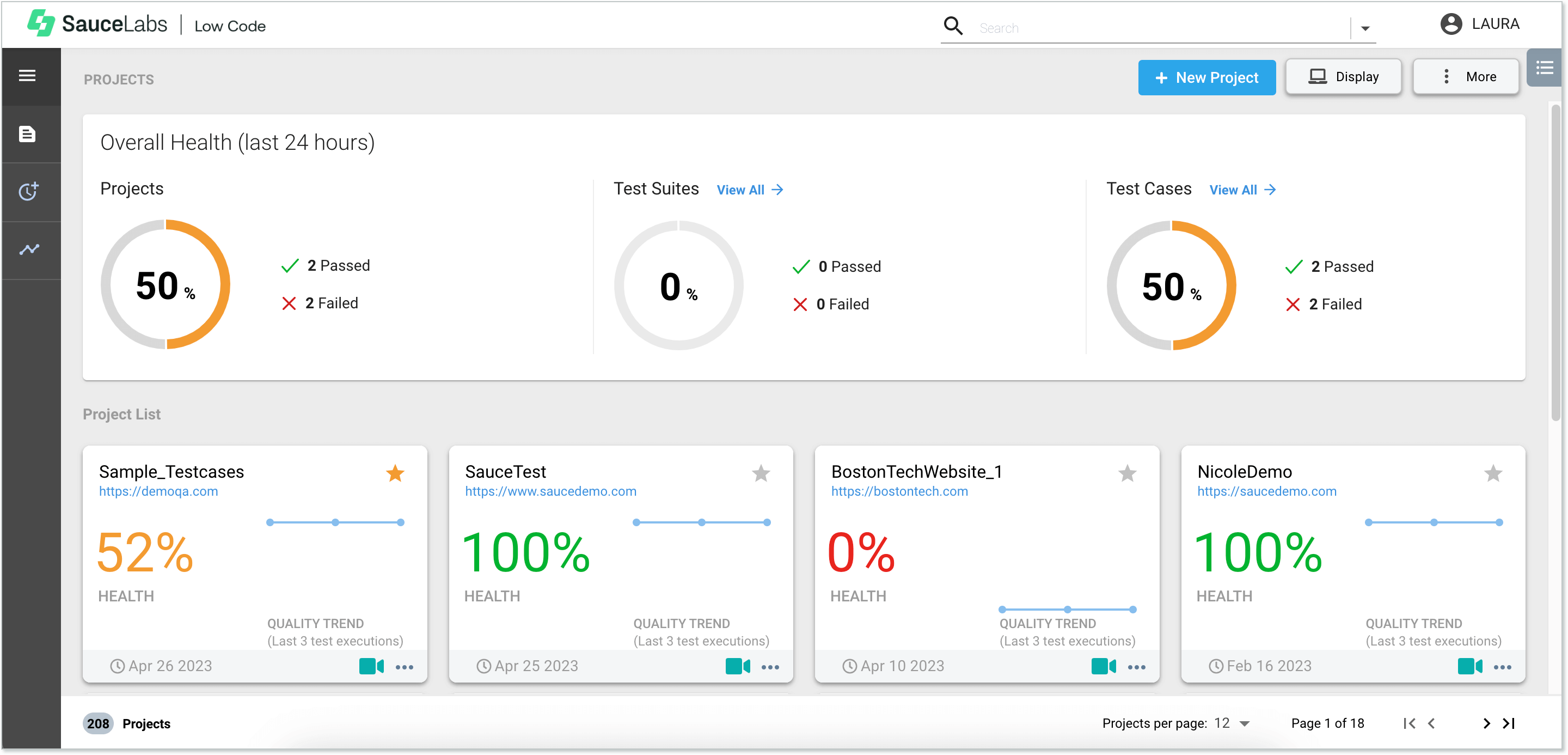
Sauce Labs is the closest enterprise-grade like-for-like swap for BrowserStack. It offers a comparable real-device and cross-browser cloud, strong CI integrations, and analytics, and it has been a fixture in the space since 2008. Teams choose it for breadth and reliability at scale, and our Sauce Labs versus BrowserStack breakdown compares the two axis by axis if you are weighing them directly.
It has also moved on authoring. Sauce AI for Test Authoring went GA in March 2026, turning a natural-language prompt into a runnable, self-healing flow. The feature is real, but both the generated tests and the healing work inside the selector model, so the brittleness moves rather than disappears.
G2 rating (as of mid-2026): 4.3/5 from 178 reviews on G2; 4.4/5 on Capterra.
Recurring strengths (G2 reviewers):
- Stable, reliable cross-browser and cross-device cloud that removes self-managed VMs
- Video recording plus detailed logs make failed runs fast to debug
- Broad parallel execution across major desktop and mobile platforms
Recurring complaints (G2 and Capterra):
- Execution can run noticeably slower than local, with reviewers citing regression suites that drag at peak
- Flakiness and reliability of individual sessions is the second most-cited frustration
- Pricing is high for small teams, and support response times draw complaints
Pricing: Live testing from around $39/month (annual); virtual-cloud and real-device automation plans priced higher, per-parallel. Verify current tiers with Sauce Labs as of mid-2026.
Best for: Enterprises that want mature, reliable breadth across web and mobile and are comfortable at enterprise price points.
Not for: Small teams on tight budgets, or anyone whose real problem is authoring and maintaining the tests rather than running them.
3. TestMu (Formerly LambdaTest)
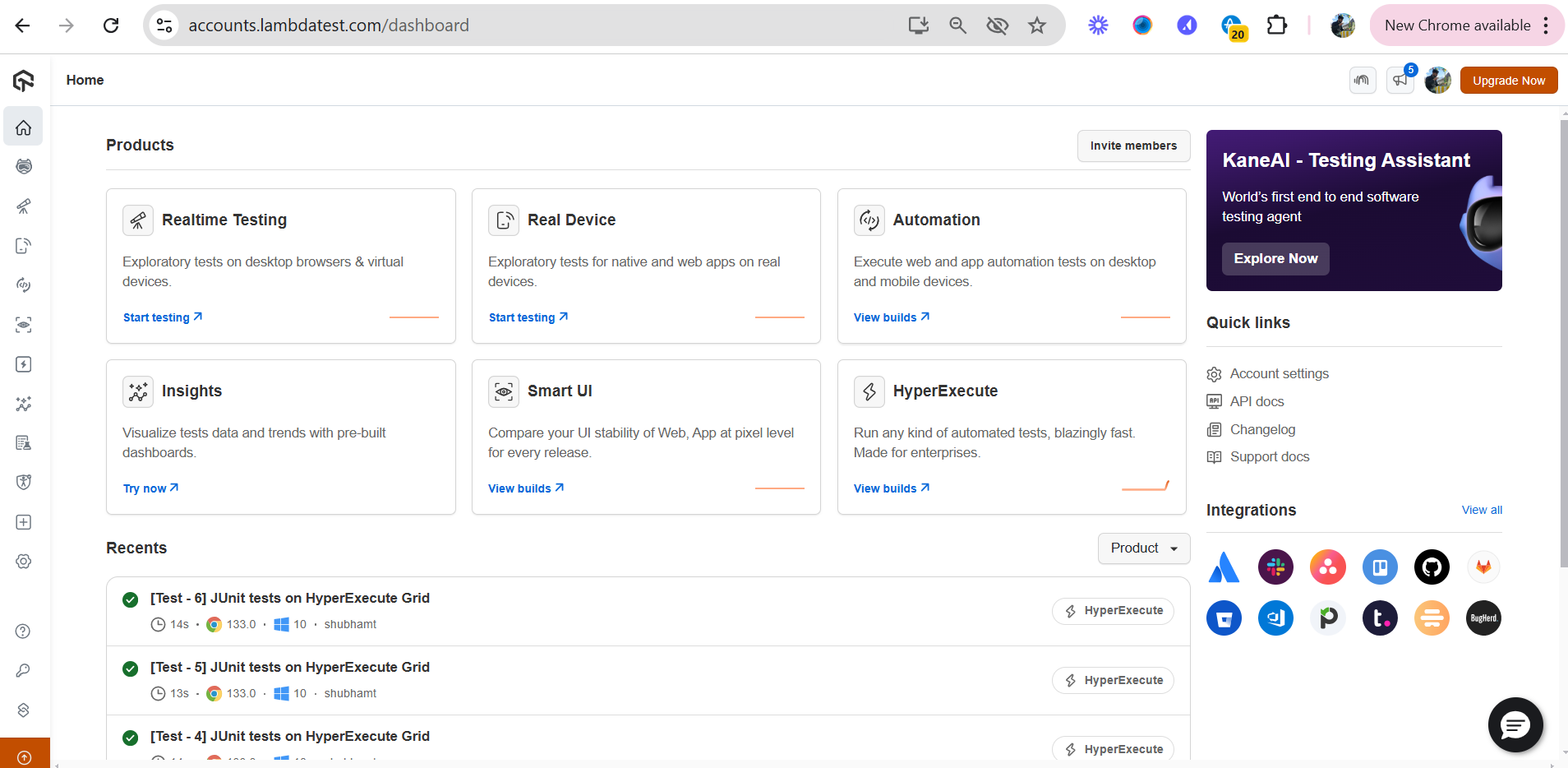
TestMu, formerly LambdaTest and rebranded in early 2026, is the value play, picked most often by teams whose stated reason for leaving BrowserStack is cost. It provides a large grid of real and virtual browsers and devices, parallel execution, and the integrations most CI pipelines expect, frequently at a lower price point. On a straight cross-browser comparison, our LambdaTest against BrowserStack rundown covers where the cheaper grid wins and where it does not. If Sauce Labs is the other grid on your list, our LambdaTest vs Sauce Labs comparison sets the two side by side.
Its KaneAI agent (GA September 2025) generates and evolves tests from plain-language goals, so it is more than a bare grid. But what it writes is still a locator-based script that lands in your repo, and repairing it is still your job. A cheaper grid with an AI authoring layer gets you moving faster without changing what the upkeep costs you later.
Rating (as of mid-2026): 4.6/5 from more than 500 reviews on Capterra, and similarly rated on G2.
Recurring strengths (G2 reviewers):
- Intuitive UI over a huge matrix of real browsers, OS versions, and resolutions, with no local setup
- Strong legacy-browser support for teams that still have to cover older environments
- One-click bug logging to Jira and Slack notifications built in
Recurring complaints (G2 and Capterra):
- Live sessions can lag and test execution slows at peak hours
- Costs stack up at scale as modules and parallel sessions add up
- Short data-retention on standard plans limits long-run trend analysis
Pricing: Freemium tier available; paid live and automation plans priced per parallel session, starting low and rising with modules and parallelism. Verify current tiers with TestMu AI as of mid-2026.
Best for: Cost-conscious teams that want broad cross-browser coverage and legacy-browser support at a lower price than BrowserStack.
Not for: Teams that need long data retention out of the box, or whose bottleneck is test maintenance rather than grid price.
4. AWS Device Farm
AWS Device Farm is the natural fit for teams already living in AWS. It offers real mobile devices and desktop browsers on a pay-as-you-go, per-device-minute model, billed through your existing AWS account. Paying by the minute can beat fixed parallel-session tiers when your workload is spiky.
Unlike the other clouds here, it has not shipped an AI test-authoring or self-healing layer as of mid-2026. It is infrastructure sold as infrastructure, and it does not pretend otherwise.
G2 rating (as of mid-2026): a small pool of 26 reviews on G2, so treat any score as directional.
Recurring strengths (G2 and TrustRadius):
- Large range of real devices across many makes and models
- Native AWS ecosystem and CI integration for teams already on AWS
- Supports both automated runs and manual remote-access testing
Recurring complaints (TrustRadius and PeerSpot):
- Execution can be slow, with device queue times at peak
- Per-minute cost is opaque and hard to forecast for steady workloads
- Documentation is thin and some integrations are clunky, with inflexible reporting
Pricing: Pay-as-you-go at roughly $0.17 per device-minute; unmetered plans from around $250 per device per month. Verify current pricing with AWS as of mid-2026.
Best for: AWS-native teams with spiky, usage-based mobile testing needs who want billing inside their existing account.
Not for: Teams that want authoring help, polished reporting, or predictable flat-rate cost.
5. TestingBot
TestingBot wins on price and data residency rather than on breadth. It runs the same Selenium, Playwright, Cypress, and Appium scripts BrowserStack does, across a grid TestingBot lists at 6,100-plus real browsers and devices as of mid-2026, with live, automated, and real-device testing bundled into a single plan rather than sold as separate products.
The differentiator that matters is where your data lives. TestingBot is EU-hosted with GDPR data residency in Europe and Switzerland on a standard plan, where BrowserStack gates EU residency behind enterprise contracts.
Compliance is a real reason to switch, though it does nothing for how hard your tests are to maintain. TestingBot added a codeless AI authoring layer, but scripted runs stay selector-based, so the same upkeep bill the rest of this list carries lands here too.
What sets it apart:
- One plan bundles real devices, visual checks, and accessibility scans rather than metering them as separate modules, though the price still steps up with parallel capacity
- EU and Switzerland data residency by default, which matters for teams under GDPR or strict data-handling rules
- A free plan with 100 minutes across the platform, so you can validate the grid before you pay
Honest trade-offs:
- A smaller device and browser pool than BrowserStack, Sauce Labs, or TestMu, so exotic device-and-OS combinations may be missing
- Scripted tests still run on locators you have to keep working; the free minutes run out fast on a real suite
Pricing: TestingBot’s automated plans start at around $50 per month billed annually and tier from 1 to 24 parallel tests. Its own BrowserStack comparison frames the entry price as roughly 71% cheaper. A free plan covers 100 minutes across the platform with no credit card. Verify current tiers with TestingBot, since plans change frequently.
Best for: Cost-conscious teams, and any team that needs EU data residency without jumping to an enterprise contract.
Not for: Teams that need the widest possible real-device matrix, or whose bottleneck is authoring and maintenance rather than grid price.
6. Selenium Grid
Selenium Grid is the open-source, self-hosted answer. Distribute tests across machines and browsers you control, with no per-seat license. Selenium remains the most widely deployed browser-automation standard, and Grid gives you maximum control and zero licensing cost.
What you trade is engineering time. You own provisioning, scaling, browser updates, and the flakiness that comes from running infrastructure yourself.
G2 rating (as of mid-2026): community-driven and unclaimed, ranging from 4.6/5 for Selenium WebDriver down to 4.2/5 for Selenium IDE; treat it as directional rather than a single score.
Recurring strengths (G2 reviewers):
- Broadest language support of any web automation tool (Java, Python, C#, JavaScript, Ruby)
- Grid enables true parallel execution across your own machines with no paid cloud
- Massive ecosystem of plugins, CI integrations, and training material
Recurring complaints (G2 and r/QualityAssurance):
- No built-in waiting, so every stability mitigation is hand-rolled
- Setup complexity is overwhelming for small teams: drivers, Grid config, capabilities
- Test brittleness is the top long-term cost; DOM changes break suites and debugging which selector broke takes hours
Pricing: Free, Apache 2.0 license. Infrastructure and maintenance are the real costs.
Best for: Large, long-lived test estates in polyglot organizations that already have dedicated QA infrastructure engineers.
Not for: Small teams without the bandwidth to assemble and maintain the surrounding infrastructure.
7. Playwright
Playwright, Microsoft’s open-source automation framework, is the modern choice for fast, reliable web scripting. Its auto-waiting waits for an element to be attached, visible, stable, and ready before acting, killing a whole class of timing flakiness, which is why so many teams adopted it. One API drives Chromium, Firefox, and WebKit across several languages.
But Playwright is not a device cloud. By default it drives the browsers on your own machine or CI runner. To get BrowserStack-scale coverage you connect it to a grid or self-host. Playwright replaces the scripting layer, not the device fleet.
G2 rating (as of mid-2026): 4.8/5 on G2, from a small review pool, so treat the score as directional.
Recurring strengths (G2 reviewers):
- Auto-waiting eliminates the most common source of flaky tests without hand-rolled sleeps
- Multi-browser, multi-language, and multi-origin from one codebase, with Safari via WebKit as a first-class target
- Built-in free parallelism, plus a trace viewer that replays every step for fast debugging
Recurring complaints (G2 reviewers):
- Still code-first: engineers must write, review, and fix tests, with no authoring shortcut for non-developers
- A UI redesign that changes DOM structure still requires manual locator fixes, just fewer than Selenium demands
- Steeper initial learning curve than Cypress for front-end developers new to out-of-process architecture
Pricing: Free, Apache 2.0 license. No paid tier.
Best for: New web projects, polyglot teams, and suites that need Safari coverage, multi-tab flows, or free parallelism at scale.
Not for: Teams that need native mobile app testing, or whose primary blocker is test authoring speed rather than test capability.
8. Appium
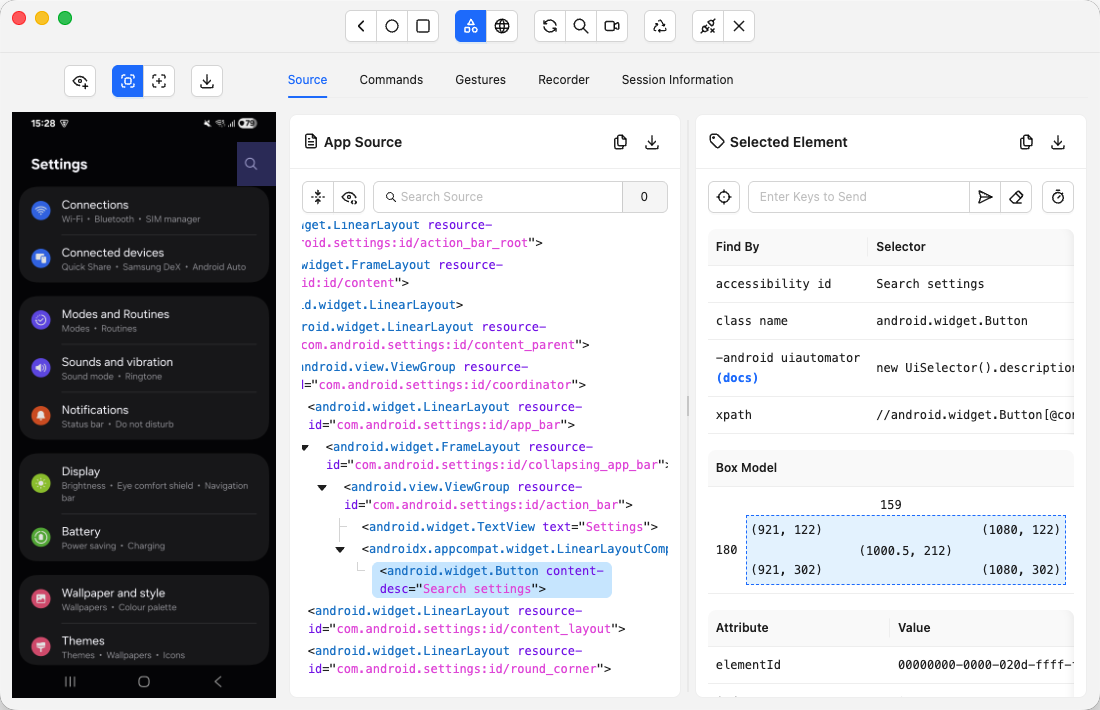
Appium is the open-source standard for driving native, hybrid, and mobile-web apps, using the same WebDriver protocol as Selenium. It is the default engine under most mobile automation, free, broadly compatible, and it integrates with every major device cloud for parallel real-device runs.
The downside is the one every selector-based mobile tool shares. Brittle locators break across devices and OS versions, and both setup and maintenance are heavy.
G2 rating (as of mid-2026): 4.4/5 from 61 reviews on G2; 4.3/5 on Capterra.
Recurring strengths (G2 reviewers):
- Cross-platform: one WebDriver-based API targets both iOS and Android
- Works on real devices without modifying the app binary, so no instrumentation is required
- Integrates with every major device cloud for parallel real-device runs
Recurring complaints (G2 and Capterra):
- Initial setup is consistently cited as overwhelming: drivers, capabilities, and environment dependencies are a multi-day lift
- Execution is noticeably slower than native frameworks like Espresso or XCUITest
- Locator instability across device and OS variants is the leading maintenance complaint, covered in our mobile app regression testing guide
Pricing: Free, Apache 2.0 license.
Best for: Teams that need one open-source framework across iOS and Android, with strong language flexibility and device cloud integration.
Not for: Teams without the bandwidth to absorb a multi-day setup and ongoing driver maintenance across OS upgrades.
Which BrowserStack Alternative Fits Your Use Case?
Your bottleneck decides the answer, not a ranking. If the pain is the monthly bill, move to a cheaper grid. If it is control and cost at scale, go open-source and self-host. If it is the hours your engineers pour into writing and fixing tests, no device cloud helps, cheaper or not, and you need an autonomous platform instead.
Match your situation to the move:
- “Our real bottleneck is writing and maintaining the tests, not running them.” Go to Pie. Every other option on this list still hands the writing and the fixing back to you.
- “BrowserStack works, it’s just expensive.” Go to TestMu, TestingBot, or AWS Device Farm. Same model, lower or usage-based cost, with TestingBot the leanest entry price.
- “We need EU data residency or on-prem devices for compliance.” TestingBot hosts data in the EU on a standard plan; TestGrid goes further with on-premise and private-cloud device labs, shipping hardware you run inside your own network for teams that cannot send test data to a public cloud at all.
- “We want enterprise breadth and reliability.” Go to Sauce Labs. The closest mature like-for-like swap.
- “We have engineers and want full control with no license fee.” Go to Selenium Grid or Playwright, self-hosted. Free software, real operating cost.
- “We’re mobile-first and selector maintenance is killing us.” Appium will reproduce the problem. A vision-based approach like Pie was built for exactly this.
The One Limit Every Device Cloud Shares
BrowserStack, Sauce Labs, TestMu, TestingBot, and AWS Device Farm all share one structural limit. Most of them now offer AI authoring and self-healing on top of the grid, and those features are real. But every one of them operates on selectors.
The AI drafts the test against locators, then repairs those locators when they drift. The selector is still there, and the selector is still what breaks.
Switching grids changes your bill. Bolting AI onto a selector model speeds up the work. Neither one changes what the work is built on.
Maintenance is where the cost concentrates, and that is the whole argument. When maintenance and rework eat a large share of automation effort, a device cloud is optimizing the cheap half of the equation.
A test suite is a liability as much as an asset. Every test is code someone has to keep alive, and a grid adds running capacity to that liability without reducing it by an hour.
More coverage can even backfire. Each new browser and device you add is another environment where a brittle selector can fail, which is why mobile suites in particular flake more than web ones. Emulator drift, gesture timing, and per-device layout stack on top of selector fragility.
Renting the devices does not address the reasons the tests break. The grid is necessary. It is not sufficient.
Where Pie Fits: From Device Access to Autonomous Tests
Pie sits one layer above the device cloud. Instead of giving you browsers to run hand-written scripts on, it writes, runs, and maintains the tests for you. BrowserStack answers where your tests run. Pie answers who writes and fixes them, the question that eats the larger share of most QA budgets.
Concretely, Pie changes the parts of the workflow a grid leaves untouched:
- Autonomous discovery. A Pie agent explores your app, maps the screens and flows, prioritizes high-risk paths like auth and checkout, and authors the suite without anyone hand-writing a test. For an average app, a first suite lands in roughly 30 minutes, work that takes weeks of scripting against a traditional grid.
- Self-healing execution. Tests identify elements by what the user sees, not by a selector string, so a redesign or an OS update re-identifies the element instead of breaking the test. This is the difference from a grid’s self-healing add-on, which repairs the selector. Pie does not depend on one.
- Cross-platform by default. One behavior-based definition runs across iOS and Android without separate selector sets, so you stop maintaining parallel suites for the same product.
- CI/CD integration. Tests run on every pull request before merge, catching regressions at the change that caused them rather than at the next release window.
If broad coverage is the gap, a device cloud fills it. If the authoring and the upkeep are the cost, that is what Pie was built to remove. Plenty of teams run both, a grid for legacy coverage and Pie for everything new, so model the cost against your own suite before you decide.
See What Autonomous Testing Replaces
Watch Pie discover, generate, and run a real test suite in about 30 minutes.
Book a DemoPick for Your Bottleneck, Not the Bill
The best BrowserStack alternative in 2026 is the one aimed at your real bottleneck. If that bottleneck is cost or coverage, TestMu, Sauce Labs, AWS Device Farm, and the open-source frameworks are all legitimate, well-supported choices, and this guide should help you pick among them on price, parallelism, and control.
But name the bottleneck honestly first. For a growing number of teams, the device cloud is the part that already works. The pain is the human hours poured into writing tests and the endless cycle of fixing them when the UI moves. No grid solves that, because no grid was designed to. It is a different category of tool, which is why Pie leads this list rather than sitting somewhere in the middle of it.
If your tests, not your browsers, are slowing you down, Pie takes the authoring and the maintenance off your team entirely. Switch grids to lower your bill. Switch categories to change what your engineers spend their week on.
Stop Renting Browsers. Start Shipping.
Get an autonomous test suite that discovers your app, writes the tests, and repairs them when the UI changes.
Book a DemoFrequently Asked Questions
For commercial teams, BrowserStack offers a limited free trial rather than a standing free tier (qualifying open-source projects can apply for a free plan). For genuinely free options, Selenium Grid, Playwright, and Appium are all open-source, but they are frameworks, not device clouds: you supply and maintain the browsers, devices, and infrastructure yourself.
Among the hosted clouds, TestingBot ships a free plan with 100 minutes of testing across live, automated, and real-device runs and no credit card, which is the closest thing to a free BrowserStack-style grid. AWS Device Farm and self-hosted grids shift cost from per-seat licensing to compute and engineering time rather than removing it.
Sauce Labs and TestMu (formerly LambdaTest) are BrowserStack's closest head-to-head competitors: both are cross-browser and real-device clouds that run the same Selenium, Playwright, and Appium scripts, and reviewers weigh them against BrowserStack most often on price and reliability. AWS Device Farm competes on pay-as-you-go pricing for AWS-native teams.
But the biggest competitor depends on the problem. If the bottleneck is writing and maintaining the tests rather than running them, the real competition is not another grid at all. It is an autonomous platform like Pie that removes the authoring and upkeep instead of relocating it.
13 years building mobile infrastructure at Square, Facebook, and Instacart. Now building the QA platform he wished existed the whole time. LinkedIn →